


These instructions will walk you through deploying the Cloud Foundry Spring Music reference App with Kf, demonstrating a few things along the way:
-
Building Java Apps from source: The Spring Music source will be built on the cluster, not locally.
-
Service broker integration: You will create and bind a PostgreSQL database to the Spring Music App.
-
Spring Cloud Connectors: Spring Cloud Connectors are used by the Spring Music App to detect things like bound CF services. They work seamlessly with Kf.
-
Configuring the Java version: You will specify the version of Java you want the buildpack to use.
Prerequisites
Option 1: Minibroker
The cluster administrator should follow these instructions to install the Minibroker service broker into your cluster. Minibroker will allow you to provision a PostgreSQL database and configure your App to use it.
To confirm that Minibroker is installed and available to your cluster, run kf
marketplace
and you should see output similar to:
$
kf
marketplace 5
services
can
be
used
in
Space
"demo"
,
use
the
--service
flag
to
list
the
plans
for
a
service
Broker
Name
Space
Status
Description
minibroker
mariadb
Active
Helm
Chart
for
mariadb
minibroker
mongodb
Active
Helm
Chart
for
mongodb
minibroker
mysql
Active
Helm
Chart
for
mysql
minibroker
postgresql
Active
Helm
Chart
for
postgresql
minibroker
redis
Active
Helm
Chart
for
redis
Option 2: Other Service Broker
You can use a different service broker that's installed as long as it supports creating PostgreSQL services. For example, the gcp-service-broker .
Deploy
Clone source
-
Clone the Spring Music repo .
git clone https://github.com/cloudfoundry-samples/spring-music.git spring-music
cd spring-music
-
Edit
manifest.yml, and replace the contents with the following:--- applications: - name: spring-music memory: 1G random-route: true stack: org.cloudfoundry.stacks.cflinuxfs3 env: BP_AUTO_RECONFIGURATION_ENABLED: false
Push App
-
Deploy (this assumes you've already
kf targeted a Space; see these docs for more detail):kf push spring-music -
Use the proxy feature to access the deployed App, then load
http://localhost:8080in your browser:kf proxy spring-music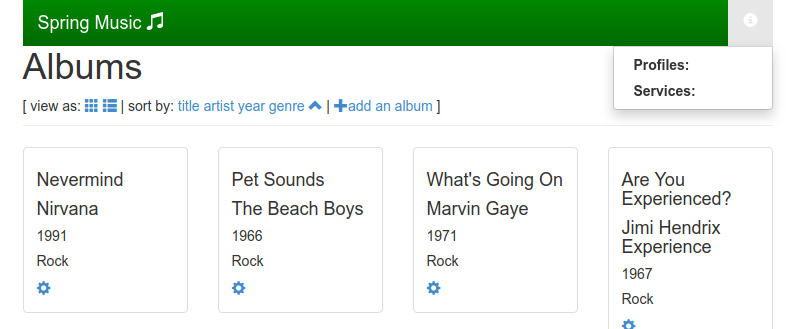
The deployed App includes a UI element showing which (if any) Spring profile is being used. No profile is being used here, indicating an in-memory database is in use.
Create and bind database
-
Create a PostgreSQL service via the broker installed in the marketplace:
kf create-service postgresql 11 -7-0 spring-music-db -c '{"postgresqlDatabase":"smdb", "postgresDatabase":"smdb"}' -
Bind the service instance to the Spring Music App:
kf bind-service spring-music spring-music-db -c '{"postgresqlDatabase":"smdb", "postgresDatabase":"smdb"}' -
Restart the App to make the service binding available via the
VCAP_SERVICESenvironment variable:kf restart spring-music -
(Optional) View the binding details:
kf bindings -
kf proxyto the App again and view it in your web browser. The Spring profile should be shown, indicating the PostgreSQL service you created and bound is being used: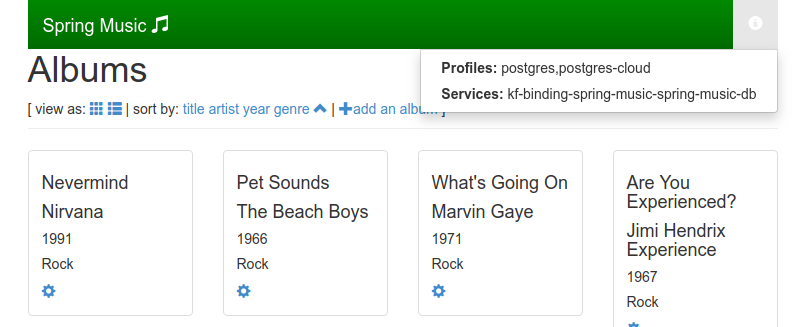
Destroy
-
Unbind and delete the PostgreSQL service:
kf unbind-service spring-music spring-music-db kf delete-service spring-music-db -
Delete the App:
 kf
delete
spring-music
