


CleanCopify - Easy Select Copy Paste Plain Text

Overview
Automatically copy selected text as plain text to your clipboard without formatting.
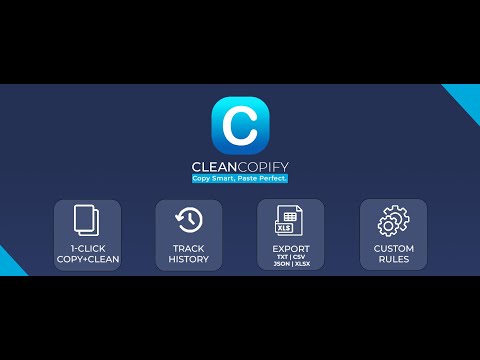
CleanCopify: Auto Text Cleaner, History & Exporter. Instantly clean copied text with automatic formatting removal! CleanCopify automatically unformats selected text, applying your custom rules, and provides a convenient history log with source links for easy access and export. Save time and ensure consistent, professional documents with this powerful intelligent text manipulation tool. Perfect for professionals, writers, developers, students, and anyone who works with text across different platforms. KEY FEATURES: - Automatic Text Cleaning on Selection: Select any text, and CleanCopify automatically removes formatting and applies your custom rules. - Paste as Plain Text: Quickly paste the cleaned text into any application. - History Log (Optional): Keep a detailed history of your cleaned text, including source links for easy reference and revisiting. - Selectable History Export: Export all or selected entries from your history in various formats: Excel (.xlsx), JSON, TXT, or CSV. - Persistent Source Links: When history is enabled, CleanCopify stores locally the original link associated with each copied text snippet. - Customizable Formatting Rules: Define custom rules to precisely control how text is cleaned. - Privacy-First Design - All processing happens locally in your browser. PERFECT FOR: - Emails & Documents - Code Snippets - Spreadsheet Data - Professional Communications - Content Creation - Data Entry - ... WHY CHOOSE CleanCopify: - Save hours of manual formatting time - Eliminate formatting inconsistencies - Maintain clean, professional documents - Work faster and more efficiently - Zero learning curve - intuitive interface - Customizable to your specific needs - ... SECURITY & PRIVACY: Your privacy is our priority. CleanCopify operates entirely within your browser, 100% secure local processing. No personal data or copied text is collected, stored, or transmitted externally. History and link storage are optional and remain local to your browser. To manage subscription limits and improve the extension, we collect aggregated, non-personal usage statistics, such as the number of cleaning operations and exports. This data does not include any of your copied text or personal information. USE CASES: - Clean messy email signatures and web content for consistent branding. - Standardize content copied from various sources for reports and presentations. - Quickly clean and format code snippets for documentation and code editors. - Gather and organize research information with source links for easy citation. - Clean spreadsheet data and export it for use in other applications. - ... Revolutionize your copy-paste workflow with CleanCopify. You'll never paste the same way again.
Details
- Version1.1.1
- UpdatedNovember 27, 2025
- FeaturesOffers in-app purchases
- Size333KiB
- LanguagesEnglish (United States)
- DeveloperWebsite
Email
contact@CleanCopify.com - Non-traderThis developer has not identified itself as a trader. For consumers in the European Union, please note that consumer rights do not apply to contracts between you and this developer.
Privacy

CleanCopify - Easy Select Copy Paste Plain Text has disclosed the following information regarding the collection and usage of your data. More detailed information can be found in the developer's privacy policy .
CleanCopify - Easy Select Copy Paste Plain Text handles the following:
This developer declares that your data is
- Not being sold to third parties, outside of the approved use cases
- Not being used or transferred for purposes that are unrelated to the item's core functionality
- Not being used or transferred to determine creditworthiness or for lending purposes
Support
For help with questions, suggestions, or problems, visit the developer's support site


