Item logo image for Fontpair

Fontpair

fontpair.co
Featured
4.8 (

4 ratings

)
Extension Art & Design 10,000 users
Item media 3 (screenshot) for Fontpair
Item media 4 (screenshot) for Fontpair
Item video thumbnail
Item media 2 (screenshot) for Fontpair
Item media 3 (screenshot) for Fontpair
Item media 4 (screenshot) for Fontpair
Item video thumbnail
Item media 2 (screenshot) for Fontpair
Item video thumbnail
Item media 2 (screenshot) for Fontpair
Item media 3 (screenshot) for Fontpair
Item media 4 (screenshot) for Fontpair

Overview

Detect fonts and colors on any website.

The Fontpair Chrome extension is the fastest way to identify fonts and colors on any website. Click the extension icon to instantly detect fonts, extract color palettes, and capture a screenshot. Save everything to your Fontpair account to build a personal design inspiration library over time. See a site with great typography? Hover over any text to inspect it. Fontpair shows you the exact font name, weight, size, line height, and color. Detected fonts include full alphabet previews so you can see every character at a glance. What you get: Hover to inspect any text element on the page with font name, weight, size, line height, and color Detect all fonts used on a website with full alphabet previews Extract font colors and website colors as separate palettes Check color contrast ratios with WCAG accessibility ratings Export colors as CSS custom properties, Tailwind config, or SCSS variables Capture a screenshot of the current page Save fonts, colors, and screenshots to your Fontpair account Tap any detected font to view its Fontpair page, explore pairings, and test it in Playground. Paid fonts link to Google search so you can find where to get them. Dark mode support One-click copy for hex codes and font names Free to use. Create a free account to start saving. Built by Fontpair, the #1 font pairing tool trusted by 600K+ designers and developers every year. fontpair.co/extension

4.8 out of 5 4 ratings

Learn more about results and reviews.

Details

  • Version
    2.2
  • Updated
    April 15, 2026
  • Features
    Offers in-app purchases
  • Size
    95.88KiB
  • Languages
    English (United States)
  • Developer
    Website
    Email
    fontpairco@gmail.com
  • Non-trader
    This developer has not identified itself as a trader. For consumers in the European Union, please note that consumer rights do not apply to contracts between you and this developer.

Privacy

Manage extensions and learn how they're being used in your organization

Fontpair has disclosed the following information regarding the collection and usage of your data. More detailed information can be found in the developer's privacy policy .

Fontpair handles the following:

Personally identifiable information
Authentication information
Website content

This developer declares that your data is

  • Not being sold to third parties, outside of the approved use cases
  • Not being used or transferred for purposes that are unrelated to the item's core functionality
  • Not being used or transferred to determine creditworthiness or for lending purposes

Support

Related

Designer Daily Report

4.8

Everything about design in just 5 minutes.

Site Palette

3.6

Site Palette generates a color palette from any website, allowing designers to use it as a reference in their work.

Font Picker

3.2

A simple helper to identify font details from any website

WhatFont

4.0

The easiest way to identify fonts on web pages.

Font Finder

4.5

An easy-to-use font inspector to get CSS styles of the selected element

SVG Export

4.5

Download SVGs from websites as SVGs, PNGs or JPEGs

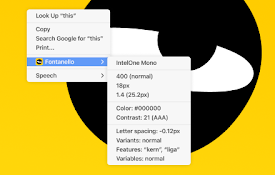
Fontanello

4.6

A browser extension that lets you display the basic typographic styles of a text by right-clicking it.

Fonts Ninja

4.4

Speed up your design workflow!

HTML to Framer

4.5

Bring your own website into Framer with a few clicks. Simply copy and paste web elements and edit them directly in Framer.

fonts infos

4.5

An extention to show/inspect and analyze fonts in web-pages, on single element or the whole document.

What font - font finder

3.8

What font? Easily identify the font on a web page, HTML font size, color, and font family.

Muzli - Design inspiration hub

4.5

Your daily dose of design with industry news, tools, and inspiration - all in one place.

Designer Daily Report

4.8

Everything about design in just 5 minutes.

Site Palette

3.6

Site Palette generates a color palette from any website, allowing designers to use it as a reference in their work.

Font Picker

3.2

A simple helper to identify font details from any website

WhatFont

4.0

The easiest way to identify fonts on web pages.

Font Finder

4.5

An easy-to-use font inspector to get CSS styles of the selected element

SVG Export

4.5

Download SVGs from websites as SVGs, PNGs or JPEGs

Fontanello

4.6

A browser extension that lets you display the basic typographic styles of a text by right-clicking it.

Fonts Ninja

4.4

Speed up your design workflow!

Google apps
Create a Mobile Website
View Site in Mobile | Classic
Share by: