Item logo image for Gesture Based Scroll (Using AI)

Gesture Based Scroll (Using AI)

4.3 (

7 ratings

)
Item media 1 (screenshot) for Gesture Based Scroll (Using AI)

Overview

Scroll a page with hand gestures via your computer's camera!

Gesture-Based Scroll is an extension that lets you scroll a page with hand or facial gestures (without using a mouse or keyboard). Before using this addon you need to train it first. Please read the support page to get more info on how to use the addon. Once the addon is fully trained, please click on the - Start - button and make gestures (Up, Down, and Stop) in front of the camera to scroll the active tab. Also, make sure to place your face/hand exactly in front of the camera (within the grey rectangle). As long as the camera is ON, the addon will look for your gestures and take action accordingly. If you want to stop the inferring process, please click on the - Stop - button once. Note: This addon is using the new AI engine called TensorFlow. Please visit the (https://www.tensorflow.org/js/) page to get more info about this new technology. To report bugs, please fill out the bug report form on the addon's homepage (https://mybrowseraddon.com/gesture-based-scroll.html).

4.3 out of 5 7 ratings

Learn more about results and reviews.

Details

  • Version
    0.1.4
  • Updated
    March 4, 2025
  • Offered by
    Muyor
  • Size
    22.48MiB
  • Languages
    English
  • Developer
    Email
    mujo.hydrov@gmail.com
  • Non-trader
    This developer has not identified itself as a trader. For consumers in the European Union, please note that consumer rights do not apply to contracts between you and this developer.

Privacy

Manage extensions and learn how they're being used in your organization
The developer has disclosed that it will not collect or use your data.

This developer declares that your data is

  • Not being sold to third parties, outside of the approved use cases
  • Not being used or transferred for purposes that are unrelated to the item's core functionality
  • Not being used or transferred to determine creditworthiness or for lending purposes

Support

For help with questions, suggestions, or problems, visit the developer's support site

Related

Our Mouse Gesture

3.6

This is Mouse Gesture Extension. This has 31 gesture functions and "Mouse wheel" action and "Rocker Gesture" function.

Simple Mouse Gestures

4.0

Extension that provides the ability to define mouse gestures that will run specific actions in your Google Chrome browser

ScrollAnywhere

4.8

Drag scrollbar with your middle mouse button anywhere on the page. Supports also "grab and drag" style.

HandySurf

0.0

Surf the internet with ease. Just wave a hand!

Gesture Presenter - Remote for Slides

5.0

Control Slides with just hand gestures!

Rocker Gestures

4.6

Allows you to navigate back and forward with your mouse button clicks (right + left = back).

Basic Gestures

4.0

Basic mouse gestures for back/forward, new/close tab and scroll to top/bottom.

Trackpad Gestures

2.7

Increase browsing productivity by performing custom actions with simple mouse gestures

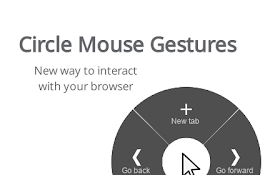
Circle Mouse Gestures (pie menu)

4.7

Circle menu with actions on right mouse click

SimpleGestures

4.4

A very simple mouse gestures extension

Mouse Gesture and Wheel Action

4.2

Mouse gestures, right-click + wheel and rocker gesture to control the browser.

Scroll Preview

3.9

Scroll Preview integrates a whole-page preview with scrollbar that inspired by Sublime Text's mini map.

Our Mouse Gesture

3.6

This is Mouse Gesture Extension. This has 31 gesture functions and "Mouse wheel" action and "Rocker Gesture" function.

Simple Mouse Gestures

4.0

Extension that provides the ability to define mouse gestures that will run specific actions in your Google Chrome browser

ScrollAnywhere

4.8

Drag scrollbar with your middle mouse button anywhere on the page. Supports also "grab and drag" style.

HandySurf

0.0

Surf the internet with ease. Just wave a hand!

Gesture Presenter - Remote for Slides

5.0

Control Slides with just hand gestures!

Rocker Gestures

4.6

Allows you to navigate back and forward with your mouse button clicks (right + left = back).

Basic Gestures

4.0

Basic mouse gestures for back/forward, new/close tab and scroll to top/bottom.

Trackpad Gestures

2.7

Increase browsing productivity by performing custom actions with simple mouse gestures

Google apps
Create a Mobile Website
View Site in Mobile | Classic
Share by: