Item logo image for Omnibox Shortcuts

Omnibox Shortcuts

xampleapps.blogspot.com
Featured
4.5 (

4 ratings

)
Item media 3 (screenshot) for Omnibox Shortcuts
Item media 4 (screenshot) for Omnibox Shortcuts
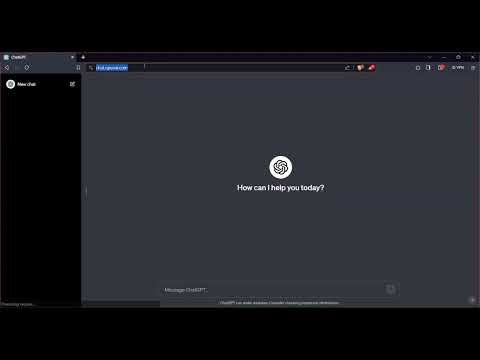
Item video thumbnail
Item media 2 (screenshot) for Omnibox Shortcuts
Item media 3 (screenshot) for Omnibox Shortcuts
Item media 4 (screenshot) for Omnibox Shortcuts
Item video thumbnail
Item media 2 (screenshot) for Omnibox Shortcuts
Item video thumbnail
Item media 2 (screenshot) for Omnibox Shortcuts
Item media 3 (screenshot) for Omnibox Shortcuts
Item media 4 (screenshot) for Omnibox Shortcuts

Overview

Press ` and then press Tab in the Omnibar to access your shortcuts

Elevate your browsing experience with Omnibox Shortcuts – the ultimate Chrome extension for keyboard enthusiasts! Say goodbye to cumbersome bookmark clicks and embrace the speed of instant access.⌨️⚡ Quickly access your favorite websites / URLs by simply typing a small keyword / acronym associated with them in the search bar. ■ Assign shortcuts / short-forms to URLs. • Omnibox Shortcuts allows you to map keywords to websites and URLs. • You can add these shortcuts from the extension's popup UI. • Type [`] and press [Tab] to enter keywords in Chrome's omnibar (address bar). • Type a keyword and press enter to access the assigned website. • Much faster than clicking on bookmarks as you never have to leave your keyboard. • The keys to access the shortcuts ( [ `] and [Tab] ) are set so that they are easy to press but cannot be activated accidentally. NOTE: the [`] key is usually located right above the [Tab] key. ■ Supports extended paths and URL parameters. • For example if the following the keyword 'g' is assigned to 'https://google.com', typing 'g/search?q=hello' will automatically imply 'https://google.com/search?q=hello'. ■ Ability to import and export your Shortcuts. • Retain all your data when you shift browsers / devices by exporting it from the old browser / device and then importing it into the new browser / device. • Export: All of your data is exported into your Clipboard as a JSON string. • Import: Import your data by pasting the exported JSON string. 🔐 The extension stores all the data locally on your computer. 🔗This is an open source project hosted on GitHub https://github.com/zohaib2002/Omnibox-Shortcuts 🎨Icon designed by: Taranpreet Singh https://www.iconfinder.com/Taranpreet

4.5 out of 5 4 ratings

Learn more about results and reviews.

Details

  • Version
    1.2
  • Updated
    December 17, 2023
  • Size
    16.22KiB
  • Languages
    English
  • Developer
    Website
    Email
    zohaib2002@gmail.com
  • Non-trader
    This developer has not identified itself as a trader. For consumers in the European Union, please note that consumer rights do not apply to contracts between you and this developer.

Privacy

Manage extensions and learn how they're being used in your organization
The developer has disclosed that it will not collect or use your data.

This developer declares that your data is

  • Not being sold to third parties, outside of the approved use cases
  • Not being used or transferred for purposes that are unrelated to the item's core functionality
  • Not being used or transferred to determine creditworthiness or for lending purposes

Support

Related

Custom Search Engine

3.8

To use, type 'ms' plus keyword for custom search engines & search term into the url bar. (e.g. ms google <search text>).

Address Bar Shortcuts

3.8

Use shortcuts in the address bar to redirect to commonly used sites.

Keyword Based Navigator

5.0

Navigate to URLs based on shortcuts and keywords

ShortcutKey2URL for Chrome

4.6

ShortcutKey2URL provide a shortcut key to easily access frequently visit sites.

Omni - Bookmark, History, & Tab Manager

4.5

Supercharge Chrome with commands, shortcuts, and more

Slash Space Go

4.9

Slash, Space, and Go - that's all it takes! With our extension, assign unique shortcuts to your favorite websites.

Extension Manager

4.2

Manage Extensions, Enable/disable, Custom Folder or Nickname, Star and Download as CRX or ZIP.

iLaunch: Manage Bookmark,History,Tab and More

4.7

Manage bookmark, history, tab, extension & Quick command launch tool

Alias

4.5

Supercharge your your productivity with browser aliases.

Tab+

4.4

Bring new tabs to front and in last position, allow to save and restore windows.

Web Aliases

4.2

Web Aliases is a Chrome extension that allows users to create nicknames for websites so that users don't have to remember long URLs.

Onlyshortcuts - Quick access to links with shortcuts

3.8

Reach frequently used web links faster by using pre-set, easy-to-remember shortcuts instead of typing out the full URL.

Custom Search Engine

3.8

To use, type 'ms' plus keyword for custom search engines & search term into the url bar. (e.g. ms google <search text>).

Address Bar Shortcuts

3.8

Use shortcuts in the address bar to redirect to commonly used sites.

Keyword Based Navigator

5.0

Navigate to URLs based on shortcuts and keywords

ShortcutKey2URL for Chrome

4.6

ShortcutKey2URL provide a shortcut key to easily access frequently visit sites.

Omni - Bookmark, History, & Tab Manager

4.5

Supercharge Chrome with commands, shortcuts, and more

Slash Space Go

4.9

Slash, Space, and Go - that's all it takes! With our extension, assign unique shortcuts to your favorite websites.

Extension Manager

4.2

Manage Extensions, Enable/disable, Custom Folder or Nickname, Star and Download as CRX or ZIP.

iLaunch: Manage Bookmark,History,Tab and More

4.7

Manage bookmark, history, tab, extension & Quick command launch tool

Google apps
Create a Mobile Website
View Site in Mobile | Classic
Share by:
