Item logo image for Rescue Textarea

Rescue Textarea

Extension Tools 57 users
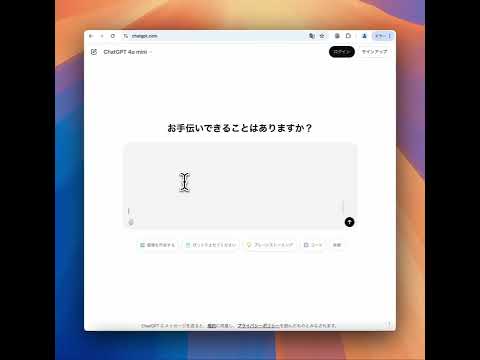
Item media 2 (screenshot) for Rescue Textarea
Item video thumbnail
Item media 2 (screenshot) for Rescue Textarea
Item video thumbnail
Item media 2 (screenshot) for Rescue Textarea

Overview

Automatically saves textarea input to prevent data loss when closing a tab by mistake.

Rescue Textarea - Never Lose Your Work Again! Have you ever accidentally closed a tab and lost everything you were typing? Rescue Textarea is here to save the day! This lightweight yet powerful extension automatically saves your input from textareas as you type, ensuring that no important text is lost – even if you mistakenly close or refresh the tab. Key Features: - Auto-Save as You Type: Every character you type is saved instantly without needing to press any buttons. - One-Click Restore: Quickly recover lost input by reopening the page – your text will be right where you left it. - Easy Copy & Manage History: Access saved inputs from the extension popup. With a simple click, copy your text or delete entries you no longer need. - Sleek and Minimalistic: Works in the background without disrupting your workflow. No unnecessary settings – just install and let it do its job. Why You Need Rescue Textarea: - Prevents Accidental Data Loss: Ideal for long forms, blog posts, or online chat tools. - Saves Time and Effort: No need to rewrite lost content – spend more time being productive. - Peace of Mind: Focus on your writing without worrying about losing progress. Install Rescue Textarea today and ensure your hard work is never lost to accidental tab closures!

Details

  • Version
    1.1
  • Updated
    January 8, 2025
  • Offered by
    growsic
  • Size
    460KiB
  • Languages
    English
  • Developer
    Email
    growsic.public@gmail.com
  • Non-trader
    This developer has not identified itself as a trader. For consumers in the European Union, please note that consumer rights do not apply to contracts between you and this developer.

Privacy

Manage extensions and learn how they're being used in your organization
The developer has disclosed that it will not collect or use your data.

This developer declares that your data is

  • Not being sold to third parties, outside of the approved use cases
  • Not being used or transferred for purposes that are unrelated to the item's core functionality
  • Not being used or transferred to determine creditworthiness or for lending purposes

Related

Scribble - Automatic Text Saver & Backup

4.1

Scribble automatically saves what you type in web text editors, in case your browser crashes or you accidentally close a page.

Save Your Type

0.0

Save your almost all typed text to local storage.

Textarea Cache

4.0

Allows to save automatically the content in a text input field.

Form Recovery

3.0

Auto-saves and recovers form data to prevent data loss.

Form Vault

3.1

Autosave every change you make to a form so you can easily recover lost data, and create templates to fill out forms instantly.

AutoSave & Recovery

3.0

Save input text values for easy retrieval, eliminating rewriting. Quickly access and reuse saved values.

Formetheus: 1-Click Form Refill

5.0

Formetheus: Save and auto-fill forms with a digital pet companion. Retrieve data via Spotlight Search and use custom templates.

Textarea Cache BETA

5.0

THIS EXTENSION IS FOR BETA TESTING Allows to save automatically the content in a text input field.

Typio Form Recovery Reboot

5.0

Autosave, everywhere. Recover lost form input with ease!

Form Recovery

2.0

A simple form recovery tool. Restore lost input after reloads. Upgrade for full-form restore and sync features.

Form History Control (II)

4.0

Manage form history entries (search, view, edit, cleanup, export/import) and easy formfiller.

Form Recovery

0.0

Text recovery in input fields

Scribble - Automatic Text Saver & Backup

4.1

Scribble automatically saves what you type in web text editors, in case your browser crashes or you accidentally close a page.

Save Your Type

0.0

Save your almost all typed text to local storage.

Textarea Cache

4.0

Allows to save automatically the content in a text input field.

Form Recovery

3.0

Auto-saves and recovers form data to prevent data loss.

Form Vault

3.1

Autosave every change you make to a form so you can easily recover lost data, and create templates to fill out forms instantly.

AutoSave & Recovery

3.0

Save input text values for easy retrieval, eliminating rewriting. Quickly access and reuse saved values.

Formetheus: 1-Click Form Refill

5.0

Formetheus: Save and auto-fill forms with a digital pet companion. Retrieve data via Spotlight Search and use custom templates.

Textarea Cache BETA

5.0

THIS EXTENSION IS FOR BETA TESTING Allows to save automatically the content in a text input field.

Google apps
Create a Mobile Website
View Site in Mobile | Classic
Share by:
