Item logo image for SheetKeys

SheetKeys

Featured
4.9 (

22 ratings

)
Extension Tools 1,000 users
Item video thumbnail
Item media 2 (screenshot) for SheetKeys

Overview

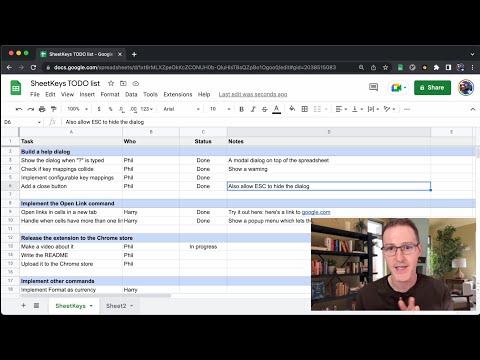
SheetKeys adds powerful keyboard shortcuts to Google Sheets, in the spirit of the Vim text editor.

If you are a project manager, programmer, finance person, or just someone who uses spreadsheets a lot, this can greatly increase your efficiency in Google Sheets. After installing, you can see and customize all of the keyboard mappings by typing "?" while on a Google Sheets page. Here is a partial list of shortcuts, and their default key assignments: Movement: j Move cursor down k Move cursor up h Move cursor left l Move cursor right <C-J> Move rows down <C-K> Move rows up <C-H> Move columns left <C-L> Move columns right <C-d> Scroll half page down <C-u> Scroll half page up g,g Scroll to the top of the sheet G Scroll to the bottom of the sheet Selection: v Begin selecting cells V Begin selecting rows A-v Begin selecting columns Editing: i Edit cell a Append to cell (edit but, starting at the end) u Undo <C-r> Redo o Insert a row below the cursor and edit it O Insert a row above the cursor and edit it s Insert a row below the cursor S Insert a row above the cursor d,d Delete the current row (or selected rows/columns) x Delete cell contents y,y Copy the current row (or selected rows/columns) y,c Copy cells p Paste Formatting: ;,a,l Align left ;,a,c Align center ;,a,r Align right ;,w,w Wrap cell ;,w,w Overflow the cell ;,w,c Clip the cell Other: ? Show the help dialog ;,w,f Toggle full screen ;o Open URL in cell in a new tab

4.9 out of 5 22 ratings

Learn more about results and reviews.

Details

  • Version
    0.5
  • Updated
    July 13, 2024
  • Offered by
    Phil Crosby
  • Size
    47.39KiB
  • Languages
    English
  • Developer
    Email
    sheetkeys-store@googlegroups.com
  • Non-trader
    This developer has not identified itself as a trader. For consumers in the European Union, please note that consumer rights do not apply to contracts between you and this developer.

Privacy

Manage extensions and learn how they're being used in your organization
The developer has disclosed that it will not collect or use your data. To learn more, see the developer’s privacy policy .

This developer declares that your data is

  • Not being sold to third parties, outside of the approved use cases
  • Not being used or transferred for purposes that are unrelated to the item's core functionality
  • Not being used or transferred to determine creditworthiness or for lending purposes

Support

Related

Vim for Google Docs™

3.8

Vim for Google Docs: Supercharge Your Typing With Vim

Google Sheets ALT Keys and Trace Formulas

5.0

Extension that Enables Excel-style ALT-key Shortcuts for Google Sheets, plus Trace Formulas, Goal Seek, and More

SnapKeys - custom shortcuts for Google Suite

5.0

Create custom keyboard shortcuts for Google Sheets, Docs, and Slides.

Sheets Helper

5.0

An extension that assists with Google Sheets formulas

SheetWhiz: Excel & PPT Shortcuts, Tracing, & What-If for Sheets & Slides

4.9

SheetWhiz brings Trace Precedents, Trace Dependents, Goal Seek, What-If, Macabacus format cycling, Excel and PPT shortcuts to Google

Sheets Enhancer 🚀 - Shortcuts, Highlights

5.0

Instantly color cells and perform calculations in Google Sheets using keyboard shortcuts.

Team Bookmarks

5.0

Conquer Bookmark Chaos: Boost Team Efficiency. Spend less time searching for information and more time getting things done.

Vimflowy

5.0

Vim shortcuts for Workflowy

GoldDust

5.0

Ask a question about a company or a person. If the answer is on the internet - our AI agent will locate, synthesize, and display it.

Vim-For-Docs

5.0

An implementation of Vim motions for Google Docs

Vimium C - All by Keyboard

4.8

A keyboard shortcut tool for keyboard-based page navigation and browser tab operations with an advanced omnibar and global shortcuts

Google Sheet Search

4.3

Adds a button to search through sheets in Google Sheets

Vim for Google Docs™

3.8

Vim for Google Docs: Supercharge Your Typing With Vim

Google Sheets ALT Keys and Trace Formulas

5.0

Extension that Enables Excel-style ALT-key Shortcuts for Google Sheets, plus Trace Formulas, Goal Seek, and More

SnapKeys - custom shortcuts for Google Suite

5.0

Create custom keyboard shortcuts for Google Sheets, Docs, and Slides.

Sheets Helper

5.0

An extension that assists with Google Sheets formulas

SheetWhiz: Excel & PPT Shortcuts, Tracing, & What-If for Sheets & Slides

4.9

SheetWhiz brings Trace Precedents, Trace Dependents, Goal Seek, What-If, Macabacus format cycling, Excel and PPT shortcuts to Google

Sheets Enhancer 🚀 - Shortcuts, Highlights

5.0

Instantly color cells and perform calculations in Google Sheets using keyboard shortcuts.

Team Bookmarks

5.0

Conquer Bookmark Chaos: Boost Team Efficiency. Spend less time searching for information and more time getting things done.

Vimflowy

5.0

Vim shortcuts for Workflowy

Google apps
Create a Mobile Website
View Site in Mobile | Classic
Share by:
