

Ciao Apps LTD

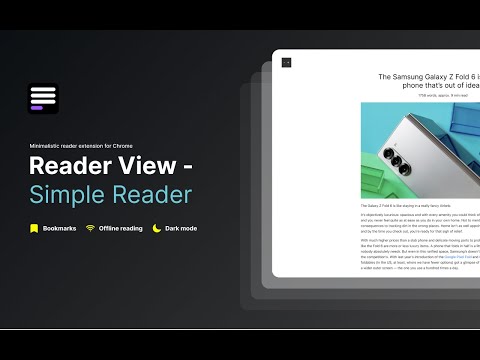
Distraction-free chrome reader view extension and dark mode for Chrome.
Turn article into a clean, reader mode — no ads, sidebars, or visual noise. Bookmark articles to read it later. No ads. No clutter. Just reading. ✅ Remove ads, popups, and sidebars ✅ Read long articles without distractions ✅ Works on news, blogs, and research sites ✅ Dark mode Advanced features: 📖 Reader Mode – clean, distraction-free layout for any article 💻 Offline Reader View – access saved articles without internet 🔊 Read Aloud (TTS) – listen to articles with natural-sounding voices 🌙 Dark Mode – comfortable reading day and night 📚 Read Later – save articles and read them anytime 🗂️ Export Articles – save cleaned content to Markdown, TXT, or PDF 🎨 Reader Layout Settings – customize font, size, and width Listen to articles with natural-sounding voices. Read aloud supports multiple languages for text to speech: 🇺🇸 English | 🇬🇧 English | 🇩🇪 Deutsch | 🇪🇸 Español | 🇫🇷 Français | 🇮🇳 हिंदी | 🇮🇩 Bahasa | 🇮🇹 Italiano | 🇯🇵 日本語 | 🇰🇷 한국어 | 🇳🇱 Nederlands | 🇵🇱 Polski | 🇧🇷 Português | 🇷🇺 Русский | 🇨🇳 中文 Why to use Chrome Reader View: - Print clean, formatted articles. - Ads-free reading. - Our ML model ensures only the main content is displayed, removing clutter. Unlike other “reader modes,” Reader View uses smart content detection to show only the article—no menus, footers, or ads. It’s fast, lightweight, and works great offline too. 🎹 Use hotkeys to open read view: Windows: “Shift + Alt + S” MacOS: “Shift + Command + S” And “Esc” to close Reader. Natural Reader Chrome extension offers both light and dark mode color schemes designed for eye comfort. It not only adjusts colors but also changes background and font colors to the best combinations. Dark reader chrome extension reduces strain on your eyes, making reading more comfortable, even on the most ad-heavy websites. It also removes all irrelevant content to enhance your reading experience. 💡 Chrome reader mode is perfect for: – Students researching online. – Professionals staying up-to-date in their field. – News enthusiasts who want a cleaner reading experience. – Anyone who loves to read but hates online distractions. 🔒 Privacy Focused: We respect your privacy. Reader View works locally in your browser and doesn't collect any personal data. 🆕 Regular Updates: We're constantly improving! Expect new features and optimizations regularly based on user feedback. 📥 How to get reader view in Chrome: Click "Add to Chrome" to add Reader View extension to Chrome. 📥 How to turn on reader mode in Chrome: Open any webpage. Click the Reader view icon. Enjoy distraction-free reading! Reader View - your personal reading assistant! 🚀📚

More from Ciao Apps LTD


Details
-
- AddressCiao Apps LTD
64 Nile Street London N1 7SR GB - TraderThis developer has identified itself as a trader per the definition from the European Union and committed to only offer products or services that comply with EU laws.
- D-U-N-S232633781
