
This page describes Spanner restoration operations and explains how to restore a database. For more information about database restoration in Spanner, see Restore overview .
You can restore the backup to the destination instance if it uses the same or a higher-tier edition as the source backup instance. Alternatively, you can restore it to any instance with the same instance configuration and an edition that is the same or higher-tier than the source instance.
You can restore a Spanner database by using the following:
- In the Google Cloud console.
- Using the Google Cloud CLI.
- Using the client libraries.
- Using the REST or RPC APIs.
Before you begin
-
The gcloud CLI examples on this page make the following assumptions:
- You have already set up gcloud CLI for use with Spanner. If you are new to using gcloud CLI with Spanner, see Getting started with Spanner using gcloud CLI .
- You have configured gcloud CLI with your project. For example:
gcloud
config
 set

core/project
 PROJECT_ID
* You have an instance named `test-instance` and a database named `example-db` . -
To get the permissions that you need to restore a database from a backup, ask your administrator to grant you the following IAM roles on the instance:
- All: Cloud Spanner Restore Admin
(
roles/spanner.restoreAdmin)
- All: Cloud Spanner Restore Admin
(
Restore a database from a backup
Console
- Go to the Spanner Instances page in the Google Cloud console.
Go to the Spanner Instances page
-
Click the instance containing the database to open its Overviewpage.
-
Click the database to open its Overviewpage.
-
In the navigation pane, click Backup/Restore.
-
Click the Actionsbutton for your selected backup, then select Restore.
-
Select a compatible destination instance and name your new database.
-
Click the Restorebutton.
To check the progress of the operation, see the progress indicator, as shown in the operations page:
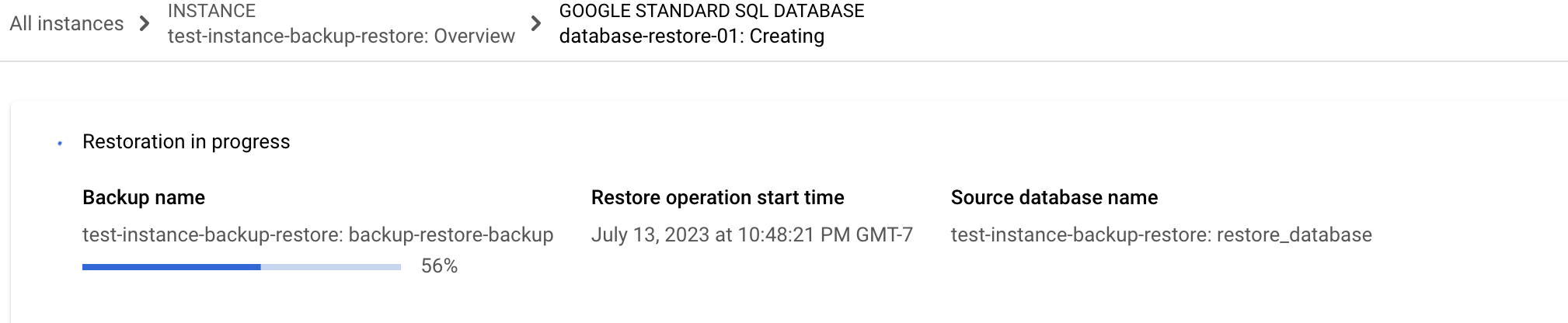
If the operation takes too long, you can cancel it. For more information, see Cancel a long-running instance operation .
gcloud
To restore a database, use gcloud spanner
databases restore
:
gcloud spanner
databases restore
--async
\
--destination-instance =
test-instance
--destination-database =
example-db-restored
\
--source-instance =
test-instance
--source-backup =
example-db-backup-6
\
--encryption_type =
google-managed-encryption
Usage notes:
- The command returns immediately because of the
--asyncflag. Without the flag, the command will wait for the restore operation to complete. - If the source and destination instances are different, they must have the same instance configuration .
- If the destination database already exists, the operation will fail.
- The possible values for
encryption_typeareUSE_DATABASE_ENCRYPTION,GOOGLE_DEFAULT_ENCRYPTION, orCUSTOMER_MANAGED_ENCRYPTION. If you useCUSTOMER_MANAGED_ENCRYPTION, you must specify akmsKeyName.
Client libraries
The following code sample restores a database from a
given backup and waits for the restore operation (an operation with RestoreDatabaseMetadata
) to
complete. The restored database is created in the same instance as the
backup. Once complete, the sample retrieves and prints some restore
information from the database.
C++
C#
Go
Java
Node.js
PHP
Python
