


Page Summary
-
This guide explains how to update your app to prepare for iOS 14, specifically regarding App Tracking Transparency.
-
To request App Tracking Transparency authorization, you must add the
NSUserTrackingUsageDescriptionkey to yourInfo.plistwith a custom message. -
You can implement the OS-level App Tracking Transparency request manually by calling
requestTrackingAuthorizationWithCompletionHandler:and it is recommended to wait for the callback before loading ads. -
Apple requires developers to disclose their apps' data use on the App Store.
This guide outlines the changes needed to prepare your app for iOS 14.
Prerequisites
- PAL SDK 2.2.2 or higher.
Request App Tracking Transparency authorization
To display the App Tracking Transparency authorization request for accessing the
IDFA, update your Info.plist
to add the NSUserTrackingUsageDescription
key
with a custom message describing your usage. Here is an example description
text:
<key>NSUserTrackingUsageDescription</key>
<string>This identifier will be used to deliver personalized ads to you.</string>

The usage description appears in the App Tracking Transparency dialog box:
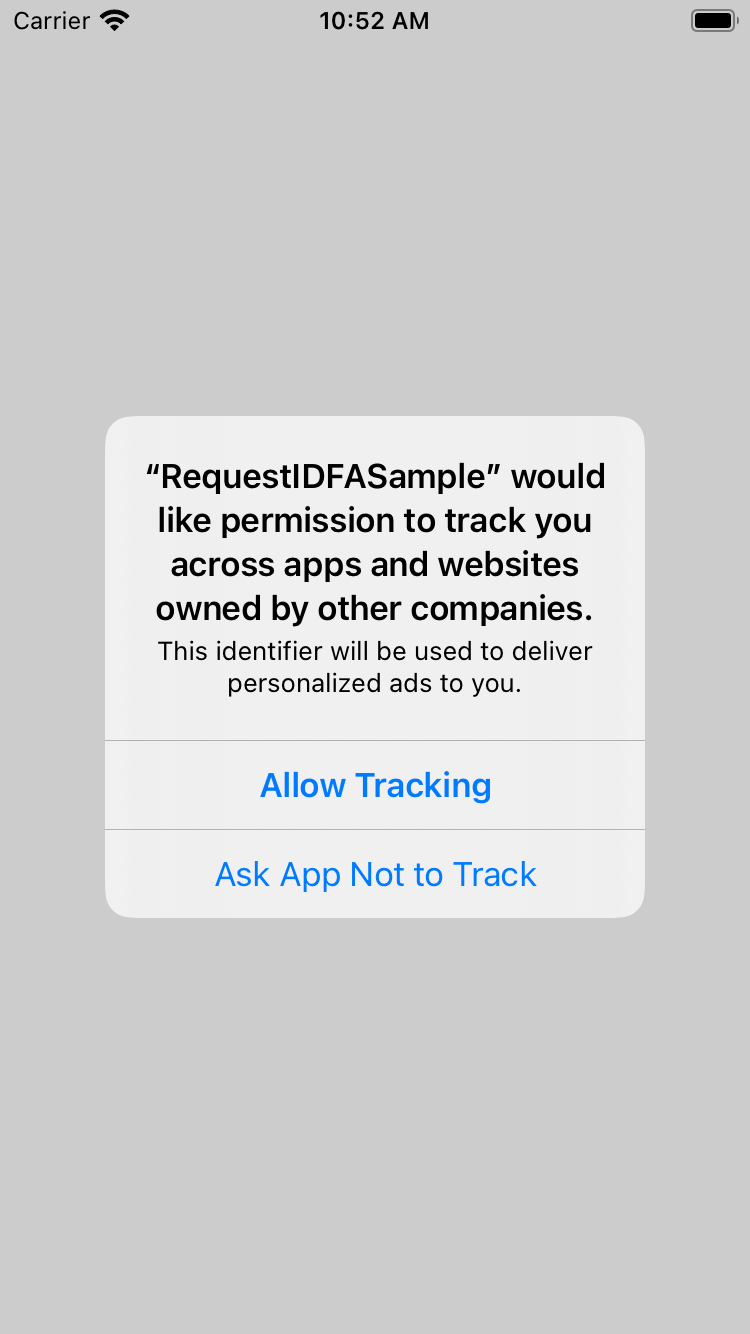
To present the authorization request, call requestTrackingAuthorizationWithCompletionHandler:
.
We recommend waiting for the completion callback prior to loading ads so that if
the user grants the App Tracking Transparency permission, the PAL SDK can use
the IDFA in ad requests.
Swift
 import

 AppTrackingTransparency
 import

 AdSupport
 ...
 func

 requestIDFA
 ()

 {

 ATTrackingManager
 .
 requestTrackingAuthorization
 (
 completionHandler
 :

 {

 status

 in

 // Tracking authorization completed. Start loading ads here.

 // loadAd()

 })
 }
Objective-C
 #import <AppTrackingTransparency/AppTrackingTransparency.h>
 #import <AdSupport/AdSupport.h>
 ...
 -

 (
 void
 )
 requestIDFA

 {

 [
 ATTrackingManager

 requestTrackingAuthorizationWithCompletionHandler
 :^
 (
 ATTrackingManagerAuthorizationStatus

 status
 )

 {

 // Tracking authorization completed. Start loading ads here.

 // [self loadAd];

 }];
 }
For more information about the possible status values, see ATTrackingManager.AuthorizationStatus
.
Disclose data usage in the App Store
Apple requires that developers publishing apps on the App Store disclose certain information regarding their apps' data use. Apple has announced that these disclosures will be required for new apps and app updates starting December 8, 2020.
