In the 3D Maps in Maps JavaScript API, you manage the camera's focus using the cameraPosition option.
Key Behaviors:
- With
center: The latitude and longitude coordinates specify the exact point on the map the camera faces. - With
cameraPosition: The camera itself is placed at the coordinates provided during construction. This often makes it difficult to center the view on a specific point of interest.
The following example demonstrates initializing a map using the center
option
to ensure a specific focal point. The marker indicates the center point provided
in the center
:
CSS
gmp-map-3d { height : 100 % ; } html , body { height : 100 % ; margin : 0 ; padding : 0 ; }
HTML
<html> <head> <title>3D Camera Position</title> <link rel="stylesheet" type="text/css" href="./style.css" /> </head> <body> <gmp-map-3d center="40.7860524,-73.9634983,0" range="1500" tilt="70" heading="-150" mode="satellite"> <gmp-marker position="40.7860524,-73.9634983" altitude-mode="clamp-to-ground"></gmp-marker> </gmp-map-3d> <script async src="https://maps.googleapis.com/maps/api/js?key=AIzaSyA6myHzS10YXdcazAFalmXvDkrYCp5cLc8&v=weekly&libraries=maps3d"></script> </body> </html>
Try Sample
Field of view and range
You can adjust how much of the map is visible in the viewport using two distinct parameters: range and fov. While they both affect the "zoom" level, they function differently:
-
range: Controls the physical distance between the camera and the center point. Adjusting this is equivalent to moving the camera closer to or further away from the map. -
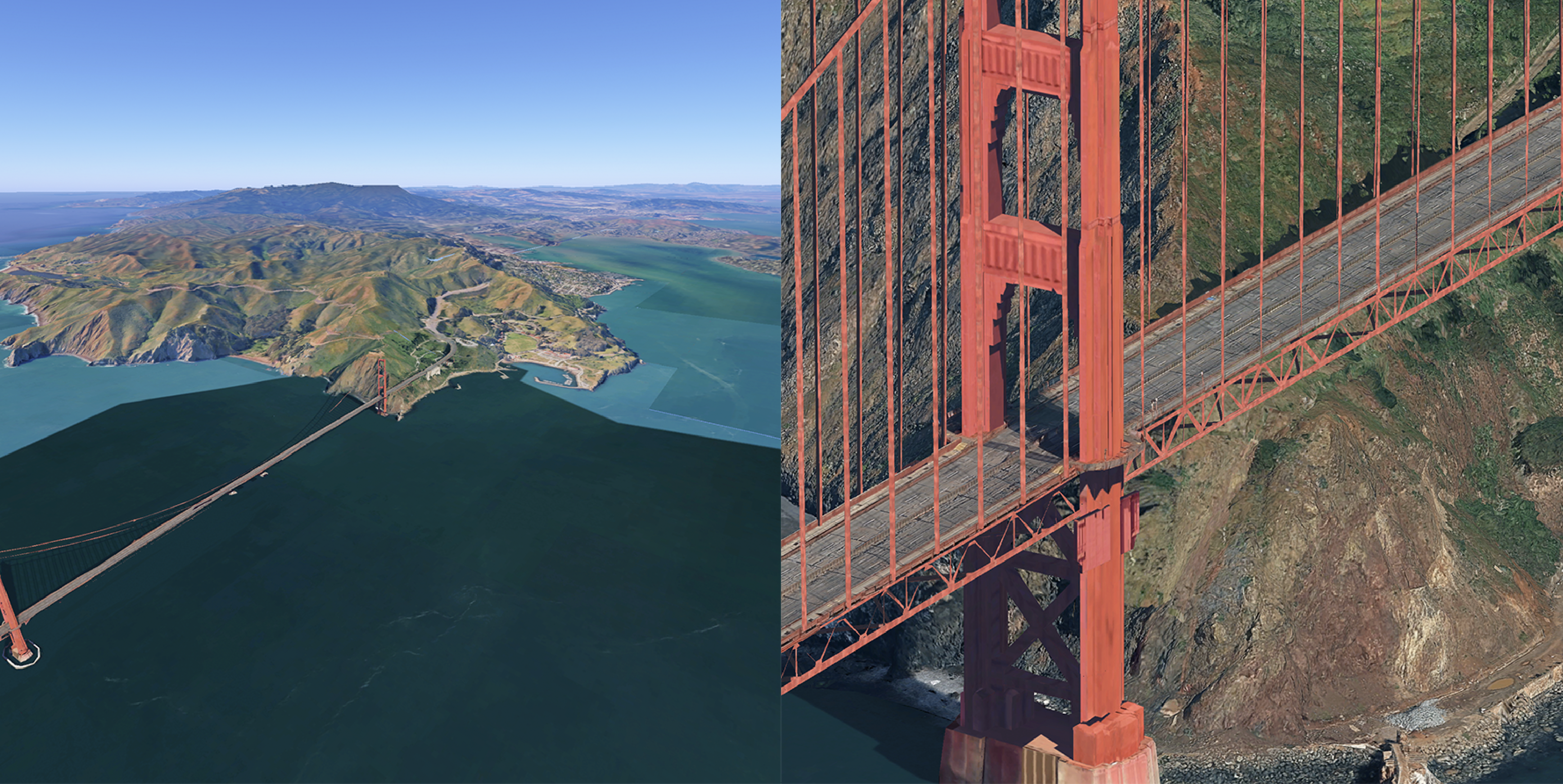
fov(Field of View): Controls the angle of the camera's lens. A higher value acts like a wide-angle lens, showing more of the periphery, while a lower value acts like a telephoto lens.
The following comparison shows the same map at opposite ends of the fov
spectrum. In the left map, the fov is set to 5 (narrow/telephoto); in the right
map, it is set to 80 (wide-angle).