Item logo image for GamePie - Gamepad to Keyboard Mapper from ProtoPie

GamePie - Gamepad to Keyboard Mapper from ProtoPie

Extension Tools 79 users
Item media 5 (screenshot) for GamePie - Gamepad to Keyboard Mapper from ProtoPie
Item video thumbnail
Item media 2 (screenshot) for GamePie - Gamepad to Keyboard Mapper from ProtoPie
Item media 3 (screenshot) for GamePie - Gamepad to Keyboard Mapper from ProtoPie
Item media 4 (screenshot) for GamePie - Gamepad to Keyboard Mapper from ProtoPie
Item media 5 (screenshot) for GamePie - Gamepad to Keyboard Mapper from ProtoPie
Item video thumbnail
Item media 2 (screenshot) for GamePie - Gamepad to Keyboard Mapper from ProtoPie
Item media 3 (screenshot) for GamePie - Gamepad to Keyboard Mapper from ProtoPie
Item media 4 (screenshot) for GamePie - Gamepad to Keyboard Mapper from ProtoPie
Item media 5 (screenshot) for GamePie - Gamepad to Keyboard Mapper from ProtoPie

Overview

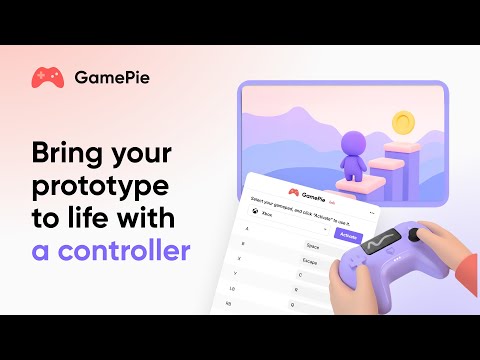
Control ProtoPie prototypes in your browser by mapping gamepad inputs to keyboard keys.

A New Way to Control Your ProtoPie Prototypes. GamePie is a powerful Chrome extension that allows you to use a gamepad controller to test your interactive prototypes in a web browser. It is built to help ProtoPie designers and developers create more engaging experiences by offering a new and efficient way to control your designs on the web. Why install GamePie? - A New Way to Test: Test your Pie files with a controller, offering a more dynamic interaction. - Streamline Your Workflow: Quickly map your controller's inputs to keyboard commands, saving you time and effort in the prototyping process. - Intuitive and Flexible: Use a pre-configured profile or create your own custom mapping in seconds. - Broad Compatibility: While engineered for ProtoPie, GamePie is a versatile tool that also works seamlessly with any browser-based game or web application that accepts keyboard input. - Cross-Device Support: Connect effortlessly with popular controllers like Xbox, PlayStation, and Nintendo Switch. Good to know: - Beta Version: GamePie is currently released in a beta version to gather user feedback and improve future versions. Gamepad extension is only compatible with ProtoPie Cloud. It cannot be used in Studio or Player yet. - Optimized for ProtoPie: This extension is optimized for use with ProtoPie. While it may work in other browser-based environments, it is not designed as a general-purpose gamepad-to-keyboard mapper. - More Power with ProtoPie Connect: Advanced interactions, such as analog stick ranges and haptics, can be implemented with greater precision and control using ProtoPie Connect. Install GamePie today to add a new level of control and efficiency to your ProtoPie creations. What is ProtoPie? ProtoPie is the most intuitive high-fidelity prototyping tool for designers to build realistic, interactive prototypes for any digital product.

Details

  • Version
    0.1.0
  • Updated
    September 28, 2025
  • Size
    359KiB
  • Languages
    English
  • Developer
    PROTOPIE TECHNOLOGIES CANADA INC.
    8880 202 St. #9 Langley Township, BC V1M 4E7 CA
    Email
    chrome_dev@protopie.io
    Phone
    +1 236-996-5855
  • Trader
    This developer has identified itself as a trader per the definition from the European Union and committed to only offer products or services that comply with EU laws.

Privacy

Manage extensions and learn how they're being used in your organization

GamePie - Gamepad to Keyboard Mapper from ProtoPie has disclosed the following information regarding the collection and usage of your data. More detailed information can be found in the developer's privacy policy .

GamePie - Gamepad to Keyboard Mapper from ProtoPie handles the following:

Personally identifiable information
Web history
User activity

This developer declares that your data is

  • Not being sold to third parties, outside of the approved use cases
  • Not being used or transferred for purposes that are unrelated to the item's core functionality
  • Not being used or transferred to determine creditworthiness or for lending purposes

Support

For help with questions, suggestions, or problems, visit the developer's support site

Related

Simple Gamepad Tester

5.0

Test and visualize gamepad input in real-time, including a circularity tester and dead zone visualization.

Joy-Con keymap

3.0

Key mapping tool for Nintendo Switch Joy-Con.

Gamepad to Keyboard Mapper

3.4

Map gamepad buttons and axes to keyboard keys

MapperJoy – Gamepad to keyboard mapper

4.0

Map your game controller buttons to keyboard/mouse.

Gamepad Tester

0.0

Test your gamepad buttons, sticks, triggers and vibration. Supports Xbox, PlayStation and generic controllers.

Gamepad Tool

0.0

View Gamepad sticks, buttons, and history in real-time.

Gamepad Mapper for Web Games

0.0

Play any web game with your controller on Android by simulating keyboard keys.

CloudGamepad

3.4

Remap the keys of your gamepad on the browser. It works in many cloud gamining services.

XCG - Advanced

4.8

Enhance your Xbox Cloud Gaming gameplay.

Controller Visualizer

2.5

An extension that adds a visualization of controller input to the page.

Lanzamientos y Próximos Videojuegos

0.0

Acceso rápido a videojuegos de PS5, Switch 2 y Xbox Series en Amazon.

Gamepad Navigator

3.1

A Chrome extension that allows you to navigate web pages and Chromium-based browsers using a game controller.

Simple Gamepad Tester

5.0

Test and visualize gamepad input in real-time, including a circularity tester and dead zone visualization.

Joy-Con keymap

3.0

Key mapping tool for Nintendo Switch Joy-Con.

Gamepad to Keyboard Mapper

3.4

Map gamepad buttons and axes to keyboard keys

MapperJoy – Gamepad to keyboard mapper

4.0

Map your game controller buttons to keyboard/mouse.

Gamepad Tester

0.0

Test your gamepad buttons, sticks, triggers and vibration. Supports Xbox, PlayStation and generic controllers.

Gamepad Tool

0.0

View Gamepad sticks, buttons, and history in real-time.

Gamepad Mapper for Web Games

0.0

Play any web game with your controller on Android by simulating keyboard keys.

CloudGamepad

3.4

Remap the keys of your gamepad on the browser. It works in many cloud gamining services.

Google apps
Create a Mobile Website
View Site in Mobile | Classic
Share by:
