


Overview
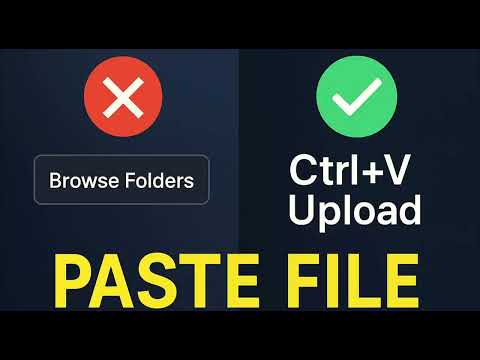
Simply copy files/images or take a screenshot, paste into any upload field with Ctrl+V — no more clicking buttons, browsing folders.
Paste File is a powerful browser extension that makes uploading effortless. Simply copy a file or take a screenshot, then paste it directly into any upload field with Ctrl+V (Windows/Linux) or Cmd+V (Mac)—no more clicking buttons, browsing folders, or dragging files. For images, you can go even further with professional editing tools: crop, adjust quality, or convert formats before completing your upload. ❓ How to Use 1. 📁 Copy Files: Copy any images or files(Ctrl+C / Cmd+C) or take a screenshot 2. 🌐 Open Webpage: Visit any website with file upload functionality 3. 📋 Paste Files: Press Ctrl+V / Cmd+V in the upload area 4. 🖼️ Edit Images (Optional): For image files, choose to edit with professional cropping, quality adjustment, and format conversion 5. ✅ Complete Upload: Files are automatically filled into upload components ✨ Key Features - 🎯 Smart Detection: Automatically identifies all file input elements (including hidden custom components) - 📋 Quick Paste: Support `Ctrl+V` / `Cmd+V` shortcuts for direct file pasting - 🖼️ Image Editing: Professional image editor with crop, quality adjustment, and format conversion for uploaded images - 📁 Multi-file Support: Automatically supports single or multiple file uploads based on website configuration - 🔍 Type Validation: Strictly follows website file type restrictions (accept attribute) - 📏 Size Checking: Respects website file size limitations - 🎨 Visual Feedback: Provides highlighting effects and friendly notification messages - ⚡ SPA Support: Perfect support for dynamic content changes in Single Page Applications - 🌐 Cross-browser: Supports Chrome, Firefox, Edge and other mainstream browsers 🚀 Change Logs v1.1.0 (2025.09.12) 1. feat: Enhanced image cropping and automatically adapts to container size 2. feat: Improved image format detection with broader format support 3. feat: Image info panel now supports multiple languages 4. fix: File type matching now supports wildcards v1.1.0 (2025.09.02) 1. feat: For image files, choose to edit with professional cropping, quality adjustment, and format conversion 2. fix: Upload area detect more smarter v1.0.0 (2025.08.22) 1. feat: Automatically identifies all file input elements 2. feat: Support `Ctrl+V` / `Cmd+V` shortcuts for direct file pasting 3. feat: Automatically supports single or multiple file uploads based on website configuration 4. feat: Automatically supports single or multiple file uploads based on website configuration 5. feat: Respects website file size limitations 🙏 Credits The screen shot is powered by gemini and Gemini Watermark Cleaner(https://geminiwatermarkcleaner.com/)
Details
- Version1.1.1
- UpdatedOctober 28, 2025
- Offered byHeftyKoo
- Size260KiB
- LanguagesEnglish
- Developer
Email
yeyuqiudeng@gmail.com - Non-traderThis developer has not identified itself as a trader. For consumers in the European Union, please note that consumer rights do not apply to contracts between you and this developer.
Privacy

Paste File has disclosed the following information regarding the collection and usage of your data. More detailed information can be found in the developer's privacy policy .
Paste File handles the following:
This developer declares that your data is
- Not being sold to third parties, outside of the approved use cases
- Not being used or transferred for purposes that are unrelated to the item's core functionality
- Not being used or transferred to determine creditworthiness or for lending purposes


