Overview
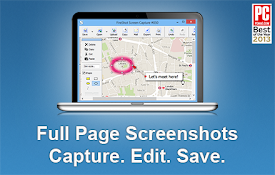
Professional screenshot tool. Capture visible, selected, full-page or elements. Edit with blur, highlight, arrows, text and more.
Snapshot Pro – The Ultimate Screen Capture Tool Snapshot Pro is a powerful, fast, and intuitive screen capture extension designed for professionals, creators, developers, and everyday users. Capture exactly what you need—nothing more, nothing less—with precision and ease. Key Features 📸 Instant Visible Capture Capture the visible area of your screen in a single click—no delays, no setup. ✂️ Freeform Cutouts Draw any custom shape and extract precise cutouts from your screen for maximum flexibility. 📜 Smart Full-Page Capture Automatically scrolls and stitches long webpages into a seamless, high-quality image. 🪟 Element, Window & DevTools Capture Easily capture specific browser windows, individual elements, or even DevTools for debugging and documentation. ⏱️ Delayed Screen Capture Set a countdown to capture the entire screen—perfect for menus, tooltips, or timed interactions. Why Snapshot Pro? Clean and user-friendly interface Fast, lightweight, and reliable No unnecessary complexity—just powerful tools Ideal for tutorials, bug reporting, design feedback, and productivity Snapshot Pro gives you complete control over how and what you capture. Whether you need a quick snapshot or a detailed full-page capture, it’s all just one click away.
Details
- Version4.1.1
- UpdatedMarch 23, 2026
- Offered byBorn Artless
- Size2.16MiB
- LanguagesEnglish (United Kingdom)
- DeveloperAVIATION
E-10 JANAKPURI DELHI, Delhi 110001 INEmail
archeonde@gmail.com - Non-traderThis developer has not identified itself as a trader. For consumers in the European Union, please note that consumer rights do not apply to contracts between you and this developer.
Privacy

Snapshot Pro has disclosed the following information regarding the collection and usage of your data. More detailed information can be found in the developer's privacy policy .
Snapshot Pro handles the following:
This developer declares that your data is
- Not being sold to third parties, outside of the approved use cases
- Not being used or transferred for purposes that are unrelated to the item's core functionality
- Not being used or transferred to determine creditworthiness or for lending purposes