Item logo image for View webpage as TXT

View webpage as TXT

Featured
Item media 1 (screenshot) for View webpage as TXT
Item media 2 (screenshot) for View webpage as TXT

Overview

Chrome Extension to open web pages with w3.org html2txt

Simple open source extension to view the current web-page or the selected link rendered as text using the w3.org html2txt webpage. This enables you to quickly view a web-page rendered as text along with a list of the urls from the web-page. This saves manually going to https://www.w3.org/services/html2txt and manually entering the url you want to view as text. Three ways to use: - Open link in the w3.org html2txt web-page: Right hand click on a link and select "View link as txt". - Open the URL of the current tab in the w3.org html2txt web-page: Right hand click on a blank area of the current web-page and select "View page as txt". - Open the URL of the current tab in the w3.org html2txt web-page: Click on the "View webpage as TXT" icon in the extension toolbar. Source code available from https://github.com/clove3am/chrome-html-to-txt

Details

  • Version
    1.0
  • Updated
    June 24, 2023
  • Offered by
    Chris Love
  • Size
    6.25KiB
  • Languages
    English
  • Developer
    Email
    clove3am@gmail.com
  • Non-trader
    This developer has not identified itself as a trader. For consumers in the European Union, please note that consumer rights do not apply to contracts between you and this developer.

Privacy

Manage extensions and learn how they're being used in your organization
The developer has disclosed that it will not collect or use your data.

This developer declares that your data is

  • Not being sold to third parties, outside of the approved use cases
  • Not being used or transferred for purposes that are unrelated to the item's core functionality
  • Not being used or transferred to determine creditworthiness or for lending purposes

Support

For help with questions, suggestions, or problems, visit the developer's support site

Related

Read Clean Text

0.0

Read Clean Text strips non text from a web page and displays clean text for reading and copying.

Web2Text

5.0

Web2Text converts web pages to plain text with a click, for distraction-free reading and easy text extraction, enhancing browsing.

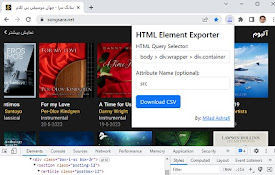
HTML Tag Elements Attribute CSV Exporter

5.0

Export HTML tag element attributes to CSV only by entering a HTML query selector.

Copy Text from HTML Extension

1.0

Copy text content of an HTML element with Shift + Alt + C

Subeditor: Webpage Text Editor

0.0

Edit the text of any webpage on the fly, directly in your browser.

Only HTML

5.0

Allow only HTML (and inline CSS & images) to render. Block all other content types like images, scripts, web fonts etc.

Text Saver

4.0

Save & Organize Web Text Instantly

Save Tabs as Text & File

0.0

Copy, Save, and Apply Tabs as urls.

Web Text Extractor

0.0

Extract text content from web pages to a sidebar,And provide copy and save functions

Shrt.txt — Summarize text, shorten any text

0.0

Instant Text Summaries. Simplify web content with quick, concise summaries at your fingertips.

Simple Text Scraper

5.0

Scrape text from a single webpage

Web.txt | Convert Webpages to Plain Text (.txt)

3.0

Extract plain text from webpages

Read Clean Text

0.0

Read Clean Text strips non text from a web page and displays clean text for reading and copying.

Web2Text

5.0

Web2Text converts web pages to plain text with a click, for distraction-free reading and easy text extraction, enhancing browsing.

HTML Tag Elements Attribute CSV Exporter

5.0

Export HTML tag element attributes to CSV only by entering a HTML query selector.

Copy Text from HTML Extension

1.0

Copy text content of an HTML element with Shift + Alt + C

Subeditor: Webpage Text Editor

0.0

Edit the text of any webpage on the fly, directly in your browser.

Only HTML

5.0

Allow only HTML (and inline CSS & images) to render. Block all other content types like images, scripts, web fonts etc.

Text Saver

4.0

Save & Organize Web Text Instantly

Save Tabs as Text & File

0.0

Copy, Save, and Apply Tabs as urls.

Google apps
Create a Mobile Website
View Site in Mobile | Classic
Share by: