Item logo image for FeedPal: Turn Your Browser Into an RSS Reader

FeedPal: Turn Your Browser Into an RSS Reader

5.0 (

3 ratings

)
Extension Tools 216 users
Item media 4 (screenshot) for FeedPal: Turn Your Browser Into an RSS Reader
Item media 1 (screenshot) for FeedPal: Turn Your Browser Into an RSS Reader
Item media 2 (screenshot) for FeedPal: Turn Your Browser Into an RSS Reader
Item media 3 (screenshot) for FeedPal: Turn Your Browser Into an RSS Reader
Item media 4 (screenshot) for FeedPal: Turn Your Browser Into an RSS Reader
Item media 1 (screenshot) for FeedPal: Turn Your Browser Into an RSS Reader
Item media 2 (screenshot) for FeedPal: Turn Your Browser Into an RSS Reader
Item media 3 (screenshot) for FeedPal: Turn Your Browser Into an RSS Reader
Item media 4 (screenshot) for FeedPal: Turn Your Browser Into an RSS Reader

Overview

View recent content from your bookmarked blogs and get notified when they update.

If you've ever bookmarked articles from a blog, you'll likely want to stay updated with its new posts. FeedPal works out of the box with zero configuration, effortlessly turning bookmarks into subscriptions—ensuring you never miss valuable content that matters to you. Since high-quality content often updates less frequently, FeedPal intelligently adjusts notifications based on update frequency, minimizing distractions and only alerting you when it truly matters. • How often are RSS feeds fetched? FeedPal automatically adjusts the fetching frequency based on the characteristics of the RSS feed (such as update frequency, etc.), ranging from 1 hour to 45 days. • How to add a specific RSS feed? Create a new folder in your bookmarks with a name containing [sources] (note that the square brackets are included), then add the RSS feed (URL of the XML) to this folder. FeedPal will automatically fetch the RSS feeds within this folder. • What should I do if the website indicates no RSS feed was found? FeedPal will attempt to parse the RSS feed from the website's homepage. If it fails to parse, you can also try manually adding it by following the steps above. • Is my data safe? FeedPal uses the browser's local storage feature, so all data is saved on your computer and will not be uploaded to any server. This includes the fetching process, which is also performed solely on your computer. ------ FeedPal is in its early iteration phase. We’ll continue to enhance features and optimize the user experience. Any questions or suggestions are welcome—feel free to submit feedback.

Details

  • Version
    1.0.0-alpha.23
  • Updated
    March 14, 2025
  • Offered by
    Mutacore
  • Size
    300KiB
  • Languages
    2 languages
  • Developer
    Email
    dev@mutacore.com
  • Non-trader
    This developer has not identified itself as a trader. For consumers in the European Union, please note that consumer rights do not apply to contracts between you and this developer.

Privacy

Manage extensions and learn how they're being used in your organization
The developer has disclosed that it will not collect or use your data.

This developer declares that your data is

  • Not being sold to third parties, outside of the approved use cases
  • Not being used or transferred for purposes that are unrelated to the item's core functionality
  • Not being used or transferred to determine creditworthiness or for lending purposes

Support

Related

Feedgrab: A modern, beautiful and FREE RSS reader

5.0

Discover RSS feeds and save them to your Feedgrab account in one click

RSSBox

5.0

A fast, private RSS reader — auto-discover feeds, dark mode, notifications & offline reading. Your data never leaves your device.

Universal RSS Feed Finder

5.0

Automatically find all types of RSS/Atom feeds on any website.

Get RSS

3.5

Get RSS feed URLs from a website

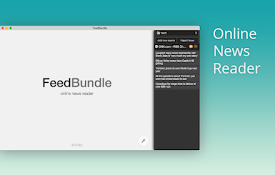
FeedBundle - Online RSS News Reader

4.3

Make your own collection of feeds, organize and read it with FeedBundle.

RSS Wrangler

5.0

Bring all your favourite RSS and Atom feeds together in a highly customisable, minimalist interface

Feedmarks

5.0

Follow RSS/ATOM feeds directly from your bookmarks.

sideRSS - RSS Reader in sidePanel

3.0

sideRSS - RSS Reader in sidePanel

Feed Fabrik RSS Feed Reader

4.2

Discover, collect, and read RSS feeds directly in your browser

RSSkit - Refined RSS reader

0.0

RSSkit is a refined RSS reader with useful features for the web

Feed 阅读器

0.0

Feed 阅读器

RSSFlow - AI-Powered RSS Information Stream

4.3

AI-powered RSS reader with summaries, discovery mode, automated workflows, and smart push notifications.

Feedgrab: A modern, beautiful and FREE RSS reader

5.0

Discover RSS feeds and save them to your Feedgrab account in one click

RSSBox

5.0

A fast, private RSS reader — auto-discover feeds, dark mode, notifications & offline reading. Your data never leaves your device.

Universal RSS Feed Finder

5.0

Automatically find all types of RSS/Atom feeds on any website.

Get RSS

3.5

Get RSS feed URLs from a website

FeedBundle - Online RSS News Reader

4.3

Make your own collection of feeds, organize and read it with FeedBundle.

RSS Wrangler

5.0

Bring all your favourite RSS and Atom feeds together in a highly customisable, minimalist interface

Feedmarks

5.0

Follow RSS/ATOM feeds directly from your bookmarks.

sideRSS - RSS Reader in sidePanel

3.0

sideRSS - RSS Reader in sidePanel

Google apps
Design a Mobile Site
View Site in Mobile | Classic
Share by: