Item logo image for Research Notes

Research Notes

http://onlineresearchnotes.com/
4.2 (

21 ratings

)
Extension Tools 2,000 users
Item media 3 (screenshot) for Research Notes
Item media 4 (screenshot) for Research Notes
Item media 1 (screenshot) for Research Notes
Item media 2 (screenshot) for Research Notes
Item media 3 (screenshot) for Research Notes
Item media 4 (screenshot) for Research Notes
Item media 1 (screenshot) for Research Notes
Item media 2 (screenshot) for Research Notes
Item media 1 (screenshot) for Research Notes
Item media 2 (screenshot) for Research Notes
Item media 3 (screenshot) for Research Notes
Item media 4 (screenshot) for Research Notes

Overview

Bookmark, tag or add notes to pages, highlight and save quotes or images, save selected Google searches, filter out search results.

(What's new in latest version: see https://onlineresearchnotes.com/#latest) KEEP NOTES AND ORGANIZE PAGES Bookmark, tag or add notes to pages. SAVE & HIGHLIGHT QUOTES Save quotes or other text snippets from pages (or PDFs), highlight quotes on the page. SAVE IMAGES Save images with pages - either pictures directly from the page or copy-pasted screenshots via a tool like Snipping Tool or Paint. TAGS WITH VALUE Advanced tagging: you can add values to the tags. For example, to record a page’s author, add a tag like “Author: <author’s name>”. Or, when searching for products and comparing good websites with alternative offerings, add tags to pages such as “Product: <product name>” or “Price: <product price>”. You can group and sort by tags and values separately on the all notes -page. RESEARCH UNDER SEPARATE TOPICS All your pages and searches will be saved under topics that you define. This helps keep your different research topics - be it work, school or hobbies - separated from each other. SAVE YOUR GOOGLE OR GOOGLE SCHOLAR SEARCHES When studying a topic in-depth, save searches to remember what search terms you’ve used, which ones got great results and how far into the results you have looked. By default, search saving is turned off, it can be activated for each Google search tab separately. HELPFUL SEARCHING OPTIONS Cross out and hide search results that are not useful. Instantly add notes and tags to results straight in your Google search. OVERVIEW OF SAVED RESEARCH A special all notes -page gives a comprehensive overview of your topics, pages and searches. See your researched pages either in list or table format. Filter pages by text, tags, notes or bookmarks. PRIVATE The information that you create while working with the extension - addresses, searches, notes, tags, etc - is stored exclusively in your own browser and is not shared with anyone. We only collect anonymous analytics information about this products usage to get an overview of what features are used. DO YOU HAVE QUESTIONS OR RECOMMENDATIONS? We are open to feedback about this product, about existing features or new ideas - just use the feedback form that can be opened after clicking the extension's icon. And please do inform us also about any possible bugs still lurking in this public beta version. FREE This extension is free to use.

4.2 out of 5 21 ratings

Learn more about results and reviews.

Details

  • Version
    1.0.8.5
  • Updated
    January 3, 2025
  • Size
    666KiB
  • Languages
    English
  • Developer
    MTIP OÜ
    Peterburi tee 53 Tallinn 11415 EE
    Website
    Email
    feedback@onlineresearchnotes.com
  • Non-trader
    This developer has not identified itself as a trader. For consumers in the European Union, please note that consumer rights do not apply to contracts between you and this developer.

Privacy

Research Notes has disclosed the following information regarding the collection and usage of your data. More detailed information can be found in the developer's privacy policy .

Research Notes handles the following:

User activity

This developer declares that your data is

  • Not being sold to third parties, outside of the approved use cases
  • Not being used or transferred for purposes that are unrelated to the item's core functionality
  • Not being used or transferred to determine creditworthiness or for lending purposes

Support

Related

Annotate web pages/CONTEXT

3.6

Use this extension to annotate (edit, highlight, popup/embedded notes & page notes) your web-pages.

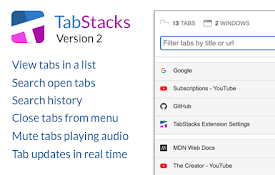
TabStacks: tab and history search

4.6

View and search through open tabs and browser history.

TabMate

3.9

TabMate helps you manage the tab clutter. Easily switch between tabs, save & restore set of tabs or windows, and more.

Super Focus Tabs

3.9

Quickly find out tab/page. Reduce much more time while working with multiple tabs/pages.

SnippIt : Your Research Assistant

4.8

Web Research Made Recallable

Scholarcy Browser Extension

4.1

Summarizes research articles, creates interactive flashcards, highlights key points, links to open-access versions of each citation

Crammer: Save time using AI

4.6

Provides text analytics to the webpage using artificial intelligence to quickly find what you are looking for and save time

Science Research Assistant

4.8

Search for scientific information as quickly as possible while researching and writing scientific papers. Save notes for reference.

Clutterboard

3.2

A brilliant way to store, share and easily organize all your links, videos, and notes.

Summarize the Internet

5.0

Displays a summary of the text or article on the current page.

Research AI

5.0

Research AI - Helps you write marketing content, blog articles, website copies, ecommerce product descriptions and more 10x faster.

Paper Of The Day

4.7

Discover trending academic papers from computer science to economics in each new tab. [Powered by Mendeley Data]

Annotate web pages/CONTEXT

3.6

Use this extension to annotate (edit, highlight, popup/embedded notes & page notes) your web-pages.

TabStacks: tab and history search

4.6

View and search through open tabs and browser history.

TabMate

3.9

TabMate helps you manage the tab clutter. Easily switch between tabs, save & restore set of tabs or windows, and more.

Super Focus Tabs

3.9

Quickly find out tab/page. Reduce much more time while working with multiple tabs/pages.

SnippIt : Your Research Assistant

4.8

Web Research Made Recallable

Scholarcy Browser Extension

4.1

Summarizes research articles, creates interactive flashcards, highlights key points, links to open-access versions of each citation

Crammer: Save time using AI

4.6

Provides text analytics to the webpage using artificial intelligence to quickly find what you are looking for and save time

Science Research Assistant

4.8

Search for scientific information as quickly as possible while researching and writing scientific papers. Save notes for reference.

Google apps
Design a Mobile Site
View Site in Mobile | Classic
Share by: