


Tab Shelf - Side panel vertical tabs

Overview
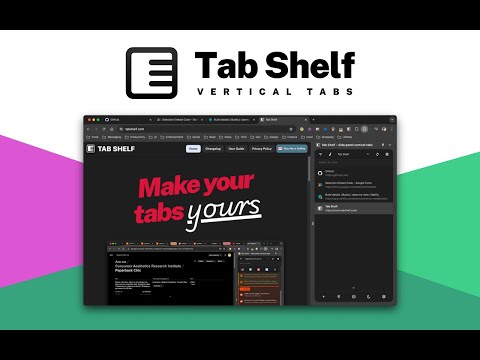
Vertical tab management from your side panel with support for tab groups, multiple windows, and much more.
Tab Shelf is a versatile, vertical tab manager for Chrome. It provides an alternate, more feature-packed alternative to the Chrome, Edge, and Brave vertical tabs feature. 🤔 WHY VERTICAL TABS? Whether you're frantically doing research for a paper, queuing up articles to read, or you just love hoarding tabs, tab management can be a pain. Having all your tabs squeezed at the top of your window makes it hard to remember what tabs you have and to quickly navigate between them. Being able to persistently view all your tabs in a convenient, colorful, and customizable vertical view takes that headache away! ⭐️ FEATURES - View and manage your tabs conveniently from the side panel. - Use rules to automatically group tabs from specific websites (or right-click on a tab and choose to group all tabs from the same site). - Save and restore tab groups, windows, and browser sessions. - Quickly search or filter your tabs by group, window, or whether they've got audio playing. - Duplicate tab detection and deletion (optional). - Sleep your tabs to save memory and energy. You can also set tabs opened in the background to sleep after a specified period of time. - Sync your settings and grouping rules via your Google account across your other computers. - Light and dark themes to match your browser, plus 20 accent colors to give your Tab Shelf some flair. Also includes Roomy, Comfortable, and Compact display density options. - Choose from amongst 20 colors to differentiate your tab groups and windows. 🌏 TRANSLATIONS Tab Shelf is available in 17 languages. 🔐 PRIVACY POLICY Please read Tab Shelf's privacy policy (which can be found at: https://www.tabshelf.com/privacy-policy) to understand how Tab Shelf prioritizes responsible permissions usage and user privacy. Tab Shelf does not and will never collect your data. 🛠️ USAGE You can launch Tab Shelf in a number of ways: 1. Opening the Chrome side panel via the toolbar button (on the right-hand side, next to your profile button) and selecting Tab Shelf. 2. Pinning the Tab Shelf extension button to the toolbar. This allows you to open Tab Shelf in a single click. You can also use the default keyboard shortcut to quickly open Tab Shelf: * On Windows/Linux: Ctrl + Shift + O * On macOS: Command + Shift + O For a more detailed user guide, please visit: https://tabshelf.com/user-guide Disclaimer: This extension requires at least Chrome 114 in order for side panel integration to work. Other Chromium-based browsers are not officially supported. ======================= CHANGELOG - v2026.2.0 ======================= NEW FEATURES - Background mode - run Tab Shelf without keeping the side panel. Clicking the toolbar icon now opens a compact action menu where you can access Tab Shelf's saved collections, tab grouping rules, and duplicate tab detection features. - Redesigned Saves modal with clearer collection format, nested session contents, contextual restore options, and multi-select actions. - Redesigned Grouping Rules modal with a clearer rules-and-sites structure and smoother workflows for creating rules, adding sites, and managing existing rules. IMPROVEMENTS - Saves is more predictable when browsing collections, with improved filtering, sorting, deletion feedback, and cleaner saved collection names. - Grouping rule changes now sync more reliably between Tab Shelf views and browser storage. - Notifications now respect action-notification preferences more consistently while always showing critical messages. BUG FIXES - Fixed tab group collapse/expand state getting out of sync during startup or reloads. - Fixed creating a new tab group from selected tabs across multiple windows. - Fixed duplicate-tab and audible-tab filters getting stuck after the last matching tab disappeared. - Fixed grouping-rule issues that could leave rules out of sync or apply changes too broadly. - Fixed first-install and layout issues on the welcome page.
Details
- Version2026.2.0
- UpdatedApril 18, 2026
- Size1.94MiB
- LanguagesEnglish
- DeveloperWebsite
Email
csiew.dev@gmail.com - Non-traderThis developer has not identified itself as a trader. For consumers in the European Union, please note that consumer rights do not apply to contracts between you and this developer.
Privacy

This developer declares that your data is
- Not being sold to third parties, outside of the approved use cases
- Not being used or transferred for purposes that are unrelated to the item's core functionality
- Not being used or transferred to determine creditworthiness or for lending purposes


