
Skip to content
new ogbongeblog logo
  • Advertise
  • Blog
  • Contact

Error Facebook: How to bypass the error and login to read your messages

July 25, 2011

·

Uncategorized
jidetheblogger Avatar
jidetheblogger

Right from the day Facebook Introduced the “ Facebook App for Every Phone “, I have been noticing the “Error | Facebook” message while trying to access Facebook Mobile ( m.facebook.com) via my Nokia browser and Mozilla firefox. This really made it very hard for me to reply loads of my Facebook messages, not until I discovered a solution, which I decided to share with you today.
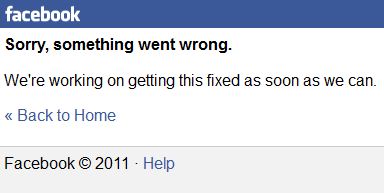
Facebook Error

So, what is the way out?

1. Instead of going to m.facebook.com on your phone or Internet browser, just go to m.facebook.com/messages   Enter your Facebook Login details and you will instantly have access to your Facebook messages. From your inbox, you can follow the links to view your profile, comment on posts etc but if you click on the “ Home ” link, you might see the “Error” message again, hence, don’t bother clicking on the “Home” link.

2. Try and access Facebook.com with your Opera Mini or Bolt Lite Browser and you should be able to access your Facebook Messages.

I hope this simple tricks works….also hoping Facebook will fix this bug asap.

Kindly use the Like/Recommend/Share/Tweet buttons to share this with your friends.

Feel free to use the comment form below to ask questions or contribute to this info…

Cheers!

Jide Ogunsanya
www.facebook.com/jideogunsanya
www.twitter.com/ogbongeblog

Please Share :
facebook

Like What You Read?

Sign Up to get similar articles delivered to your email inbox.

Leave a Reply Cancel reply

Your email address will not be published. Required fields are marked *

2 responses to “Error Facebook: How to bypass the error and login to read your messages”

  1. Peter Avatar
    Peter
    July 25, 2011

    I have been facing this problem for over a week now. You just helped me..thanks so much man

    Loading…
    Reply
  2. Jide Ogunsanya Avatar
    Jide Ogunsanya
    July 25, 2011

    You are welcome bro. Took me some days to figure this out too. Just hoping Facebook fix this problem as soon as possible

    Loading…
    Reply

WANT TO ADVERTISE?

Chat on WhatsApp

RELATED POSTS

  • ZAIN Free Browsing Code: Browse Facebook Freezain
  • How To Upload Pictures To Facebook With Phones
  • How To Change Facebook Profile Pictures Using Phones

FEATURED


  • CREDICORP launches C.L.I.C.K.D. Scheme with FG’s 3MTT Programme, expanding affordable consumer credit for locally-assembled laptops and devices for digital workers

    CREDICORP launches C.L.I.C.K.D. Scheme with FG’s 3MTT Programme, expanding affordable consumer credit for locally-assembled laptops and devices for digital workers

  • What Happens to Your Online Accounts When You Die?

    What Happens to Your Online Accounts When You Die?

JOIN AI WEB DESIGN GROUP


  • AI Website Design Training Whatsapp Group by Jidetheblogger

    AI Website Design Training Whatsapp Group by Jidetheblogger

← Photos explaining features of Google+ & Google+ Privacy Tips
How to Download Movies from Youtube FREE →

Join 25,000+ subscribers

Receive our latest blog posts in your inbox.

Search

Social

Facebook

Instagram

Twitter

new ogbongeblog logo

Copyright © 2026 | About | Advertise | Featured | Sitemap | Privacy Policy | Powered by WordPress

Your cart (items: 0)

Products in cart

Product
Details
Total
Subtotal ₦0.00
Shipping and discounts calculated at checkout.
View my cart
Go to checkout

Your cart is currently empty!

Start shopping

Notifications

%d

    LIKE My Fan Page

    Privacy Policy | Copyright © 2012,OgbongeBlog.All Rights Reserved. Powered by Blogger .
    Create a Mobile Site
    View Site in Mobile | Classic
    Share by:


