


After setting up my new Samsung Galaxy Y Pro Duos Android phone
, I decided to search Google Play (formerly Android Marketplace) for an app I can use in taking screenshots. Thought I could get something similar to the Screen Muncher app for Blackberry
, unfortunately, I realized that most of the apps in Google Play will demand you root your Android phone before you can use them in taking screen captures. After some serious research, I stumbled on a solution that works for me and I decided to share it with you.
Similar to the way I take screen shots with my IPad
, I now easily take screen captures with my Samsung Galaxy Y Pro Duos without using any application by holding the “Home” button and pressing the “lock” button at the same time.
This secret “Screen capture” function of the phone will take a print screen of the phone exactly how it is without you having to root your phone.
Below are some of the screen shots I captured with my Samsung Dual SIM Android phone:
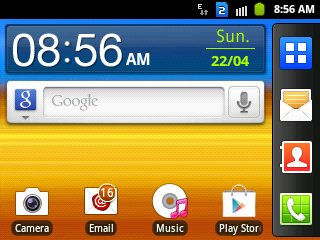
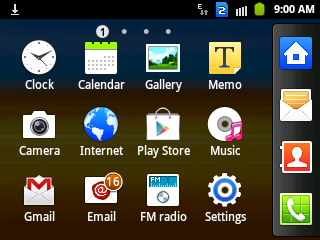
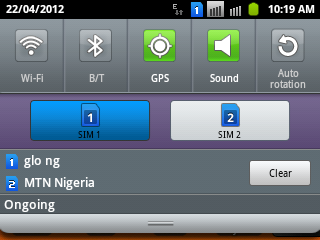
If you are successful in capturing the screen, the phone will vibrate and you will see “ Screen captured. Saved as image file ” message displayed on the screen.
If you scroll to the to the “ Gallery ” of your phone, you will see the image files in a “Screen Capture” folder.
Note:
==> keep trying if If your phone keeps locking or going to the menu while trying to capture the screen
==> Hold the “home” button for a slight moment before pressing the lock button (to stop the phone from locking)
I hope this guide helps you take screen captures with your Samsung Galaxy Y Pro Duos smartphone.
Feel free to use the comment form if you want to make contributions or have questions to ask.
Cheers!








Leave a Reply