


Ever since I published a post on how to turn gift cards into instant cash , one of the most frequently asked questions has been: “How to withdraw the ₦3,000 from carding app in Nigeria”. That’s exactly what I’ll be explaining in this blog post.
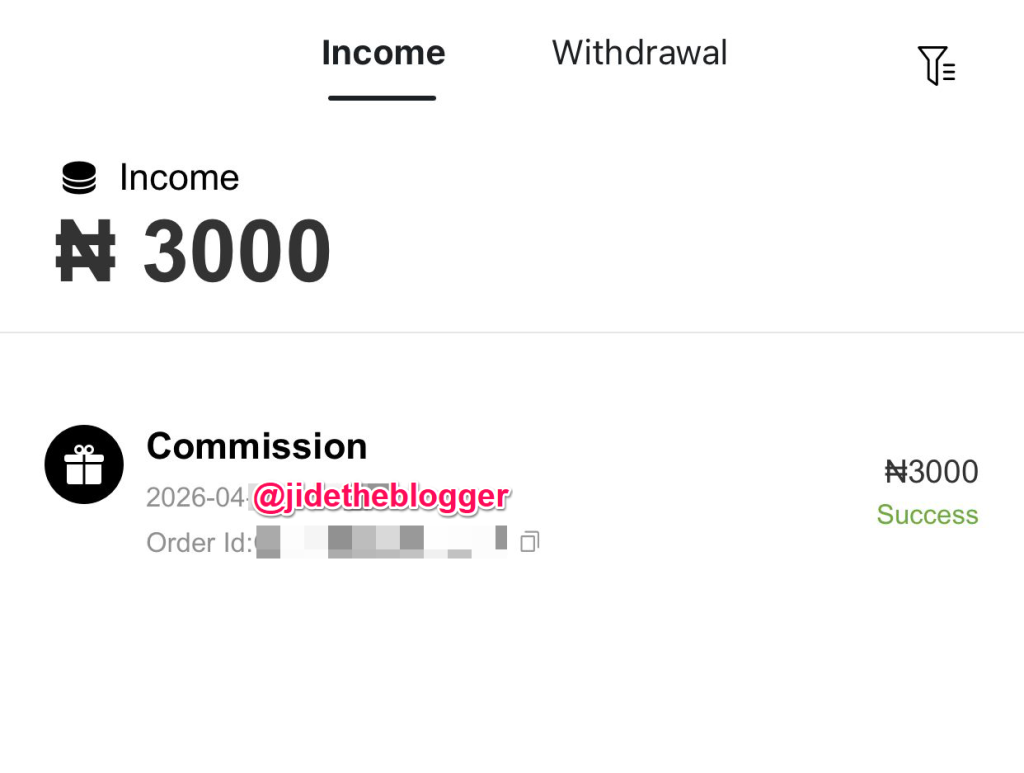
If you just signed up on the Carding App using an invitation code like CNRA4WN, chances are you’ve already seen the exciting ₦3,000 welcome bonussitting in your wallet.
But here’s the catch: you cannot withdraw the ₦3,000 immediately.
Before you get frustrated, relax—I’ll walk you through exactly how it works and how to successfully withdraw your money in Nigeria.
Carding App Referral Bonus Amount in Nigeria
With the Carding App referral program, new users who sign up using a valid invitation code receive a ₦3,000 welcome bonusafter claiming it in the app.
- The bonus is earned after signup
- You must log in and claim itfor it to appear in your wallet
- It serves as a starter incentive, not instant cash-out money.
Why You Can’t Withdraw the ₦3,000 Immediately
This is where many users get confused.
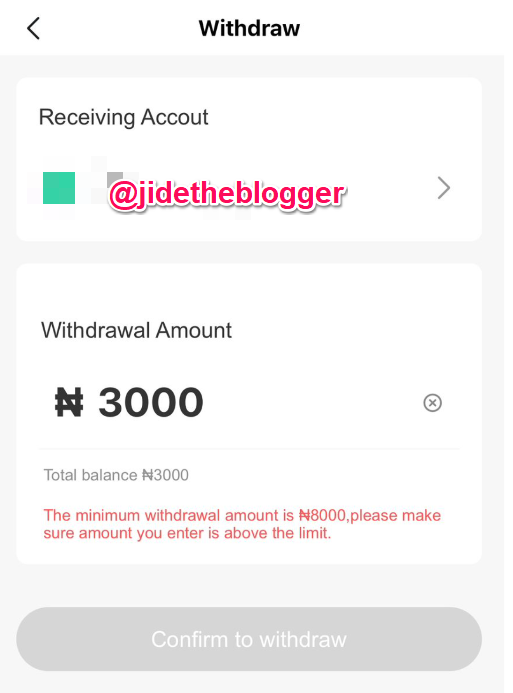
The Carding App requires your wallet balance to reach at least ₦8,000 before withdrawal is allowed.
That means the ₦3,000 bonus alone is not withdrawable yet.
How To Reach ₦8,000 Fast – How To Make Money On Carding App
To unlock your withdrawal, you need to grow your wallet from ₦3,000 to ₦8,000. Here are the legit ways to do that:
1. Trade Gift Cards On Carding App
The Carding App allows you to sell gift cards like:
- Amazon gift cards
- iTunes gift cards
- Google Play gift cards
Once you trade these cards, the cash equivalent is added to your wallet.
2. Invite Friends To Join Carding App
You earn commissions when people sign up using your carding app invitation code .
According to the platform:
You earn 1% of your friend’s total transaction amountas commission.
This means the more active your referrals are, the more you earn.
3. Join Carding App Campaigns and Promotions
Occasionally, the app runs bonus campaigns and reward programs. Participating in these can quickly boost your balance.
How To Withdraw Money From Carding App in Nigeria
Once your wallet balance reaches ₦8,000 or more, you can proceed to withdraw.
Follow these steps carefully:
- Login to the Carding App
- Tap on the User Menu/Profile
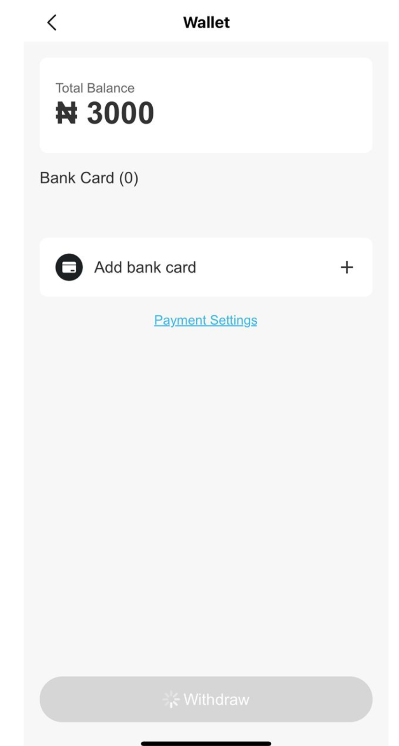
- Click on WALLET
- Add your bank details, including:
- Bank Name
- Account Holder Name
- Account Number
- Enter your Carding App login passwordfor confirmation
- Tap the WITHDRAW button
That’s it—your withdrawal request will be processed.
How Long Does Carding App Withdrawal Take?
While processing time may vary, most users report that withdrawals are completed within a short period, depending on verification and other factors.
Final Thoughts On How to Withdraw the ₦3,000 from Carding App in Nigeria
The ₦3,000 bonus on Carding App is a great starting point—but it’s not free cash you can withdraw instantly.
To successfully cash out:
- Grow your wallet to ₦8,000
- Use trading, referrals or campaigns
- Follow the correct withdrawal steps
If you play it smart, you can turn that ₦3,000 into something more meaningful.
Get Started Today With Carding Gift Card App
The Carding App is fully optimized for mobile and is available for download on both the Apple App Storeand the Google Play Store.
Download the carding app, use the promo code CNRA4WNto lock in your ₦3,000 bonus and start trading your gift cards with ease!
Recommended





Leave a Reply