


If you have an older iPhone 4 or iPhone 3GS, iPad , iPad 2 or the third-or fourth-generation iPod Touch, you can upgrade it to Apple’s latest mobile operating system, iOS 5
, released yesterday. I have upgraded my iPad to the the new iOS and am really enjoying the new features.
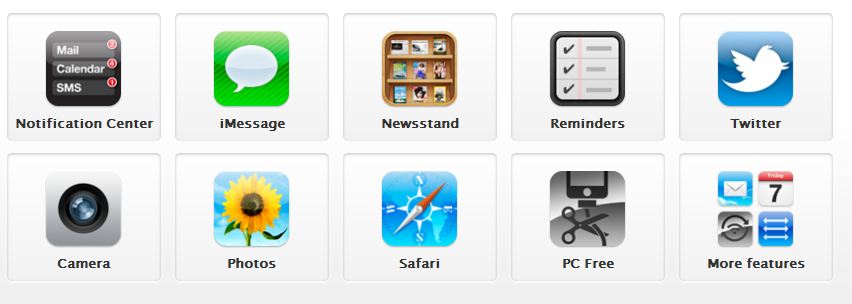
iOS 5 includes more than 200 new features for your iPad, iPhone, or iPod touch. The video below is a quick introduction to the features of iOS5.
You can also check : http://www.apple.com/ios/features.html a brief of the iOS 5 features.
How To Download and Install iOS5
To get iOS 5, the first thing you have to do is to update to iTunes 10.5 . Open iTunes and then click iTunes > Check for Updates to install version 10.5. Once iTunes is up-to-date, connect your iOS device. If you aren’t prompted automatically to start downloading iOS 5, select your iPhone, iPad, or iPod Touch under the Devices header in the left-hand column and click Check for Update.
A pop-up window will appear, alerting you that a new iOS version is available for your device. Click the Download and Update button . (You can also opt for the Download Only button to download it now and install later)
Click through the next three screens to start the download. Once the download completes, the installation will begin automatically if you chose the Download and Update option. Once iOS 5 is installed, you’ll need to hop through a few setup screens on your device before it’s ready to use. You’ll be asked to enable location services, sign in with your Apple log-in, agree to terms and conditions, set up iCloud, and enable “Find My iPhone/ Find My iPad”. Once you are through with all these, you should be able to start enjoying the iOS5 features on your device.
Feel free to check out Matt Elliott’s Installation of iOS 5 on his iPhone .
Feel free to use the comment form to drop your questions or contributions and kindly use the Like/Tweet/Recommend buttons to share this with your friends.
In my future posts, I will share with you my experience with the new features especially the new iMessage, Notification centre, tabbed- Safari browser etc. Just make sure you SUBSCRIBE to my blog if you do not want to miss the posts.
If you want to download the video above to your iPad or iPhone, check out: How to Convert Videos/Movies to iPad
Cheers!






Leave a Reply