
Skip to content
new ogbongeblog logo
  • Advertise
  • Blog
  • Contact

How To Register for KongaPay On Konga SellerHQ (SHQ)

February 29, 2016

·

Uncategorized
jidetheblogger Avatar
jidetheblogger

Last week, Konga sent out an important notice to merchants, informing them that effective from 29th February 2016, the wallet system will no longer be available at SellerHQ, thereby making it mandatory for sellers on Konga.com to sign up for KongaPay with their debit cards.

According to the notice, below are the reasons why sellers on Konga.com should register for Konga Pay:

  • Instant payment of proceeds sales proceeds to registered KongaPay accounts
  • Less stress for invoice payment
  • 5% discount on all purchases on Konga
  • Makes your store to be perceived as more trustworthy by Konga

How To Sign Up For Konga Pay on SHQ

  • Start by signing in to your Konga seller account at :  shq.konga.com
  • Click on the “KongaPay” button at the top of the page
  • Select your bank
  • Enter your first and last name, your ATM card number and your BVN number
  • Click “Continue”
  • Enter your phone number, date of birth and enter a 4-digits PIN. 
  • Click “Continue” 
  • Enter the OTP sent by KongaPay to your phone or email in the space provided
  • Click “Complete Sign Up”
If successful, you should see something similar to the image below:
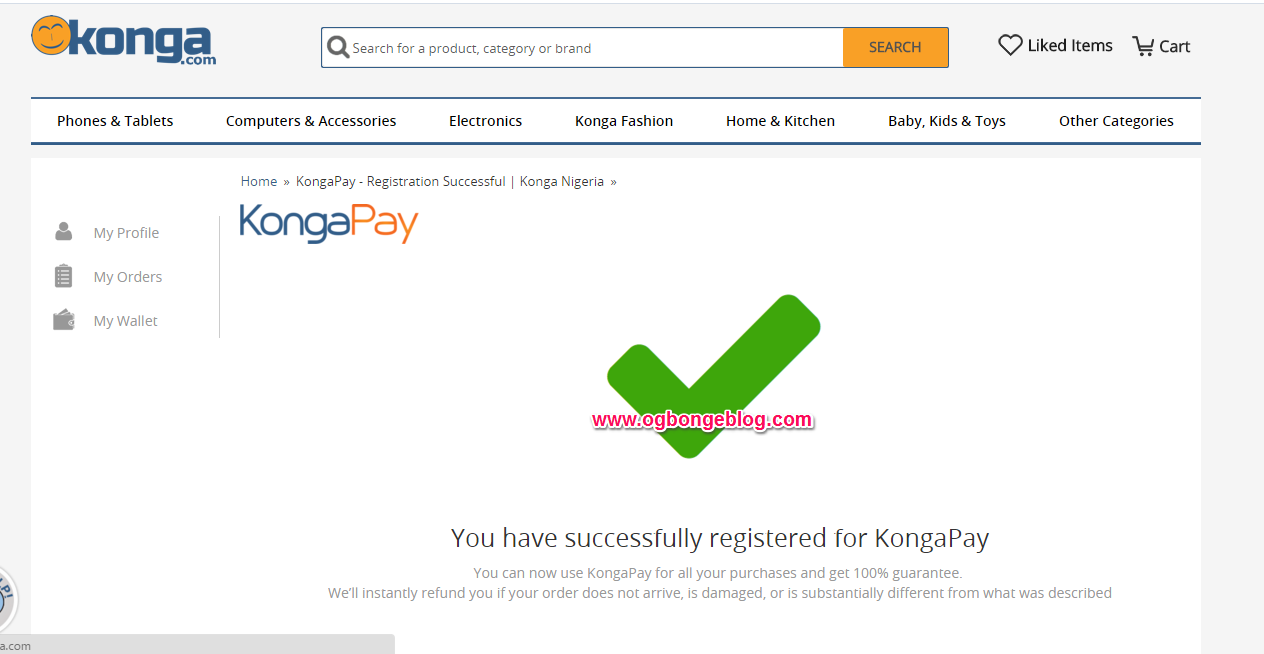
kongapay registration successful

That’s all

NB:

==> Ensure details provided match the details on your card and bank account.

==> Verve Cards are currently not supported on KongaPay. MasterCard and Visa Card are accepted!

Please Share :
konga

Like What You Read?

Sign Up to get similar articles delivered to your email inbox.

Leave a Reply Cancel reply

Your email address will not be published. Required fields are marked *

One response to “How To Register for KongaPay On Konga SellerHQ (SHQ)”

  1. sue Avatar
    sue
    May 8, 2017

    please how do i type in my phone number when registering because, for example i wantedto type 08068226835, the 0 always disappears and the number is said to be in valid, Or rather,, I start with +234 but i never end up completing the number because there is limited provision of space. Pleassseee I really need to register for this, can anyone help? (Or maybe just explain how his was done).

    Loading…
    Reply

WANT TO ADVERTISE?

Chat on WhatsApp

RELATED POSTS

  • Register for Konga Merchant Account and Start Receiving Online Payments in Nigeriakongapay merchants receive online payment in nigeria
  • KongaPay App for Android and iOS Lets You Make Online Payments In Nigeria With Easekongapay app for android iphone ipad
  • Coronavirus: Konga Customers to Benefit from N10m Fund, Free Delivery for Purchasescoronavirus konga free delivery in nigeria for online shopping

FEATURED


  • CREDICORP launches C.L.I.C.K.D. Scheme with FG’s 3MTT Programme, expanding affordable consumer credit for locally-assembled laptops and devices for digital workers

    CREDICORP launches C.L.I.C.K.D. Scheme with FG’s 3MTT Programme, expanding affordable consumer credit for locally-assembled laptops and devices for digital workers

  • What Happens to Your Online Accounts When You Die?

    What Happens to Your Online Accounts When You Die?

JOIN AI WEB DESIGN GROUP


  • AI Website Design Training Whatsapp Group by Jidetheblogger

    AI Website Design Training Whatsapp Group by Jidetheblogger

← FirstBank FirsteConnect Lets You Accept Payments On Your Website
Blogger Sitemap XML URL You Should Add To Bing and Google Webmaster Tools →

Join 25,000+ subscribers

Receive our latest blog posts in your inbox.

Search

Social

Facebook

Instagram

Twitter

new ogbongeblog logo

Copyright © 2026 | About | Advertise | Featured | Sitemap | Privacy Policy | Powered by WordPress

Your cart (items: 0)

Products in cart

Product
Details
Total
Subtotal ₦0.00
Shipping and discounts calculated at checkout.
View my cart
Go to checkout

Your cart is currently empty!

Start shopping

Notifications

%d

    LIKE My Fan Page

    Privacy Policy | Copyright © 2012,OgbongeBlog.All Rights Reserved. Powered by Blogger .
    Create a Mobile Site
    View Site in Mobile | Classic
    Share by:


