
Skip to content
new ogbongeblog logo
  • Advertise
  • Blog
  • Contact

Responsive Website Preview Tools I Use Locally On Localhost

  1. Home
  2. Blog
  3. Uncategorized
  4. Responsive Website Preview Tools I Use Locally On Localhost
February 10, 2016

Written by

jidetheblogger Avatar
jidetheblogger

Last Modified :

October 8, 2017

Testing responsive website design online is quite easy as there are many tools out there which you can use. Unfortunately, most of those tools won’t work if you are not connected to the internet. This simply means they will be useless if you are working on web site design on localhost (using XAMPP) and you need to carry out a responsive website preview.

Whenever I buy responsive themes and set them up locally on XAMPP, I test for responsiveness by making use of web browser extensions that resize browser window and may favorite is Web Developer Extension.

The Web Developer extension adds various web developer tools to a browser. The extension is available for Chrome, Firefox and Opera, and will run on any platform that these browsers support including Windows, OS X and Linux.

It has a built-in “Resize” feature that resizes your browser window with a click of a button. Once installed, you can quickly view what your site will look like on different devices by clicking on the web developer icon > “Resize” > View Responsive Layouts.

web browser extension

You can as well, add custom sizes by clicking “Edit Resize dimensions” > “Responsive” > Add

Another website responsive checker I use on localhost is Responsive Web Design Tester by http://responsivewebdesigntester.com

It is an extension for chrome browser which opens up seperate actually sized window for the preset you select. It includes presets for multiple devices and you can add your own devices if you don’t find any size that suits your needs.
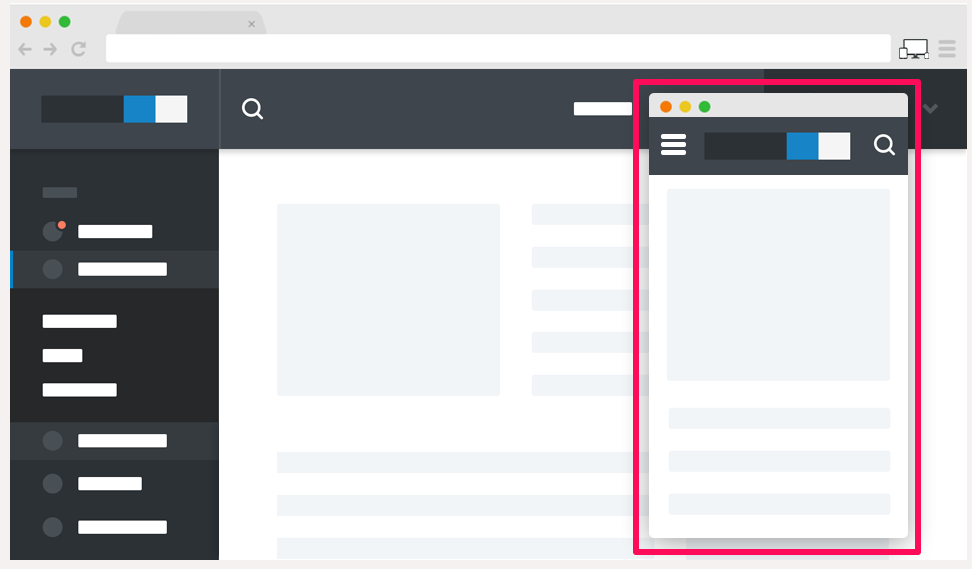
ResponsiveWebDesignTesterforchromebrowser

Once installed, navigate to the tab of the site you want to test and click the extension’s icon. It will display a drop down where you can select device. You can as well right click on any web page and select device for preview. It also works perfectly as online responsive design preview tool.

responsive checker tool for chrome browser

If you want to test for responsiveness on a local development environment such as XAMPP using Safri browser, you can use the ResponsiveResize extension .

I hope this helps.

If you know other tools for checking for responsivenes on localhost, kindly share via comments.

Recommended : Responsinator.com : WebSite to Preview Responsive Design Online

Please Share :
web design

Like What You Read?

Sign Up to get similar articles delivered to your email inbox.

Leave a Reply Cancel reply

Your email address will not be published. Required fields are marked *

2 responses to “Responsive Website Preview Tools I Use Locally On Localhost”

  1. Victor Kachi Avatar
    Victor Kachi
    February 10, 2016

    Now i know..
    . Entclass.com

    Loading…
    Reply
  2. Obinna Onyenali Avatar
    Obinna Onyenali
    February 13, 2016

    Can this work on my blog, ObinnaOnyenali.com or just a conventional website?

    Loading…
    Reply

WANT TO ADVERTISE?

Chat on WhatsApp

RELATED POSTS

  • Download Instant WordPress: Free Portable Software That Lets You Develop WordPress Sites Offline
  • Responsinator.com : Site to Preview Responsive Design
  • Adsense Responsive Ad Code Modification Using CSS Media Queries

FEATURED


  • How to Pay Chinese Suppliers in RMB (Alipay & WeChat Pay) or Swap Naira, Kenyan Shillings, Ghana Cedis & USDT in Minutes

    How to Pay Chinese Suppliers in RMB (Alipay & WeChat Pay) or Swap Naira, Kenyan Shillings, Ghana Cedis & USDT in Minutes

JOIN AI WEB DESIGN GROUP


  • AI Website Design Training Whatsapp Group by Jidetheblogger

    AI Website Design Training Whatsapp Group by Jidetheblogger

RANDOM POSTS


    I Got One Free Month of Meta Verified After I Tried to Cancel My Subscription


    How To Make Money On Bamboo App: 5 Proven Ways


    How To Use Vibe Coding To Make Money


    How I Earn $100 Per Referral from Affiliate Marketing


    Bluetooth Printer That Connects To Phone


    Can I Use OPay Card for Facebook Ads?


    Why I Moved My Websites From Namecheap To Interserver.net


    How I Earn $50 Per Sale


MORE RANDOM POSTS
← A Right Moment To Grow Small Business In Nigeria
Adblabla : Free Online Advertising for Bloggers and Website Owners in Nigeria →

Join 25,000+ subscribers

Receive our latest blog posts in your inbox.

Search

Social

Facebook

Instagram

Twitter

new ogbongeblog logo

Copyright © 2026 | About | Advertise | Featured | Sitemap | Privacy Policy | Powered by WordPress

Your cart (items: 0)

Products in cart

Product
Details
Total
Subtotal ₦0.00
Shipping and discounts calculated at checkout.
View cart
Go to checkout

Your shopping cart is empty

Return to shop

Notifications

%d

    LIKE My Fan Page

    Privacy Policy | Copyright © 2012,OgbongeBlog.All Rights Reserved. Powered by Blogger .
    Create a Mobile Site
    View Site in Mobile | Classic
    Share by:


