Student Links

Digital Resources for Students

Please Note: These links will take you to websites that are not maintained by FCPS or Lemon Road Elementary.

Reference Guide for Student Links

  • The DRC indicates students must have a Digital Resource Consent (DRC) permission slip on file to access the application.

  • google logoThe Google logo indicates students must log in with their Fairfax County Google accounts, which is their student ID @fcpsschools.net.
  • cleverThe Clever logo indicates students must log in through Clever. These apps can also be accessed by going directly through Clever. Clever itself uses the FCPS Google login.
  • The "No Login Allowed" banner indicates students should not log in to the application to avoid sharing sensitive data. 

Using a Personal Device to Access Resources

Follow these  login instructions or expand the menus below.

FCPS Google Accounts

  1. Open Google Chromeor the browser of your choice. 
  2. Click on Google Workspacein the top blue menu bar on this website.
    google workspace in the taskbar
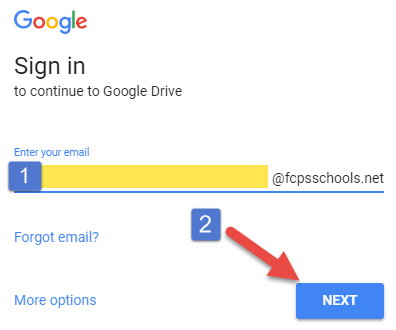
  3. Enter your username (student ID)into the box and click Next. Make sure that the @fcpsschools.net is present. If it is not there, you must type it out!
    enter your username and click the blue next button
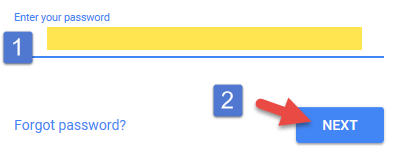
  4. Enter your password.
    enter your password and click the blue next button
  5. You can now log in with Google for any student resource that requires it, which includes but is not limited to myON and BrainPop.
    Note:If you forget your password, you must change it here or contact your teacher to reset it.

Clever Applications

  1. After logging in to Googleby following the above instructions, access Cleveror other Clever apps by clicking their icons on this Student Links page.

    clever
    Clever applications include ST Math, Lexia, Science A-Z, and Wixie.

    st mathlexia core 5lexia powerupscience a to zwixie
  2. Select the Log in with Googlebutton.
    login with google
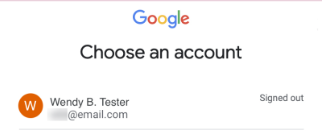
    1. If asked, select your name.
      a list of possible accounts to sign into - select your name
    2. If asked, choose the correct option if you share your computer.
      HC_shadow_box_updates_-_Google_Slides-25.png
  3. Now you have access to all of the apps associated with Clever!

MyOn

  1. Click the myOnicon under "Reading" on Lemon Road Student Links.

    myon
  2. Select the white "here" in the orange box.
  3. Follow the above instructions to log in with Google or choose your school account from the list that pops up.
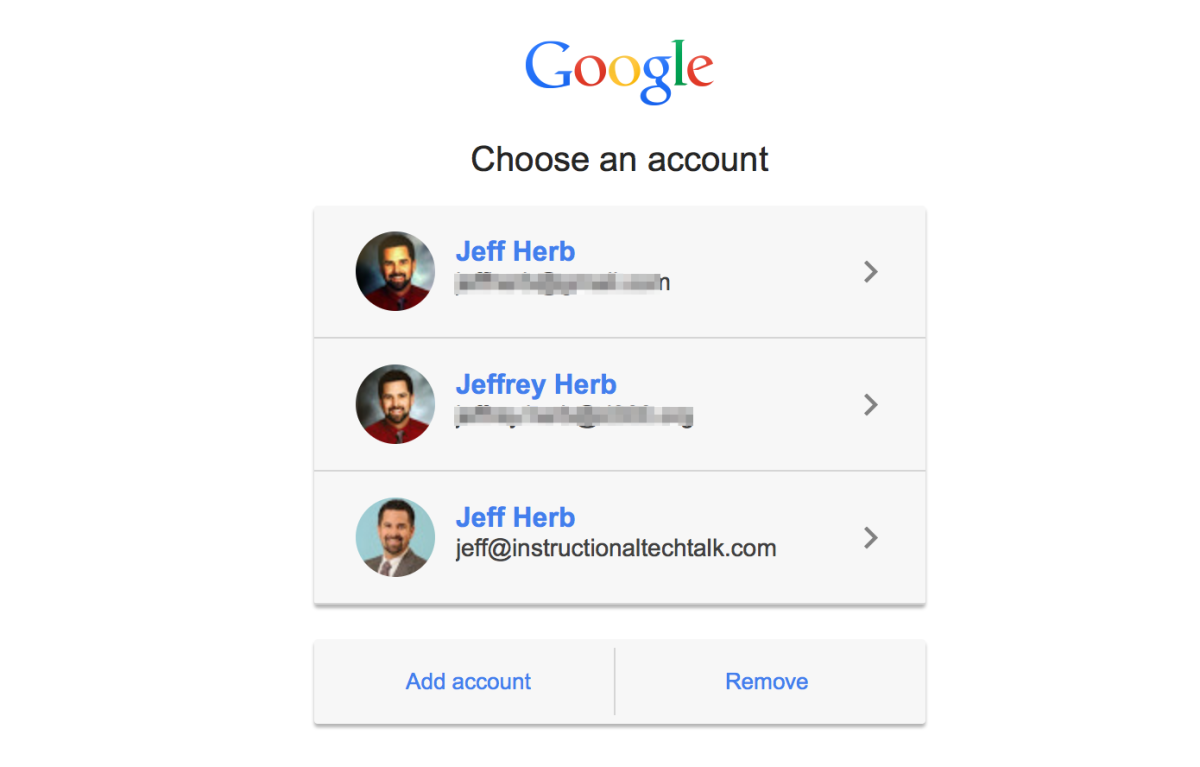
    a picture with an example of what a login account selection page looks like

Schoology

  1. Click on Schoology. on Lemon Road Student Links. 

    schoology logo
    Schoology must be accessed through the special FCPS url and will not work if you go through their main website!
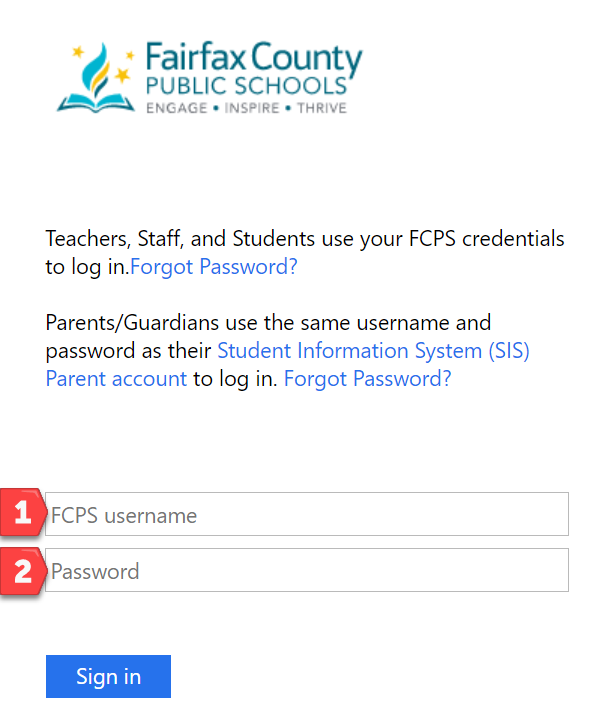
  2. Type in your usernameand passwordand click Sign In.
    image of a schoology login page indicating where the username and password goes
    Parents must use their ParentVUE username and password to access the parent Schoology account.
  3. Your username might get "azauth.net\" added before it, which is expected and normal.
Frequently Used


clever log in with google schoology google workspace tools student password manager

Reading and Language Arts

lexia core 5 clever login lexia power up clever login
myon clever login tumblebook library unite for literacy storyline online gale ebooks
common lit login with google new york times games no login allowed
vocabulary dot com login with google fun english games semantris

Math

st math login with clever origo slate origo at home amplify fka desmos log in with google mathspace login with clever
sheppard software math snacks math games no login allowed kids math games solve me mobiles no login allowed
national library of virtual manipulatives polypad virtual manipulatives no login allowed mathigon no login allowed math apps digital manipulatives
desmos four function calculator grades 4 through 5 desmos graphing calculator grades 6 and above

Social Studies

5th grade textbook my world history 6th grade textbook a history of the united states
4th grade social studies textbook our virginia virginia atlas historical us geography atlas
docs teach seterra i civics virginia career view permission required interactive constitution
histography change over time interactive national geographic kids star-spangled banner smithsonian us mint coin classroom
american museum of natural history: ology

Science

science a to z login with clever gizmos simulations login with clever
disaster master fairfax recycles nasa climate kids climate time machine nasa climate history
NASA kids club nasa space place moon phases daily guide nasa home and city phet
nasa viewspace solar system treks nasa name that nebula hubble space telescope resources exoplanet travel bureau
quandary game no login allowed cell puzzles science games edheads simple machines outer space molecule chase

Library and Research Tools

destiny discover library checkout google login mackinvia ebooks login with google international children's digital library fairfax county public library
pebble go abc clio Gale Library menu
culture grams kids edition culture grams states edition culture grams world edition gale presents national geographic kids gale in context elementary
britannica early elementary britannica elementary britannica middle britannica image quest
world book timelines world book early learning world book kids world book student
britannica escolar primaria britannica escolar secundaria britannica universalis junior world book enciclopedia

SOL/Test Prep and Assessment Tools

i ready login varsity tutors login with clever exact path logo sol pass ask for password
jefferson lab mr. nussbaum games interactive quizzes khan academy permission required to login with google
peardeck login with google kahoot no ios login allowed wayground fka quizizz login with google quizlet live permission required to login with google padlet permission required to login with google
formative login with google socrative permission required to login with google edpuzzle login with google answer garden

Cross-Curricular Learning Support

brain pop login with google brain pop junior loigin with google
free rice no login allowed starfall no login allowed kiddle search engine
pbs kids games grid club tvo kids arcademics no login allowed
vault learning games

Enrichment

wixie login with clever canva login with google adobe express login with google lucid app icon
musicplay online login with google google arts and culture permission required to login with google google chrome music lab tinkercad permission required to login with google sketch up permission required to login with google
tate kids prism empathy game
code dot org permission required to login with google hour of code no login allowed kodable no login allowed snap no login allowed
blockly coding code monster

Computer Skills

typing club: typing jungle, no login allowed typing club: jungle junior, no login allowed typing games typing.com no login allowed please turn off information sharing google applied digital skills permission required to login with google
dance mat typing level 1 dance mat typing level 2 dance mat typing level 3 dance mat typing level 4
interland zoe and molly online fbi safe online surfing netsmartz kids touchpad and keyboard practice
cyber choices adversmarts data defenders reality check privacy pirates by media smarts
child exploitation and online protection, jessie and friends ceop band runner common sense digital passport common sense digital compass touchpad practice from poplar tree
silk fluid simulator jackson pollock trackpad practice this is sand trackpad practice bubble clicker