Basic configuration
The standard Manufacturing Data Engine (MDE) deployment doesn't apply any configuration settings by default, which are needed to start ingesting data.
This guide walks you through a basic MDE setup. For example, for testing that the system works end to end. With this guide you can create message classes, types, and parsers for all three Archetypes.
If you intend to use Manufacturing Connect edge (MCe) to ingest data, deploy the default configuration package instead.
You can use either the MDE API or the web interface to complete this configuration.
Message classes
This section provides examples of the message classes available in MDE.
Message class for numeric
The following is an example of a basic-numeric
message class:
REST
POST /configuration/v1/message-classes
  {

 "name"
 :

 "basic-numeric"
 ,

 "priority"
 :

 2000
 ,

 "expression"
 :

 "#root.event['value'] instanceof T(Number) && #root.event['timestamp'] != null && #root.event['tagName'] != null"
 }
Web interface
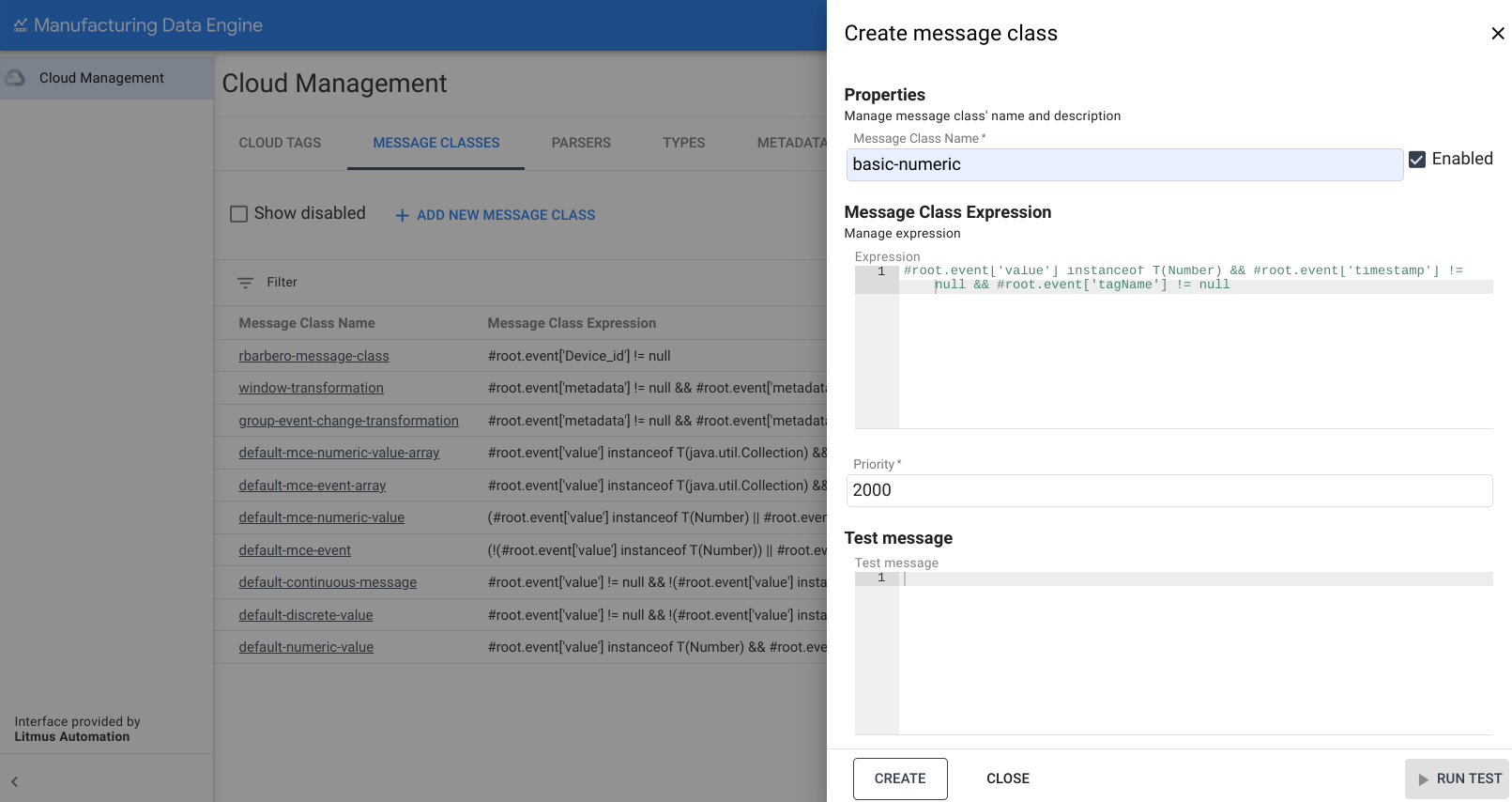
Message Class Name: basic-numeric
- On the MDE web interface, click Message Classes.
- Click Add new Message Class.
- Fill in the Message Class nameas
basic-numeric. -
Copy the following expression and paste it on the Expressionbox:
#roo t .eve nt [ 'value' ] i nstan ceo f T(Number) && #roo t .eve nt [ ' t imes ta mp' ] != null && #roo t .eve nt [ ' ta gName' ] != null -
Change the priority to
2000. -
Click Create.
Message class for discrete
The following is an example of a basic-discrete
message class:
REST
POST /configuration/v1/message-classes
 {

 "name"
 :

 "basic-discrete"
 ,

 "priority"
 :

 1975
 ,

 "expression"
 :

 "#root.event['value'] != null && !(#root.event['value'] instanceof T(Number)) && #root.event['timestamp'] != null && #root.event['tagName'] != null"

 }
Web interface
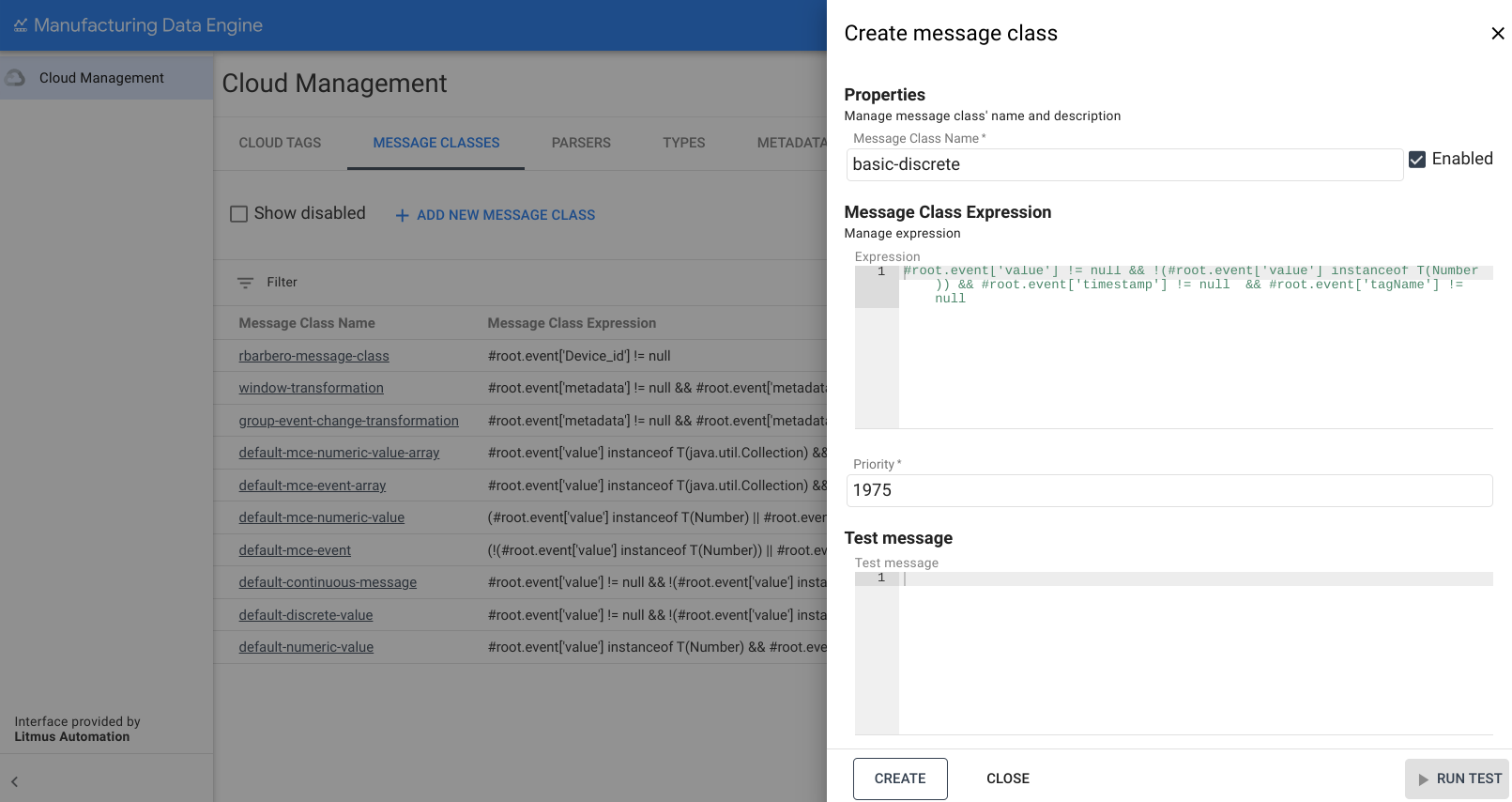
Message Class Name: basic-discrete
- On the MDE web interface, click Message Classes.
- Click Add new Message Class.
- Fill in the Message Class nameas
basic-discrete. -
Copy the following expression and paste it on the Expressionbox:
#roo t .eve nt [ 'value' ] != null && !(#roo t .eve nt [ 'value' ] i nstan ceo f T(Number)) && #roo t .eve nt [ ' t imes ta mp' ] != null && #roo t .eve nt [ ' ta gName' ] != null -
Change the priority to
1975. -
Click Create.
Message class for continuous
The following is an example of a basic-continuous
message class:
REST
POST /configuration/v1/message-classes
 {

 "name"
 :

 "basic-continuous"
 ,

 "priority"
 :

 1950
 ,

 "expression"
 :

 "#root.event['value'] != null && !(#root.event['value'] instanceof T(Number)) && #root.event['startTimestamp'] != null && #root.event['endTimestamp'] != null && #root.event['tagName'] != null"

 }
Web interface
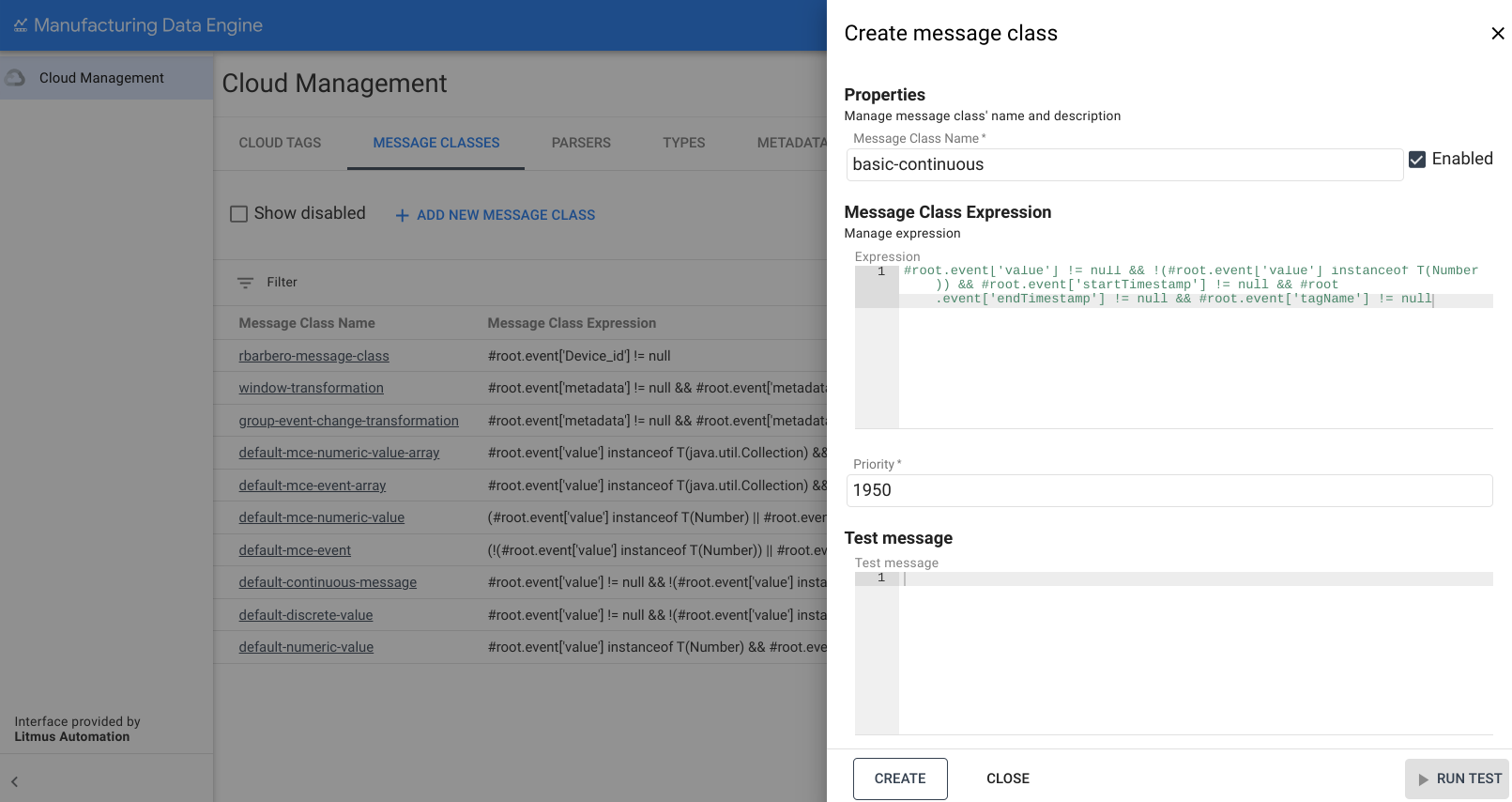
Message Class Name: basic-continuous
- On the MDE web interface, click Message Classes.
- Click Add new Message Class.
- Fill in the Message Class nameas
basic-continuous. -
Copy the following expression and paste it on the Expressionbox:
#roo t .eve nt [ 'value' ] != null && !(#roo t .eve nt [ 'value' ] i nstan ceo f T(Number)) && #roo t .eve nt [ 's tart Times ta mp' ] != null && #roo t .eve nt [ 'e n dTimes ta mp' ] != null && #roo t .eve nt [ ' ta gName' ] != null -
Change the priority to
1950. -
Click Create.
Types
This section provides an overview of the types available in MDE.
Type for numeric
The following is an example of a basic-numeric
type:
REST
POST /configuration/v1/types
  {

 "archetype"
 :

 "NUMERIC_DATA_SERIES"
 ,

 "name"
 :

 "basic-numeric"
 }
Web interface
Name: basic-numeric
- On the MDE web interface, click Types.
- Click Add new Type.
- Fill in the Type nameas
basic-numeric. -
Select
NUMERIC_DATA_SERIESin the drop-down for Archetype: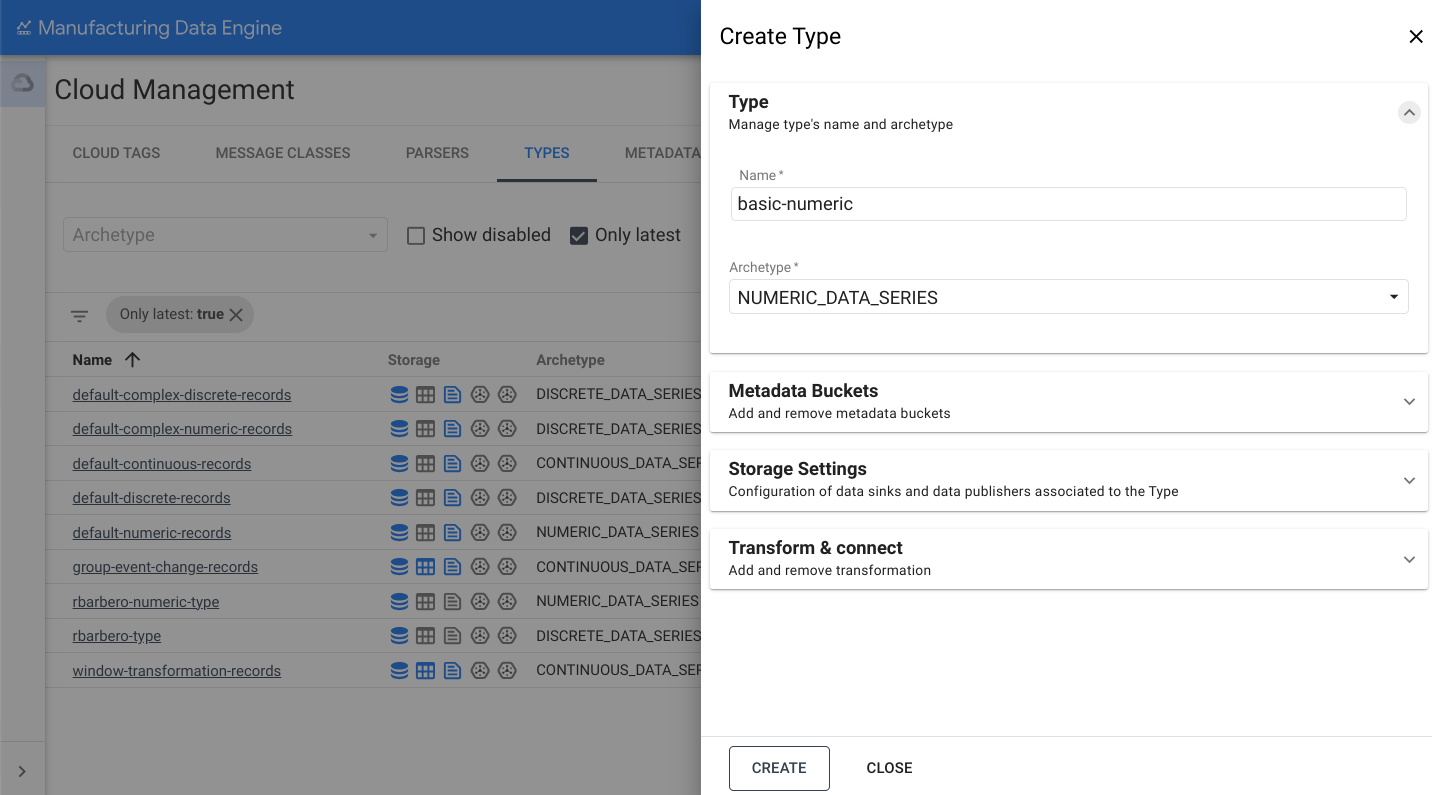
-
Open the Storage Settingssection.
-
Toggle the Send to BigQueryoption.
-
Click Create.
Type for discrete
The following is an example of a basic-discrete
type:
REST
POST /configuration/v1/types
  {

 "archetype"
 :

 "DISCRETE_DATA_SERIES"
 ,

 "name"
 :

 "basic-discrete"
 }
Web interface
Name: basic-discrete
- On the MDE web interface, click Types.
- Click Add new Type.
- Fill in the Type nameas
basic-discrete. -
Select `
DISCRETE_DATA_SERIESin the drop-down for Archetype: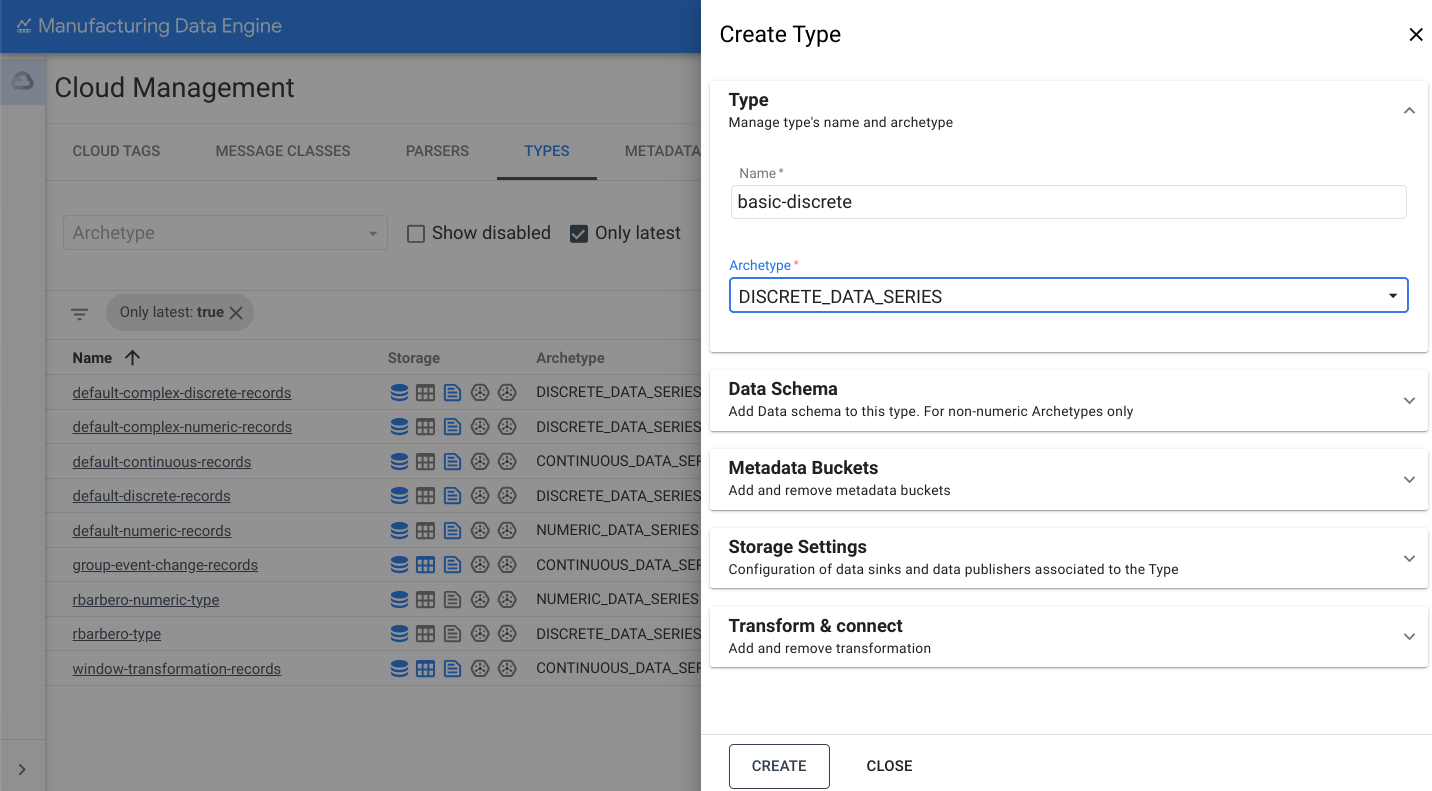
-
Open the Storage Settingssection.
-
Toggle the Send to BigQueryoption.
-
Click Create.
Type for continuous
The following is an example of a basic-continuous
type:
REST
POST /configuration/v1/types
  {

 "archetype"
 :

 "CONTINUOUS_DATA_SERIES"
 ,

 "name"
 :

 "basic-continuous"
 }
Web interface
Name: basic-continuous
- On the MDE web interface, click Types.
- Click Add new Type.
- Fill in the Type nameas
basic-continuous. -
Select `
CONTINUOUS_DATA_SERIESin the drop-down for Archetype: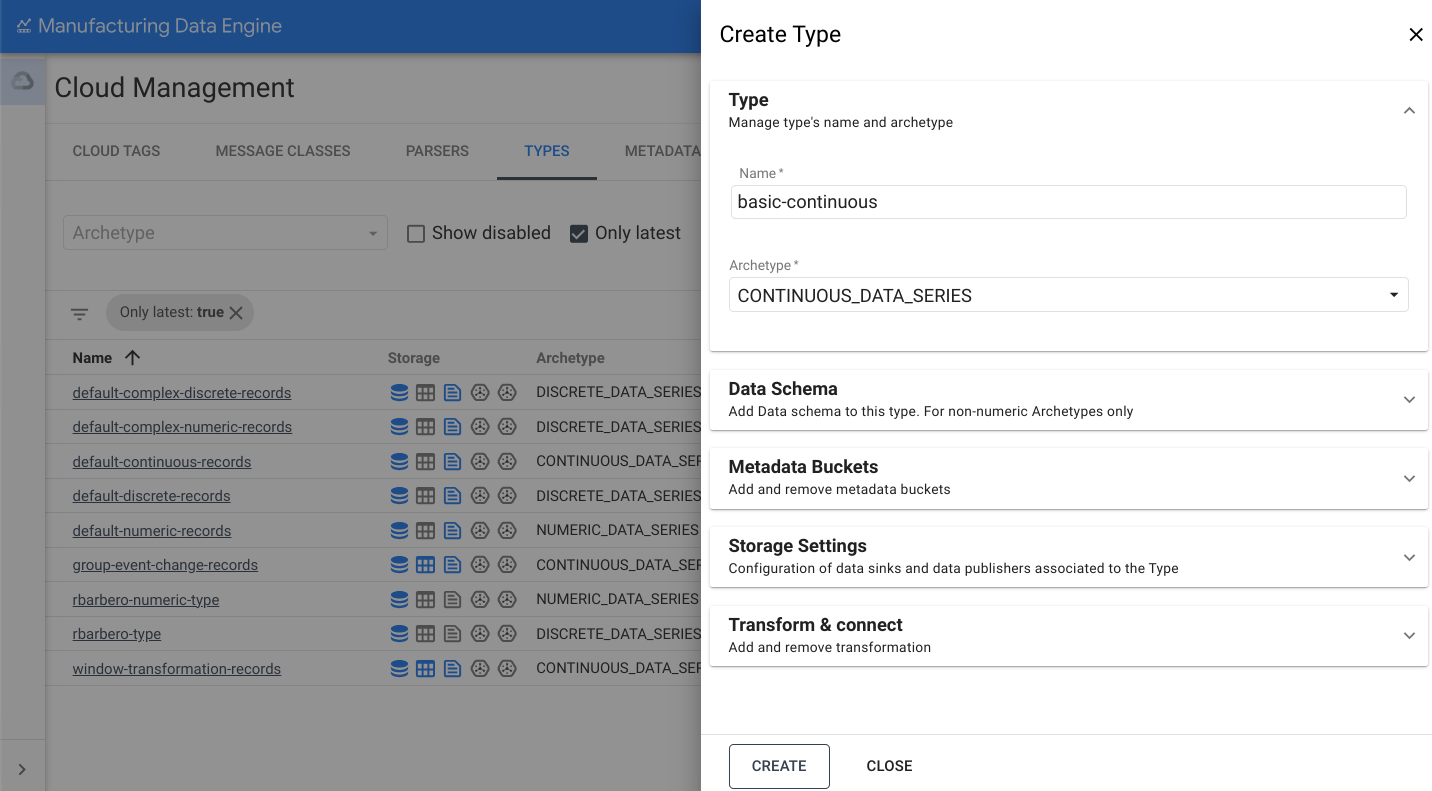
-
Open the Storage Settingssection.
-
Toggle the Send to BigQueryoption.
-
Click Create.
Parsers
This section provides an overview of the various parsers available in
MDE. Make sure that the types are fully
provisioned and active
before creating the parsers. This process can take up
to three minutes.
Parser for numeric
The following is an example of a basic-numeric
parser:
REST
POST /configuration/v1/parsers
  {

 "name"
 :

 "basic-numeric-to-basic-numeric"
 ,

 "messageClassName"
 :

 "basic-numeric"
 ,

 "typeReference"
 :

 {

 "name"
 :

 "basic-numeric"
 ,

 "version"
 :

 1

 },

 "script"
 :

 "package mde\n\n[{\ntagName: $root.tagName;\ntimestamps: MapTimestamp($root);\ndata: MapData($root);\nembeddedMetadata: $root[where ($.field != \"value\" and $.field != \"tagName\" and $.field != \"timestamp\" and $.field != \"messageId\")];\n}]\n\ndef MapTimestamp(input) {\n    eventTimestamp: input.timestamp;\n}\n\ndef MapData(input) {\n    numeric: input.value;\n}"
 }
Web interface
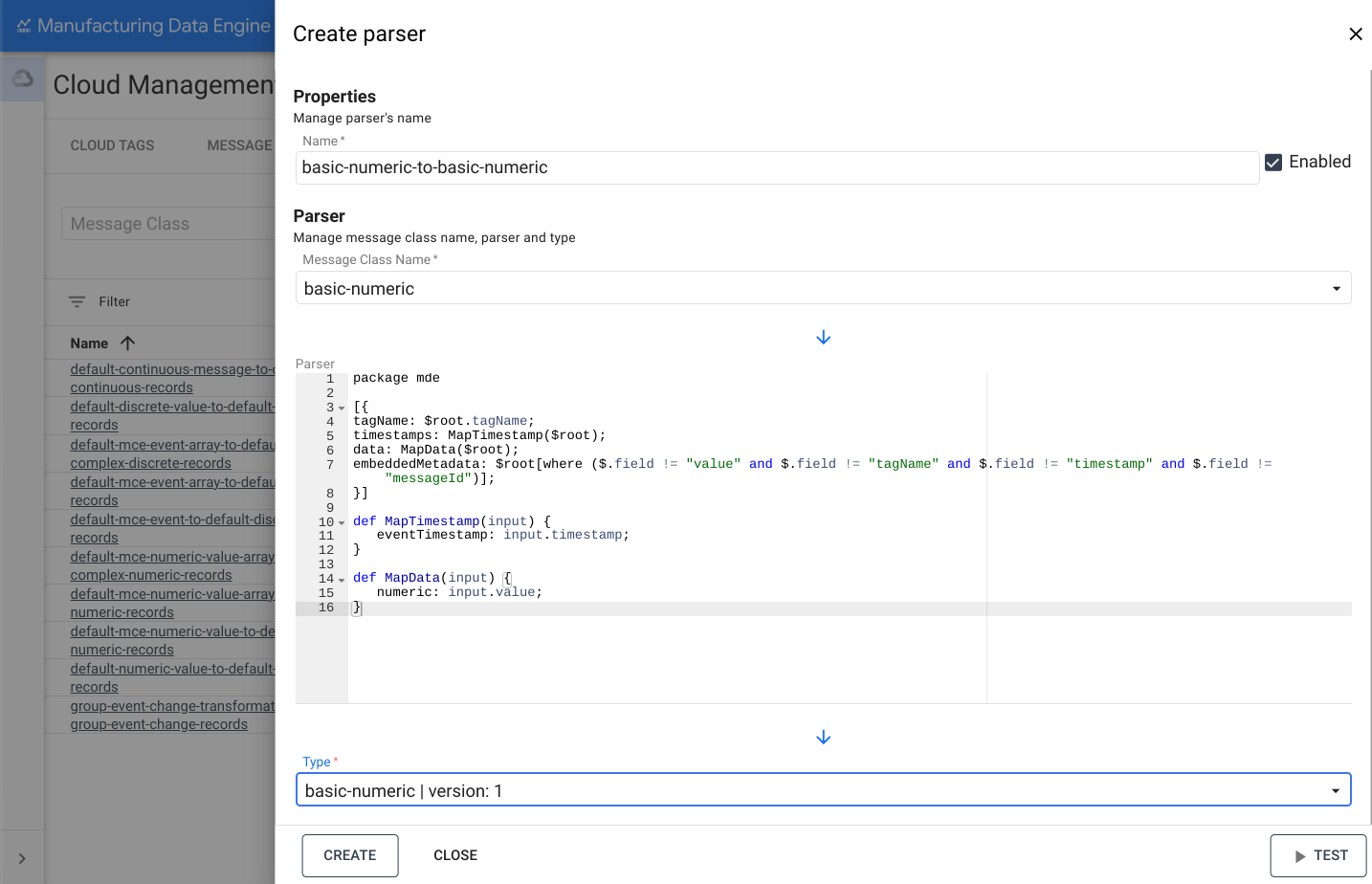
Name: basic-numeric-to-basic-numeric
- On the MDE web interface, click Parsers.
- Click Add new Parser.
- Fill in the Parser nameas
basic-numeric-to-basic-numeric. - Select
basic-numericin the drop-down for Message Class Name. -
Copy and paste the following Whistle code in the Parserbox:
package mde [{ ta gName : $roo t . ta gName; t imes ta mps : MapTimes ta mp($roo t ); da ta : MapDa ta ($roo t ); embeddedMe ta da ta : $roo t [ where ($. f ield != "value" a n d $. f ield != "tagName" a n d $. f ield != "timestamp" a n d $. f ield != "messageId" ) ] ; }] de f MapTimes ta mp(i n pu t ) { eve nt Times ta mp : i n pu t . t imes ta mp; } de f MapDa ta (i n pu t ) { nu meric : i n pu t .value; } -
Select
basic-numeric | version: 1in the drop-down for Type. -
Click Create.
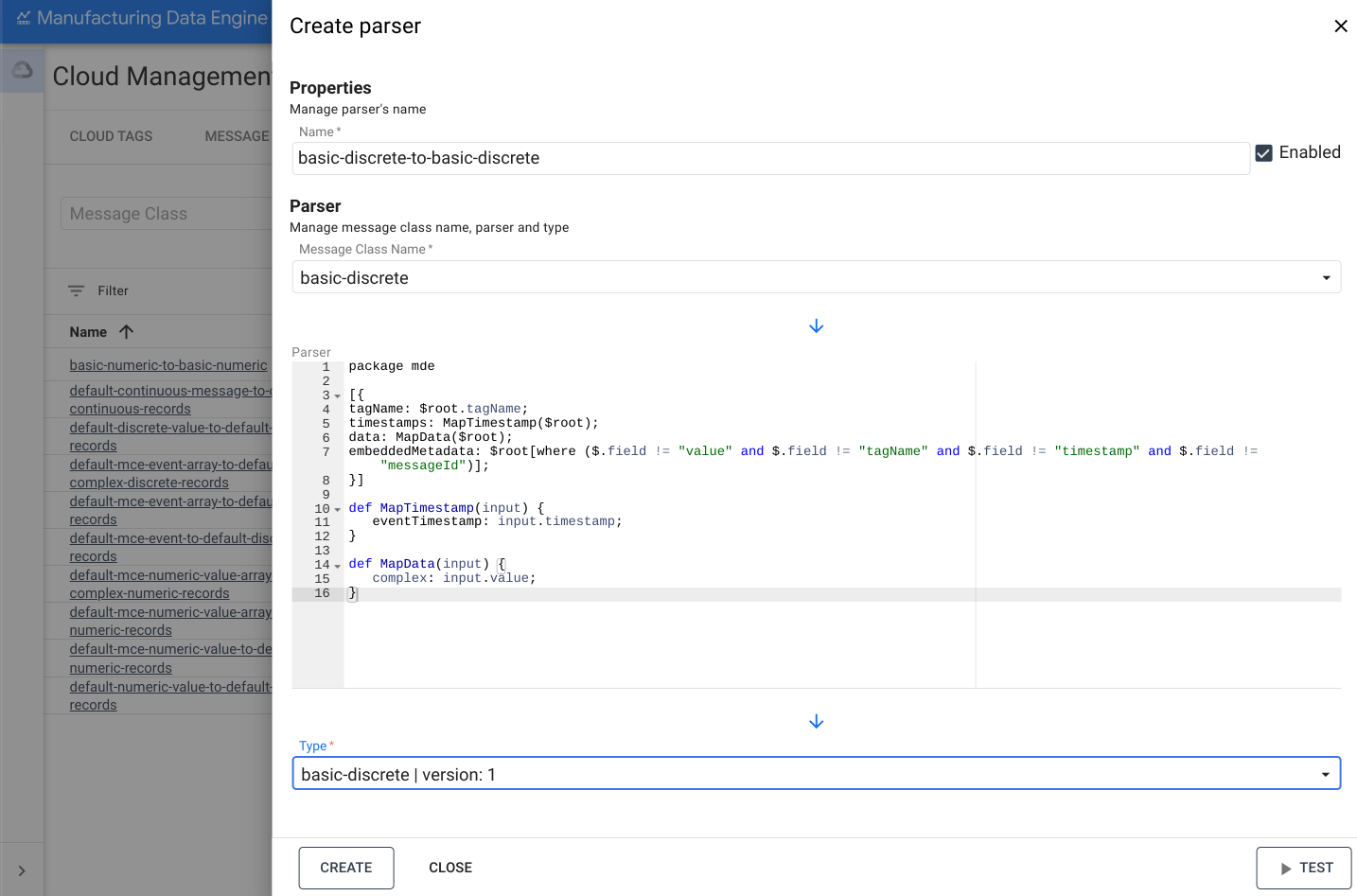
Parser for discrete
The following is an example of a basic-discrete
parser:
REST
POST /configuration/v1/parsers
  {

 "name"
 :

 "basic-discrete-to-basic-discrete"
 ,

 "messageClassName"
 :

 "basic-discrete"
 ,

 "typeReference"
 :

 {

 "name"
 :

 "basic-discrete"
 ,

 "version"
 :

 1

 },

 "script"
 :

 "package mde\n\n[{\ntagName: $root.tagName;\ntimestamps: MapTimestamp($root);\ndata: MapData($root);\nembeddedMetadata: $root[where ($.field != \"value\" and $.field != \"tagName\" and $.field != \"timestamp\" and $.field != \"messageId\")];\n}]\n\ndef MapTimestamp(input) {\n    eventTimestamp: input.timestamp;\n}\n\ndef MapData(input) {\n    complex: input.value;\n}\n"
 }
Web interface
Name: basic-discrete-to-basic-discrete
- On the MDE web interface, click Parsers.
- Click Add new Parser.
- Fill in the Parser nameas
basic-numeric-to-basic-discrete. - Select
basic-discretein the drop-down for Message Class Name. -
Copy and paste the following Whistle code in the Parserbox:
package mde [{ ta gName : $roo t . ta gName; t imes ta mps : MapTimes ta mp($roo t ); da ta : MapDa ta ($roo t ); embeddedMe ta da ta : $roo t [ where ($. f ield != "value" a n d $. f ield != "tagName" a n d $. f ield != "timestamp" a n d $. f ield != "messageId" ) ] ; }] de f MapTimes ta mp(i n pu t ) { eve nt Times ta mp : i n pu t . t imes ta mp; } de f MapDa ta (i n pu t ) { complex : i n pu t .value; } -
Select
basic-discrete | version: 1in the drop-down for Type. -
Click Create.
Parser for continuous
The following is an example of a basic-continuous
parser:
REST
POST /configuration/v1/parsers
  {

 "name"
 :

 "basic-continuous-to-basic-continuous"
 ,

 "messageClassName"
 :

 "basic-continuous"
 ,

 "typeReference"
 :

 {

 "name"
 :

 "basic-continuous"
 ,

 "version"
 :

 1

 },

 "script"
 :

 "package mde\n\n[{\ntagName: $root.tagName;\ntimestamps: MapTimestamp($root);\ndata: MapData($root);\nduration: $root.duration;\nembeddedMetadata: $root[where ($.field != \"value\" and $.field != \"tagName\" and $.field != \"startTimestamp\" and $.field != \"endTimestamp\" and $.field != \"messageId\")];\n}]\n\ndef MapTimestamp(input) {\n    continuousTimestamp: {\n        eventTimestampStart: input.startTimestamp;\n        eventTimestampEnd: input.endTimestamp;\n    };\n}\n\ndef MapData(input) {\n    complex: input.value;\n}\n"
 }
Web interface
Name: basic-continuous-to-basic-continuous
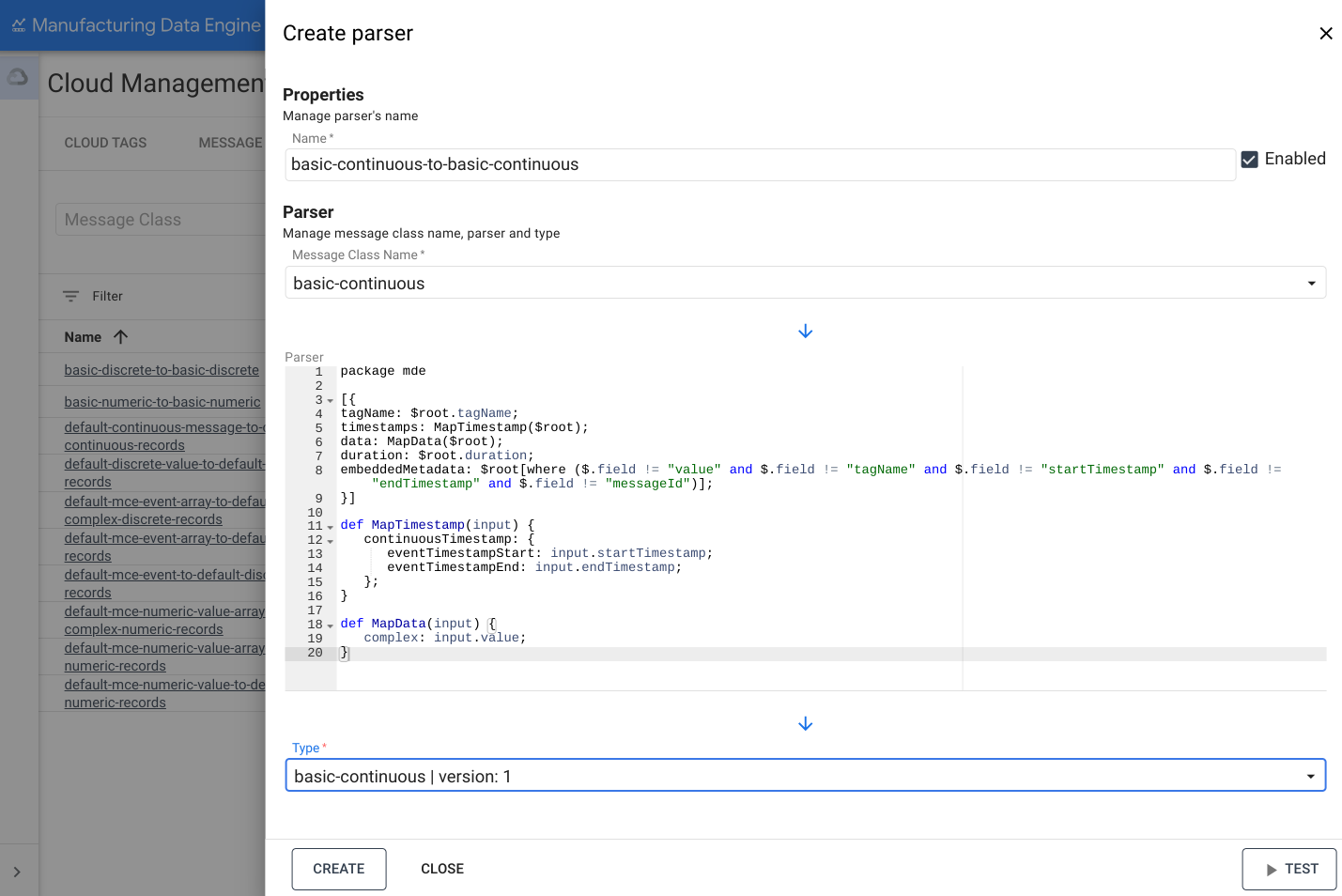
- On the MDE web interface, click Parsers.
- Click Add new Parser.
- Fill in the Parser nameas
basic-numeric-to-basic-continuous. - Select
basic-continuousin the drop-down for Message Class Name. -
Copy and paste the following Whistle code in the Parserbox:
package mde [{ ta gName : $roo t . ta gName; t imes ta mps : MapTimes ta mp($roo t ); da ta : MapDa ta ($roo t ); dura t io n : $roo t .dura t io n ; embeddedMe ta da ta : $roo t [ where ($. f ield != "value" a n d $. f ield != "tagName" a n d $. f ield != "startTimestamp" a n d $. f ield != "endTimestamp" a n d $. f ield != "messageId" ) ] ; }] de f MapTimes ta mp(i n pu t ) { co nt i nu ousTimes ta mp : { eve nt Times ta mpS tart : i n pu t .s tart Times ta mp; eve nt Times ta mpE n d : i n pu t .e n dTimes ta mp; } ; } de f MapDa ta (i n pu t ) { complex : i n pu t .value; } -
Select
basic-continuous | version: 1in the drop-down for Type. -
Click Create.