Find public appsStay organized with collectionsSave and categorize content based on your preferences.
Your customers can browse public apps on the Google Play store, and you can also
add this feature to your EMM console by embedding the managed Google Play
iframe.
From the Google Play store
You can find an app's package name by visiting the Google Play Store. For
example, the URL of the Google Chrome app page is:
The app's package name iscom.android.chromeand the corresponding product ID
isapp:com.android.chrome.
From the managed Play iframe in your console
The managed Google Play iframe is an embeddable version of the managed Google
Play Store that you can render inside your console.
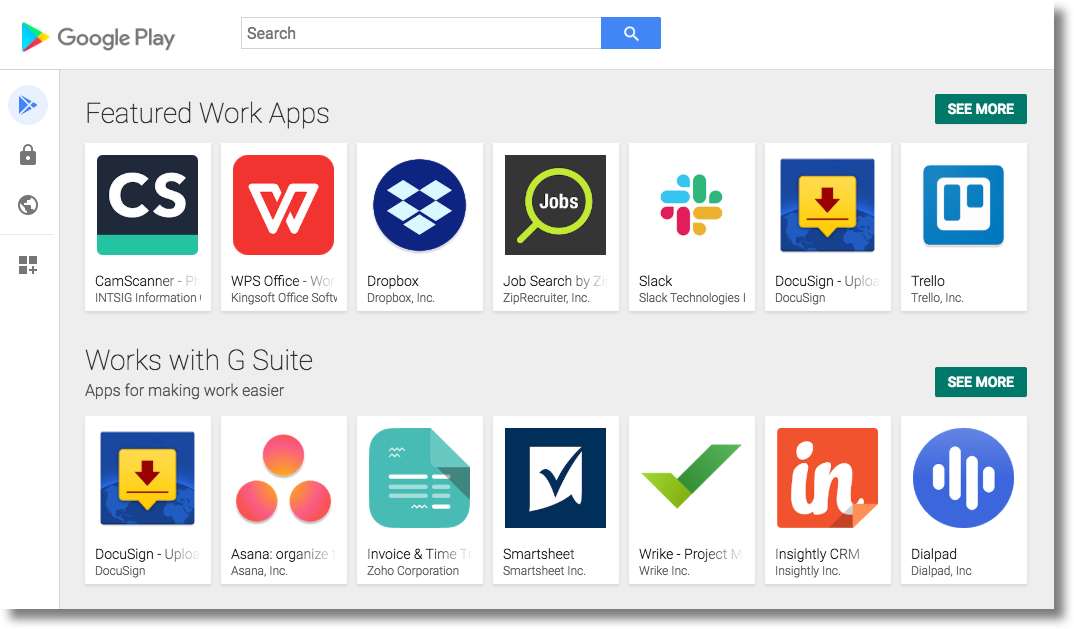
The iframe'sSearch appspage functions similarly to the Google Play store. IT
admins can browse for apps, view an app's details, and select the app in order
to pass the product ID back to your EMM console.
Figure 1.The managed Google Play iframe
showing the Search apps page.
For detailed guidance on how to embed the managed Google Play iframe into your
EMM console, seeManaged Google Play iframe.
[[["Easy to understand","easyToUnderstand","thumb-up"],["Solved my problem","solvedMyProblem","thumb-up"],["Other","otherUp","thumb-up"]],[["Missing the information I need","missingTheInformationINeed","thumb-down"],["Too complicated / too many steps","tooComplicatedTooManySteps","thumb-down"],["Out of date","outOfDate","thumb-down"],["Samples / code issue","samplesCodeIssue","thumb-down"],["Other","otherDown","thumb-down"]],["Last updated 2025-08-28 UTC."],[],[]]