


Page Summary
-
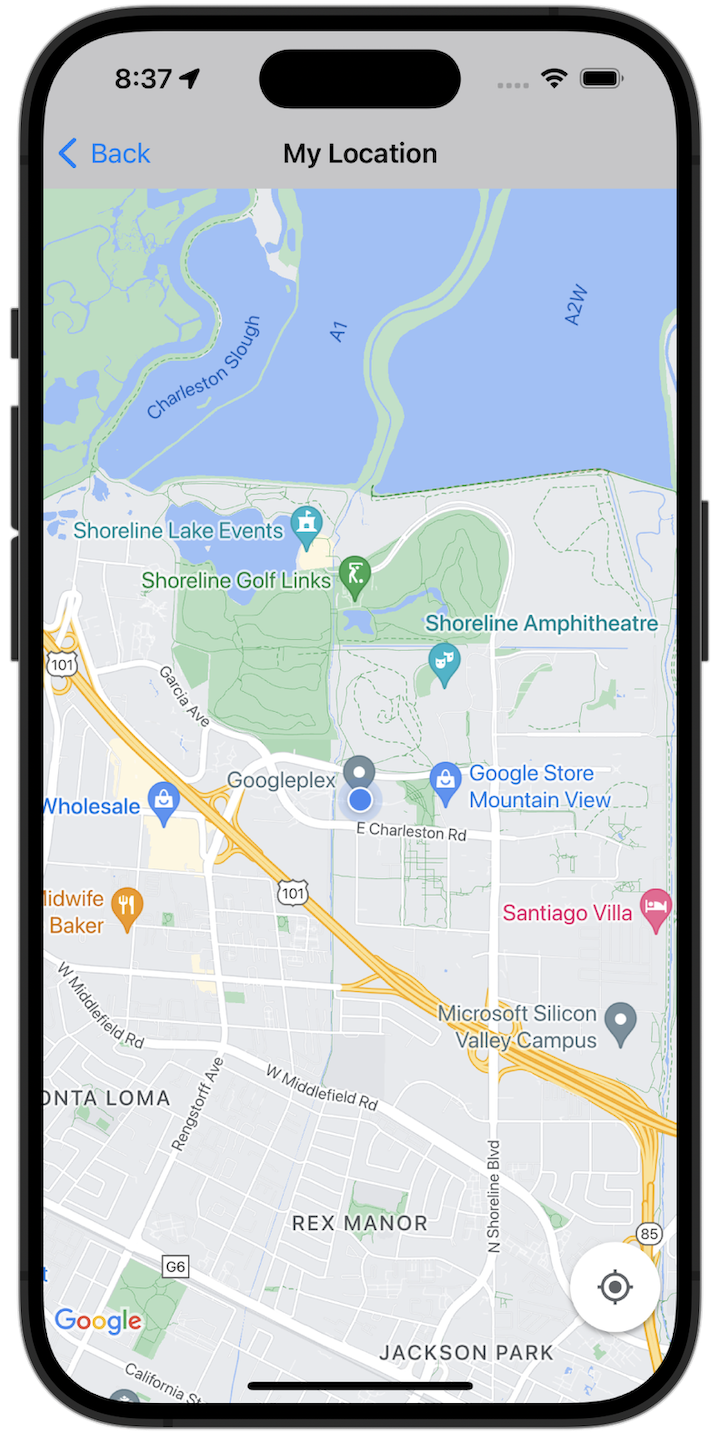
The "My Location" button, located in the bottom right corner of the map, centers the map on the user's current location when tapped.
-
The provided code samples (Swift and Objective-C) demonstrate how to implement the "My Location" functionality within a map view.
-
To run the sample code, you'll need to configure your development environment, including obtaining and integrating a Google Maps API key.
-
The full sample app can be downloaded and explored to experiment with various features of the Maps SDK for iOS.
Get started
Before you can try the sample code, you must configure your development environment. For more information, see Maps SDK for iOS code samples .
View the code
Swift
import GoogleMaps import UIKit class MyLocationViewController : UIViewController { private let cameraLatitude : CLLocationDegrees = - 33.868 private let cameraLongitude : CLLocationDegrees = 151.2086 private let cameraZoom : Float = 12 lazy var mapView : GMSMapView = { let camera = GMSCameraPosition ( latitude : cameraLatitude , longitude : cameraLongitude , zoom : cameraZoom ) return GMSMapView ( frame : . zero , camera : camera ) }() var observation : NSKeyValueObservation ? var location : CLLocation ? { didSet { guard oldValue == nil , let firstLocation = location else { return } mapView . camera = GMSCameraPosition ( target : firstLocation . coordinate , zoom : 14 ) } } override func viewDidLoad () { super . viewDidLoad () mapView . delegate = self mapView . settings . compassButton = true mapView . settings . myLocationButton = true mapView . isMyLocationEnabled = true view = mapView // Listen to the myLocation property of GMSMapView. observation = mapView . observe ( \ . myLocation , options : [. new ]) { [ weak self ] mapView , _ in self ?. location = mapView . myLocation } } deinit { observation ?. invalidate () } } extension MyLocationViewController : GMSMapViewDelegate { func mapView ( _ mapView : GMSMapView , didTapMyLocation location : CLLocationCoordinate2D ) { let alert = UIAlertController ( title : "Location Tapped" , message : "Current location: < \( location . latitude ) , \( location . longitude ) > " , preferredStyle : . alert ) alert . addAction ( UIAlertAction ( title : "OK" , style : . default )) present ( alert , animated : true ) } }
Objective-C
#import "GoogleMapsDemos/Samples/MyLocationViewController.h" #import <GoogleMaps/GoogleMaps.h> @implementation MyLocationViewController { GMSMapView * _mapView ; BOOL _firstLocationUpdate ; } - ( void ) viewDidLoad { [ super viewDidLoad ]; GMSCameraPosition * camera = [ GMSCameraPosition cameraWithLatitude : -33.868 longitude : 151.2086 zoom : 12 ]; _mapView = [ GMSMapView mapWithFrame : CGRectZero camera : camera ]; _mapView . delegate = self ; _mapView . settings . compassButton = YES ; _mapView . settings . myLocationButton = YES ; // Listen to the myLocation property of GMSMapView. [ _mapView addObserver : self forKeyPath : @"myLocation" options : NSKeyValueObservingOptionNew context : NULL ]; self . view = _mapView ; // Ask for My Location data after the map has already been added to the UI. GMSMapView * mapView = _mapView ; dispatch_async ( dispatch_get_main_queue (), ^ { mapView . myLocationEnabled = YES ; }); } - ( void ) mapView: ( GMSMapView * ) mapView didTapMyLocation: ( CLLocationCoordinate2D ) location { NSString * message = [ NSString stringWithFormat : @"My Location Dot Tapped at: [lat: %f, lng: %f]" , location . latitude , location . longitude ]; UIAlertController * alertController = [ UIAlertController alertControllerWithTitle : @"Location Tapped" message : message preferredStyle : UIAlertControllerStyleAlert ]; UIAlertAction * okAction = [ UIAlertAction actionWithTitle : @"OK" style : UIAlertActionStyleDefault handler : ^ ( UIAlertAction * action ){ }]; [ alertController addAction : okAction ]; [ self presentViewController : alertController animated : YES completion : nil ]; } - ( void ) dealloc { [ _mapView removeObserver : self forKeyPath : @"myLocation" context : NULL ]; } #pragma mark - KVO updates - ( void ) observeValueForKeyPath: ( NSString * ) keyPath ofObject :( id ) object change :( NSDictionary * ) change context :( void * ) context { if ( ! _firstLocationUpdate ) { // If the first location update has not yet been received, then jump to that location. _firstLocationUpdate = YES ; CLLocation * location = [ change objectForKey : NSKeyValueChangeNewKey ]; _mapView . camera = [ GMSCameraPosition cameraWithTarget : location . coordinate zoom : 14 ]; } } @ end . m
