Change the style of buildingsStay organized with collectionsSave and categorize content based on your preferences.
Page Summary
This feature, available on Android, iOS, Maps JavaScript API, and Maps Static, offers customization options for building displays on vector maps.
By default, vector maps use a 3D building style at zoom level 17 and higher, while a 2D "Footprints" style provides a cleaner look with customizable fill and stroke colors.
Users can switch between 3D and Footprints building styles in the Style Editor under the "Buildings" feature type, but stroke customization is limited to the Footprints style.
When you use a vector map in Android, iOS, or JavaScript,
buildings use the3Dstyle beginning at zoom level 17 and higher by
default. If you want to display only the 2D
outlines of buildings for a cleaner appearance, select theFootprintsstyle.
Set the building style
Zoom in on the map enough to see buildings shown.
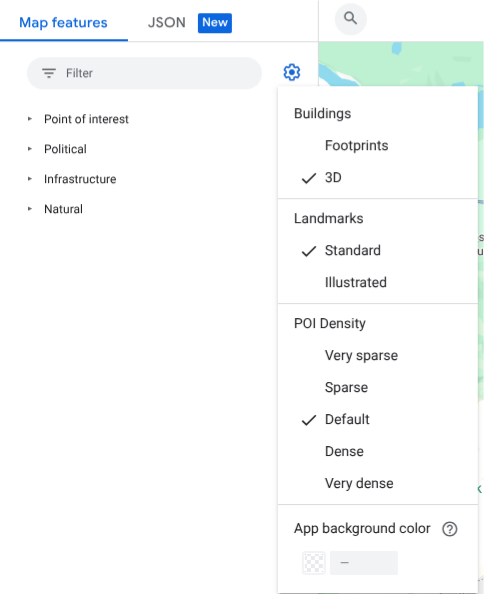
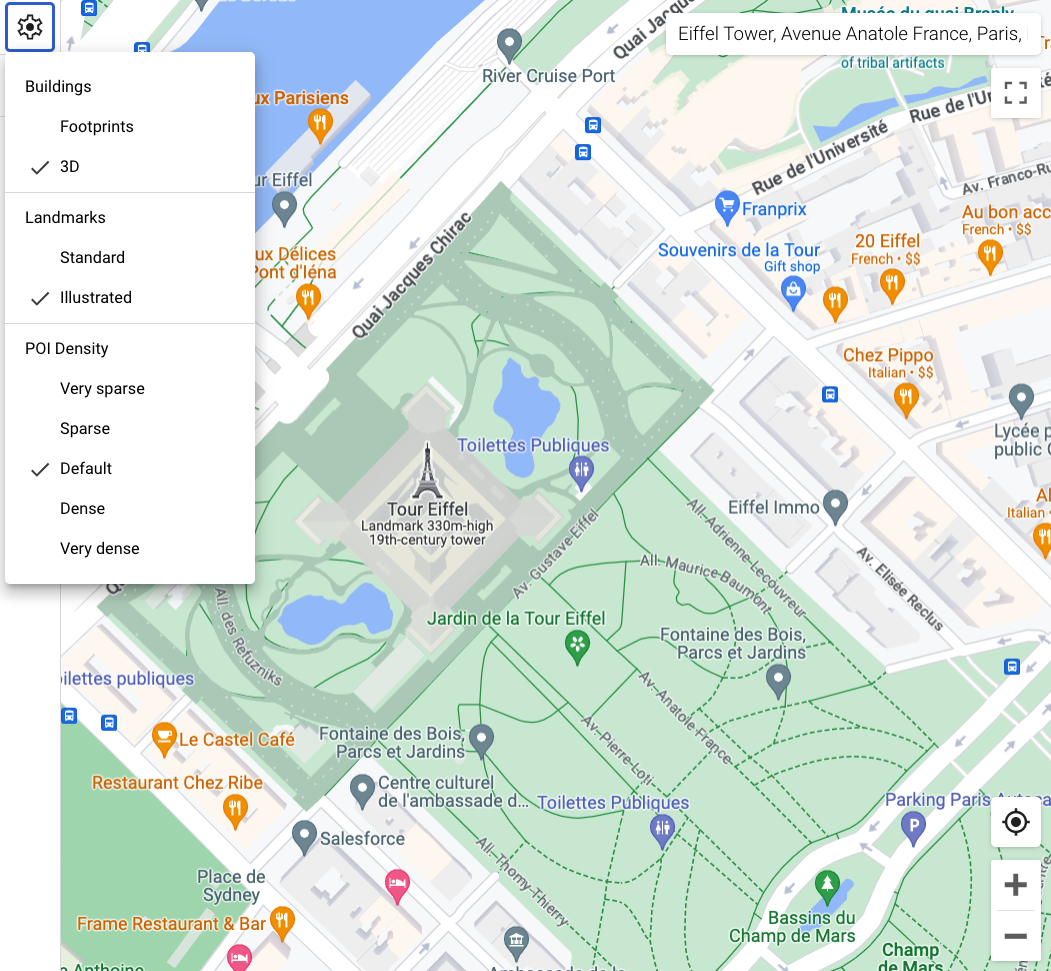
In theMap featurespanel, select thesettingsgear icon to open theMap Settingsmenu.
To display buildings with a 3D outline, select3D:
To display buildings with a 2D footprint, selectFootprints:
[[["Easy to understand","easyToUnderstand","thumb-up"],["Solved my problem","solvedMyProblem","thumb-up"],["Other","otherUp","thumb-up"]],[["Missing the information I need","missingTheInformationINeed","thumb-down"],["Too complicated / too many steps","tooComplicatedTooManySteps","thumb-down"],["Out of date","outOfDate","thumb-down"],["Samples / code issue","samplesCodeIssue","thumb-down"],["Other","otherDown","thumb-down"]],["Last updated 2026-06-11 UTC."],[],[]]