
Skip to content
new ogbongeblog logo
  • Advertise
  • Blog
  • Contact

Canva For Work Magic Resize Tool: How It Works and How To Use It (Video)

July 12, 2016

·

Uncategorized
jidetheblogger Avatar
jidetheblogger

Want to change the dimensions of your design without starting all over? With Canva For Work “Magic Resize” feature, it’s simply magic!

The Canva Magic Resize tool simply allows you to automatically create multiple sizes of your design into the templates of your choice. You can use it to automatically turn a 300x250px image to different sizes for different platforms with a click of an “ abracadabra ” button.

It’s particularly helpful if you are creating content for lots of different social media platforms, ad sizes or want to have a consistent look and feel across your marketing materials.
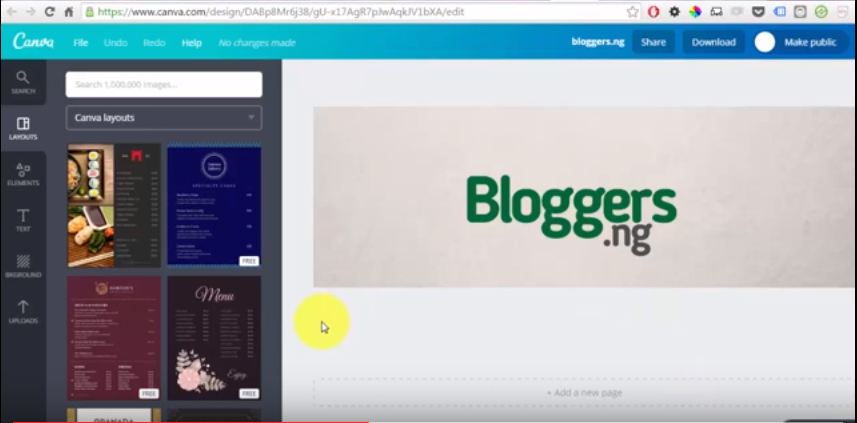
canva magic image resize tool

Once you click on the resize button, canva will open an individual tab in your Web browser for each format/size, so you can edit and save each version.

Below is a video which will show you how I resized an image to different sizes using the Canva resize tool.

You can offer this service on Fiverr.com and make money. wink**

NB : To resize your design in Canva you need a Canva for Work account.

How Much is Canva For Work?

Canva for Work is $9.95 per month when paid annually or $12.95 per user / month.

Please Share :
graphic design video tutorials

Like What You Read?

Sign Up to get similar articles delivered to your email inbox.

Leave a Reply Cancel reply

Your email address will not be published. Required fields are marked *

3 responses to “Canva For Work Magic Resize Tool: How It Works and How To Use It (Video)”

  1. Marx Oduogu Avatar
    Marx Oduogu
    July 12, 2016

    Oh! I heard of it on June at one of the Congress I attended, but can it give one desirable Blogger template?

    With do respect BOSS it's This service instead of his service.

    Cheers!

    Loading…
    Reply
    1. Jide Oguns Avatar
      Jide Oguns
      July 13, 2016

      The "template" in this context is not for blog template. The tool is for resizing images, not blog templates.

      Loading…
      Reply
  2. Oluwatobi Allen Avatar
    Oluwatobi Allen
    July 21, 2016

    This is truly another gig idea on fiverr but i really don't think it would be easy managing a couple of blogs together with Fiverr for now.

    You can now Create Pro-designs on iPhone using Canva

    Loading…
    Reply

WANT TO ADVERTISE?

Chat on WhatsApp

RELATED POSTS

  • Adobe Spark Apps Let You Create Videos, Graphic Designs On Mobile and Webadobe spark apps for video graphics design android ipad iphone
  • How To Add Logo to Blogger Blog
  • Windows Live Writer : Free Blogging Tool for Blogger, WordPress, Typepad etcwindows live writer

FEATURED


  • CREDICORP launches C.L.I.C.K.D. Scheme with FG’s 3MTT Programme, expanding affordable consumer credit for locally-assembled laptops and devices for digital workers

    CREDICORP launches C.L.I.C.K.D. Scheme with FG’s 3MTT Programme, expanding affordable consumer credit for locally-assembled laptops and devices for digital workers

  • What Happens to Your Online Accounts When You Die?

    What Happens to Your Online Accounts When You Die?

JOIN AI WEB DESIGN GROUP


  • AI Website Design Training Whatsapp Group by Jidetheblogger

    AI Website Design Training Whatsapp Group by Jidetheblogger

← The Adsense Privacy Policy Generator I Use and How To Use it (Videos)
GlobalHosting247 Offers a Convenient Way to Host Websites in Nigeria →

Join 25,000+ subscribers

Receive our latest blog posts in your inbox.

Search

Social

Facebook

Instagram

Twitter

new ogbongeblog logo

Copyright © 2026 | About | Advertise | Featured | Sitemap | Privacy Policy | Powered by WordPress

Your cart (items: 0)

Products in cart

Product
Details
Total
Subtotal ₦0.00
Shipping and discounts calculated at checkout.
View my cart
Go to checkout

Your cart is currently empty!

Start shopping

Notifications

%d

    LIKE My Fan Page

    Privacy Policy | Copyright © 2012,OgbongeBlog.All Rights Reserved. Powered by Blogger .
    Create a Mobile Site
    View Site in Mobile | Classic
    Share by:


