


Disqus is one of the most popular 3rd party commenting systems used amongst bloggers and website owners. If your mobile website is been powered by mobstac, you can use Disqus comment form on your site as alternative to the Facebook comment form
.
One of the advantages of Disqus comment platform over the Facebook commenting system is that it allows users to comment on your blog via social networking sites like Facebook, Twitter, Google, open URL as well as its own Disqus account. It also allows commenters to post as guest . Leaving comments or responding to a comment on a Disqus-powered system is a bliss, it is almost real time.
Disqus is mobile friendly ; hence commenting is not affected if your readers are on mobile browser. There are Disqus apps (currently available for iPhone and Android) for site owners to manage comments and their communities on the go. More so, Disqus is compatible with search engines, in another word – SEO friendly .
Whether you are using Disqus for the first time or migrating from other commenting systems, integrating Disqus with your mobstac-powered mobile site can be fairly simple. You just need to register a new account on Disqus first and then add your Disqus shortname in the settings page of your mobstac dashboard . That’s it, your mobstac mobile site will start showing Disqus comment form.
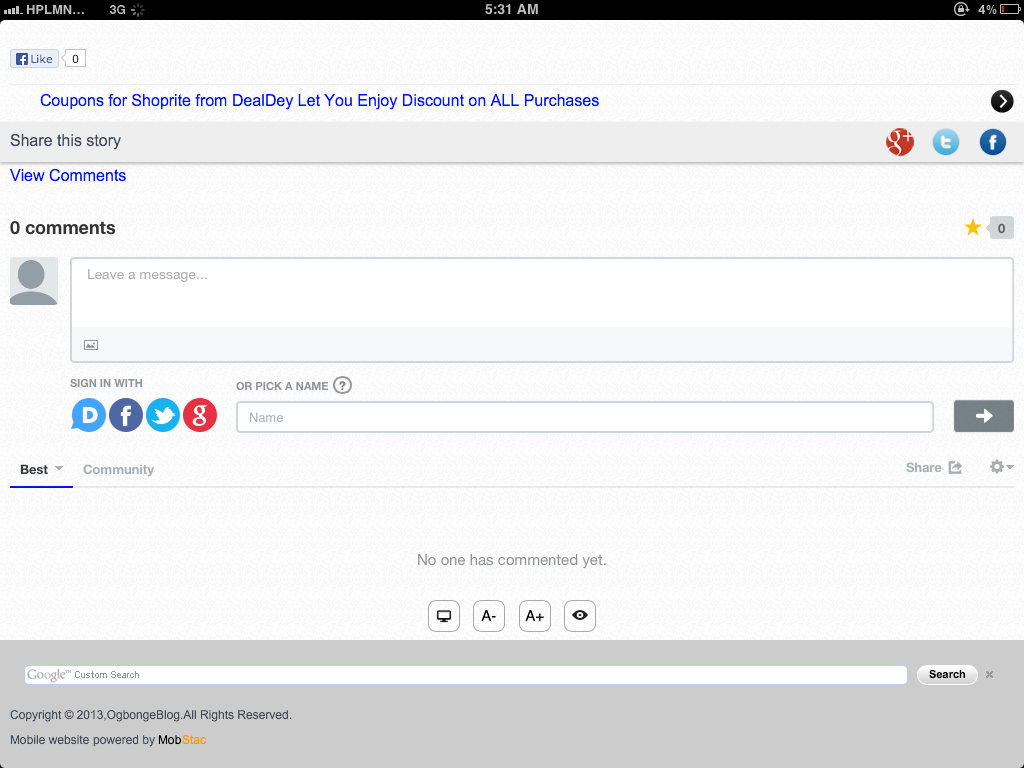
I have replaced the Facebook comment form at m.ogbongeblog.com with the Disqus comment form. I imported my existing comments from Blogger and also set it to be syncing comments via Disqus with the Blogger commenting system at www.ogbongeblog.com .
How To Install Disqus On Mobstac Site
==> Register an account at www.disqus.com
==> Select “ Get this on your Site ”, fill the registration form, verify your account and take note of your “shortname”.
==> Ensure you enter the URL of your blog and the URL of your mobstac-powered site as “ Trusted Domains ” via “ Admin ” > “ Settings ” > “ Advanced “
==> Log in to www.mobstac.com and click on “ dashboard “
==> Click Settings > General > Comments
==> Set “ disqus ” as the comment provider and enter your “ shortname ” in the space provided.
If saved successfully, you have installed Disqus commenting system on your mobstac-powered site. View one of your posts, scroll down and click on “ View comments ” to see the disqus comment form.
If you face any issue in integrating Disqus Commenting platform on your mobstac site, let me hear from you via the comment box.
NOTE : If you prefer to sync your Disqus comments with Blogger and import your existing comments from Blogger, you can get it done via the “ admin ” > “ discussions ” > “ import ” when logged on to your Disqus account.
You can read how to add Facebook comment form to mobstac site here .
Cheers!







Leave a Reply