


If you take a close look at my blog as at the time of publishing this post, you will notice the Feedburner Email Subscription Box
below my blog posts. You can also add it below each of your blog posts if you follow this tutorial carefully.
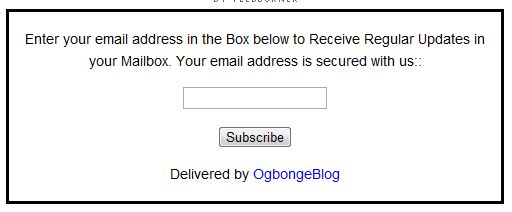
If you add the form below your blog posts, there are chances that your blog readers will opt in to subscribe to your blog, provided your blog makes a lot of sense to them. As at the time of posting this; my blog, OgbongeBlog.com
has 6000+ subscribers.
You too can….
For you to add the subscription form below your post, you must have an active Feedburner account
and must have the code of your Email subscription box handy
. If you have not yet burn your feed at Feedburner.com or you do not know how to get the code of your Email Subscription Form, kindly read : “ How To Add Feedburner Email Subscription Form To Blogger Blogs
” and copy the code of your subscription form into a notepad.
STEPS
Go to: http://www.blogcrowds.com/resources/parse_html.php
to parse the code of your subscription box. If you do not know how to parse the code, just copy your code into the box on the page and click the “ Parse
” button. You will see a new code. Copy it somewhere.
Log in
to your Blogger Blog
Go to Design
and click “ Edit HTML
” if you are using Blogger Old Interface
OR
go to Template
and click on “ Edit HTML
” => “ Proceed
” , if you are using the new Blogger interface
.
Tick the “ Expand Widget Template
” box.
Use “ CTRL F
” to find <div class=’post-footer’>
Directly under the <div class=’post-footer’>
, paste your parsed code of the subscription box and save your template.
View one of your posts and you should see the subscription box below the post.
Note:
You can adjust the width of the form by changing the width size inside the code. You can also restrict it to “Post Pages” if you do not want it to be displaying below each posts on the homepage of your blog just as I explained when sharing How To Add Adsense Ad inside Blogger Blog Posts
.
Please, make use of the comment form below if you have contributions to make or just want to ask questions.
Cheers!
Please Share :






Leave a Reply