
Skip to content
new ogbongeblog logo
  • Advertise
  • Blog
  • Contact

Managed WordPress On GoDaddy.com. What It Means

February 6, 2016

·

Uncategorized
jidetheblogger Avatar
jidetheblogger

“Managed WordPress” is simply GoDaddy’s web hosting account with WordPress installed.

Once you sign in to your GoDaddy account and click on Manage, you will be able to easily set up a new WordPress site, manage an exisiting one you’ve set up with GoDaddy Managed WordPress or migrate an existing WordPress site to GoDaddy.

Right there, you can as well restore files and database from the last 30 days, change dns settings, delete your site and content etc You can as well easily see the database URL, username and password of your site, which can be used to connect to phpMyAdmin.
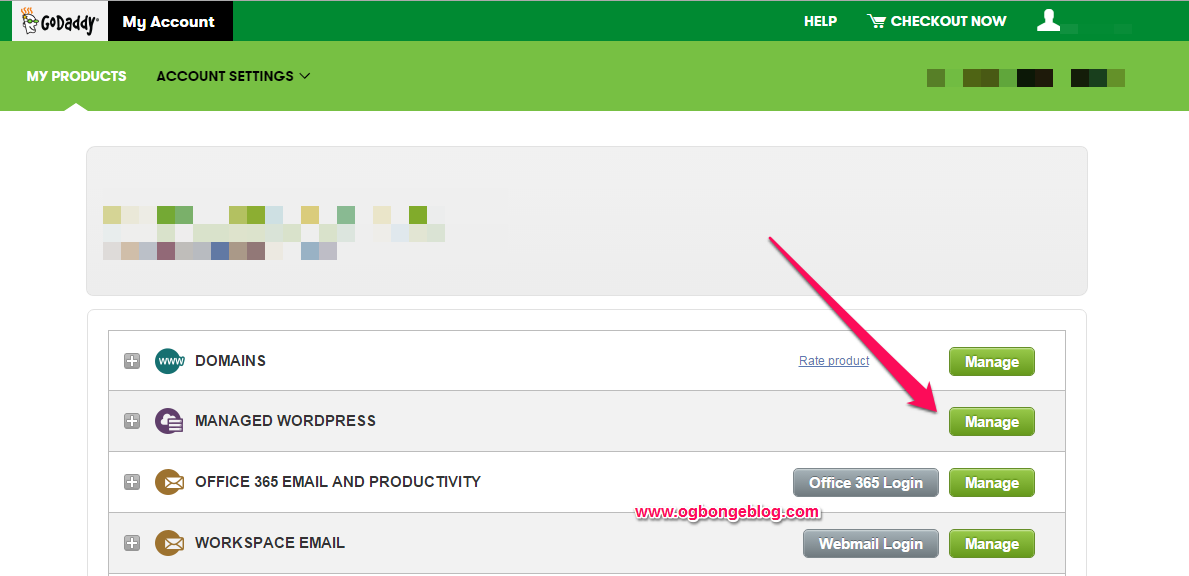
managed wordpress hosting on godaddy

Setting up an new site with GoDaddy “Managed WordPress” is quite easy. You only have to select a domain name to use, then enter the username and password to use for the new site. Thereafter, GoDaddy gets to work creating your website, and in just a few minutes or less you’ll see your brand new dashboard.

godaddysetupwordpress

It also makes WordPress migration easy too. After providing login and FTP details of your existing WordPress site, GoDaddy will install a plugin on your existing site and copy your files (including wp-config) and databases.
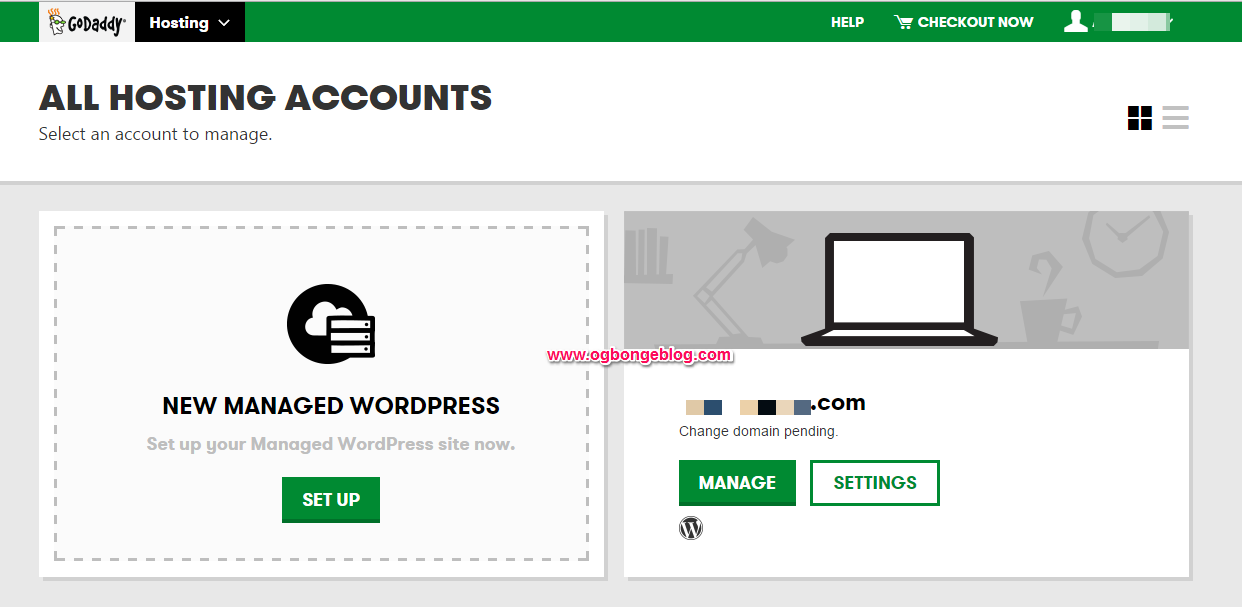
godaddy wordpress hosting

Managing sites you’ve set up with “Managed WordPress” is quite easy too. Just click on “Manage” and GoDaddy places you directly in the WordPress admin panel, so there’s no complication and nothing superfluous.

Features

Performance-enhancing caching
Automatic updates through WordPress’ built-in functionality
A plugin blacklist to make sure you don’t inadvertently install website-damaging plugins
Enhanced security through restricting file access
The latest version of WordPress automatically installed in the root directory
sFTP and phpMyAdmin access
30-day storage of automatic backups

Because of these accounts’ optimized configurations, there are also some limitations to be mindful of.

Limitations

Managed WordPress does not support WordPress MU/Multisite
Its hosting back-end does not come with a control panel, so tools like Cron jobs are not available
You cannot install a number of blacklisted plugins known to harm your site.

Please Share :
web hosting wordpress

Like What You Read?

Sign Up to get similar articles delivered to your email inbox.

Leave a Reply Cancel reply

Your email address will not be published. Required fields are marked *

9 responses to “Managed WordPress On GoDaddy.com. What It Means”

  1. BelieveAll Outreach Blog Avatar
    BelieveAll Outreach Blog
    February 4, 2016

    Thanks for the info. Can "Managed WordPress" be applicable Blogger users?

    Loading…
    Reply
    1. Jide Oguns Avatar
      Jide Oguns
      February 4, 2016

      You can only use it to set up a WordPress site

      Loading…
      Reply
  2. BlogLord Avatar
    BlogLord
    February 4, 2016

    This is really helpful A MUST READ

    Loading…
    Reply
  3. Anonymous Avatar
    Anonymous
    February 4, 2016

    I set up blogger's blog domain name with godaddy, but when i type example.com it will not direct me to the site instead it take me to godaddy's site but if i include http://www.example.com it will now take me to my site, how do i fix this?

    Loading…
    Reply
    1. Jide Oguns Avatar
      Jide Oguns
      February 4, 2016

      Delete the default godaddy A record..

      Loading…
      Reply
    2. Anonymous Avatar
      Anonymous
      February 5, 2016

      Thanks for the reply, please how do i change the mobile post title colour from default blue to another colour of my choice?

      Loading…
      Reply
  4. ugwu jonas Avatar
    ugwu jonas
    February 4, 2016

    Please sir, I want to change to .com. Please help, I had sent you a message yet no reply,face book you yet no reply. Please help sir. #edwinablog.blospot.com

    Loading…
    Reply
    1. Jide Oguns Avatar
      Jide Oguns
      February 5, 2016

      Mail me bro.

      Loading…
      Reply
  5. Kanyi Avatar
    Kanyi
    July 1, 2017

    If there's no Cpanel, how do you access htaccess, Mysql and others?

    Loading…
    Reply

WANT TO ADVERTISE?

Chat on WhatsApp

RELATED POSTS

  • A2Hosting Letsencrypt Free SSL Works!a2hosting web hosting
  • How I Restore WordPress Site To New Domain and Host Using Softaculous
  • Transfer WordPress From One Host to Another Using Softaculous

FEATURED


  • CREDICORP launches C.L.I.C.K.D. Scheme with FG’s 3MTT Programme, expanding affordable consumer credit for locally-assembled laptops and devices for digital workers

    CREDICORP launches C.L.I.C.K.D. Scheme with FG’s 3MTT Programme, expanding affordable consumer credit for locally-assembled laptops and devices for digital workers

  • What Happens to Your Online Accounts When You Die?

    What Happens to Your Online Accounts When You Die?

JOIN AI WEB DESIGN GROUP


  • AI Website Design Training Whatsapp Group by Jidetheblogger

    AI Website Design Training Whatsapp Group by Jidetheblogger

← Blog Of The Week : Naija Single Girl Blog
Introducing SpeakingPost.com Discussion Forum →

Join 25,000+ subscribers

Receive our latest blog posts in your inbox.

Search

Social

Facebook

Instagram

Twitter

new ogbongeblog logo

Copyright © 2026 | About | Advertise | Featured | Sitemap | Privacy Policy | Powered by WordPress

Your cart (items: 0)

Products in cart

Product
Details
Total
Subtotal ₦0.00
Shipping and discounts calculated at checkout.
View my cart
Go to checkout

Your cart is currently empty!

Start shopping

Notifications

%d

    LIKE My Fan Page

    Privacy Policy | Copyright © 2012,OgbongeBlog.All Rights Reserved. Powered by Blogger .
    Create a Mobile Site
    View Site in Mobile | Classic
    Share by:


