
Skip to content
new ogbongeblog logo
  • Advertise
  • Blog
  • Contact

How To Update Opera Browser To Latest Version Manually

May 14, 2017

·

Uncategorized
jidetheblogger Avatar
jidetheblogger

Opera browser has an automatic update mechanism that helps users in keeping their Opera up-to-date with the latest features, important security and stability fixes. The browser checks for updates at regular intervals and pops up auto-update dialog after a recommended update has been released. If you want to update your Opera browser, you are expected to “download and install” the update once the dialog appears.

If an Opera update is available and the auto-update dialog does not appear, you can simply update the browser manually. That’s how I updated the Opera browser on my PC to the new Opera 45 browser which has Whatsapp, Facebook messenger and Telegram built-in into it’s sidebar.

To update your Opera manually, click the Opera button at the top of your Opera web browser window, and click “About Opera”.

Opera will check to see if an update to your current version is available. It will display “ checking for updates ” and if there is an update, it will change to “ downloading “.
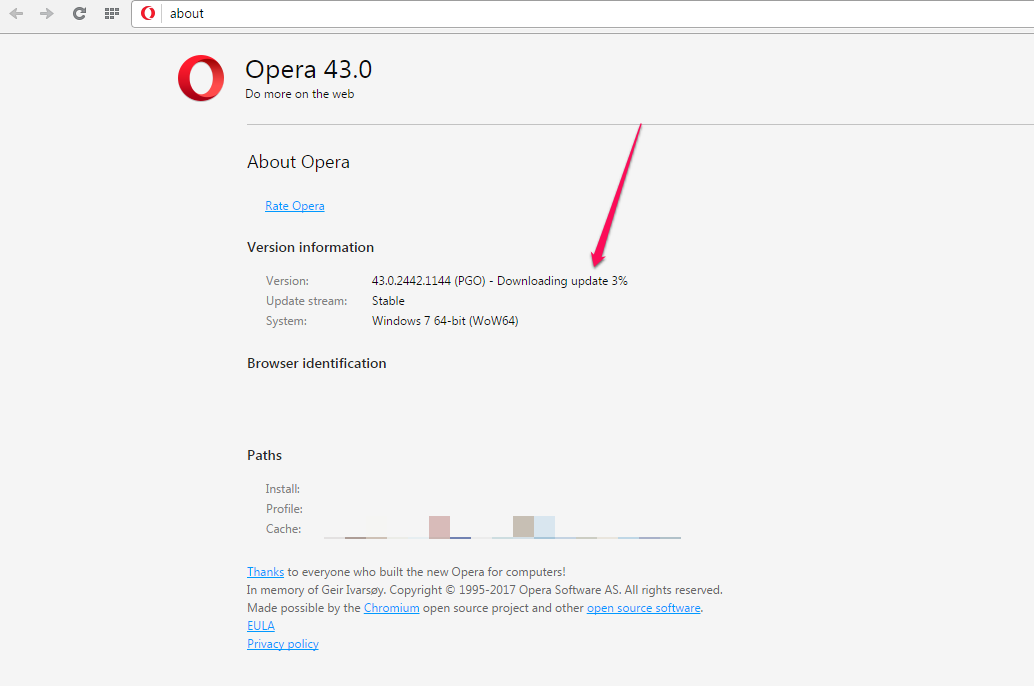
downloading opera browser

Once the Opera download completes, you will be prompted to relaunch the browser by clicking the “Relaunch Now” button.
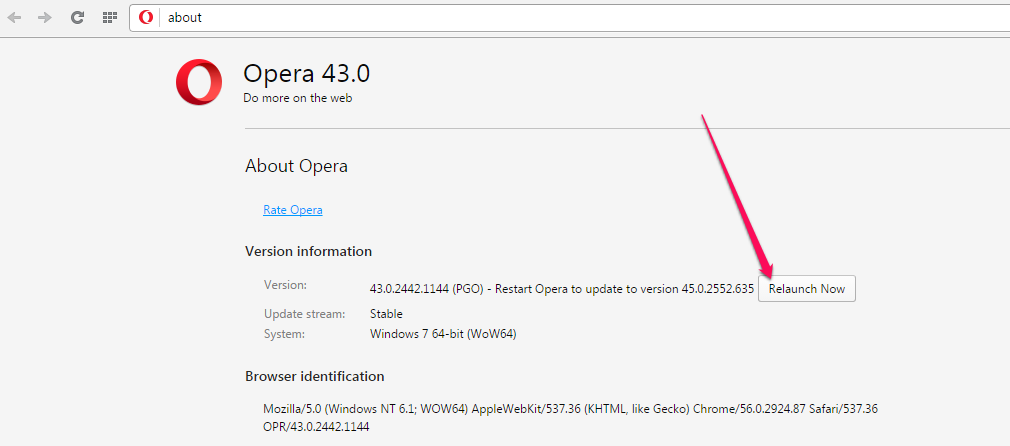
relaunch opera web browser

If the Opera update to the latest version is successful, “Opera is up to date” will be displayed after you relaunch the browser.
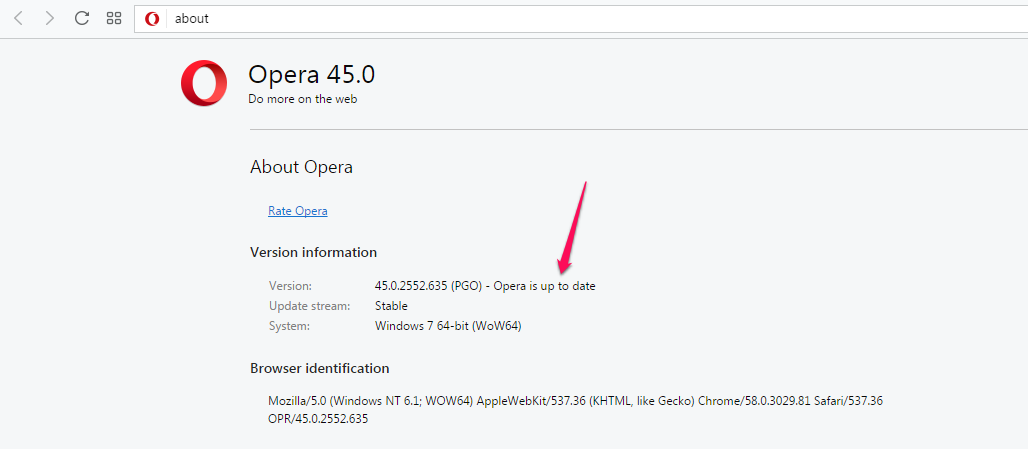
opera web browser updated

That’s all.

If you don’t have the browser on your PC, you can download Opera browser at www.opera.com

Please Share :
opera

Like What You Read?

Sign Up to get similar articles delivered to your email inbox.

Leave a Reply Cancel reply

Your email address will not be published. Required fields are marked *

WANT TO ADVERTISE?

Chat on WhatsApp

RELATED POSTS

  • Opera Telegram Sidebar Shortcut : How To Enable Itopera telegram sidebar widget
  • Opera Instagram Sidebar Shortcut Lets You Access Instagram On Computeropera browser app with instagram for pc
  • Adblock for Opera Mini : How To Enable and Disable Itopera mini adblock settings

FEATURED


  • CREDICORP launches C.L.I.C.K.D. Scheme with FG’s 3MTT Programme, expanding affordable consumer credit for locally-assembled laptops and devices for digital workers

    CREDICORP launches C.L.I.C.K.D. Scheme with FG’s 3MTT Programme, expanding affordable consumer credit for locally-assembled laptops and devices for digital workers

  • What Happens to Your Online Accounts When You Die?

    What Happens to Your Online Accounts When You Die?

JOIN AI WEB DESIGN GROUP


  • AI Website Design Training Whatsapp Group by Jidetheblogger

    AI Website Design Training Whatsapp Group by Jidetheblogger

← Opera Desktop Browser Now Has Sidebar With Whatsapp, Messenger Built-In
Blogger Recent Posts Widget That Lists Posts Titles Without Thumbnails →

Join 25,000+ subscribers

Receive our latest blog posts in your inbox.

Search

Social

Facebook

Instagram

Twitter

new ogbongeblog logo

Copyright © 2026 | About | Advertise | Featured | Sitemap | Privacy Policy | Powered by WordPress

Your cart (items: 0)

Products in cart

Product
Details
Total
Subtotal ₦0.00
Shipping and discounts calculated at checkout.
View my cart
Go to checkout

Your cart is currently empty!

Start shopping

Notifications

LIKE My Fan Page

Privacy Policy | Copyright © 2012,OgbongeBlog.All Rights Reserved. Powered by Blogger .
Create a Mobile Site
View Site in Mobile | Classic
Share by:

