Skip to content
new ogbongeblog logo
  • Advertise
  • Blog
  • Contact

Whatsapp Share Button For Blogger Blogs

May 25, 2017

·

Uncategorized
jidetheblogger Avatar
jidetheblogger

Whatsapp is one of the popular messaging platforms today. People are using it to chat and share content which can be articles, images or videos. With rise in it’s popularity, Bloggers are now using Whatsapp to drive traffic to their blogs by adding Whatsapp share buttons to their blogs.

By adding Whatsapp share buttons to your Blogger or Blogspot blog, your blog visitors will find it easy to send and share content with their friends and when they do this, you are likely to get more traffic and engagement from Whatsapp. If your story is very interesting, it can even go viral easily via Whatsapp broadcasts.

AddThis offers Whatsapp sharing button as one of the buttons in it’s sharing tools which can be displayed on a blog’s sidebar, below blog posts, in a pop up window etc. With addthis analytics, you will be able to see numbers of shares via whatsapp and list of most shared articles.
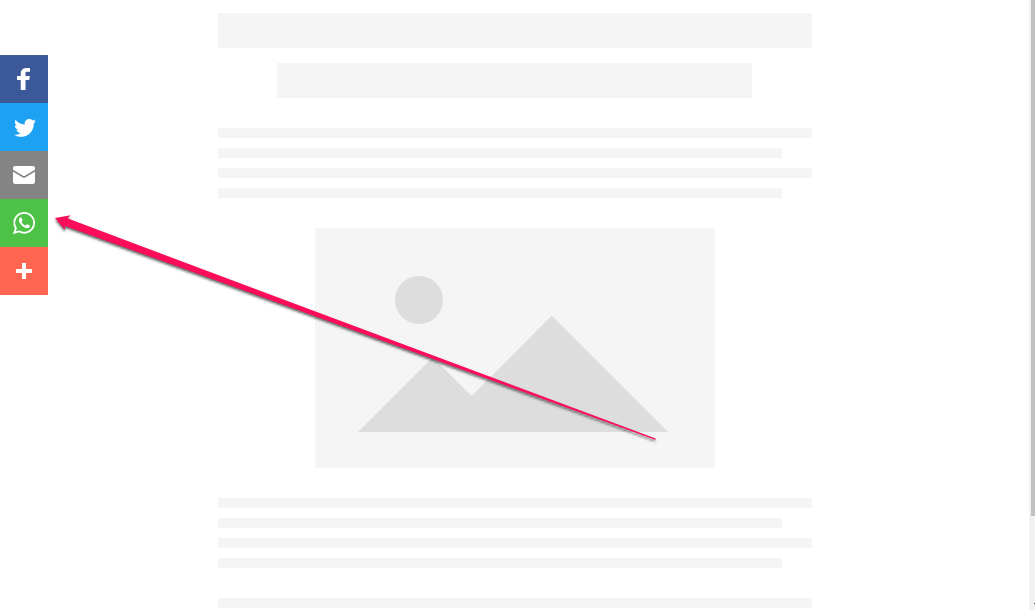
whatsapp share button sidebar widget for blogs

If you want to want to add the AddThis Whatsapp sharing button to your blog, you will have to create a share button tool at addthis.com, include whatsapp button and add the addthis code to your blog.

How To Add Whatsapp Share Button To Blogger Blog

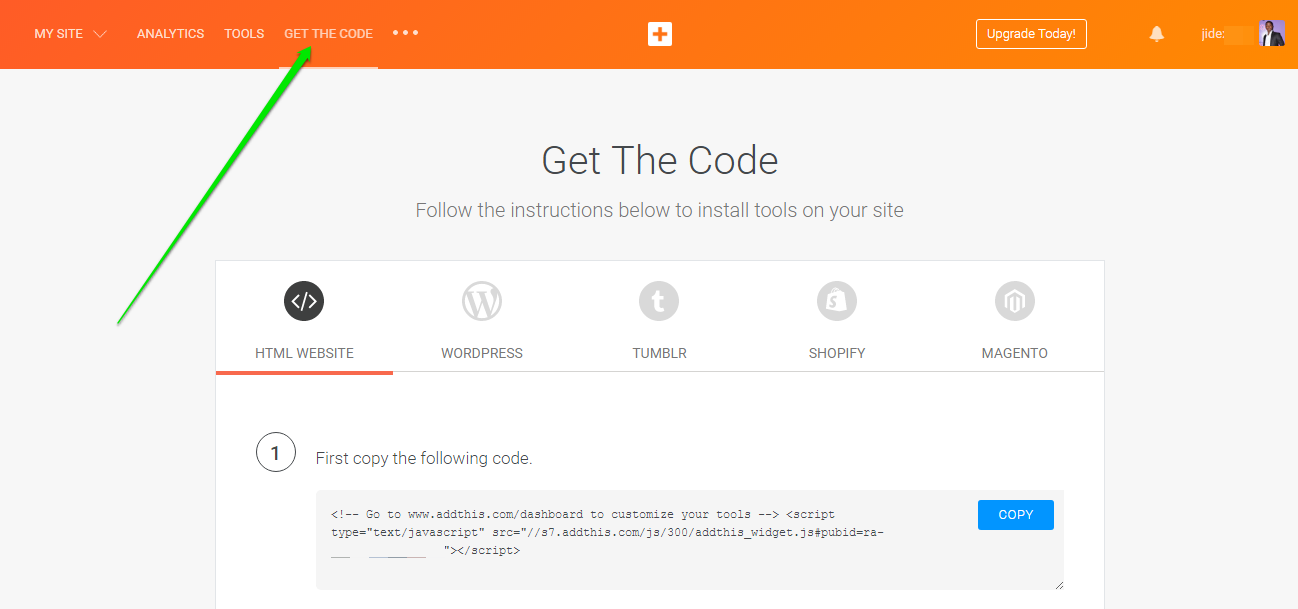
Sign in to your AddThis dashboard at www.addthis.com
Click the “ Get the Code ” button
addthis online marketing code

Sign in to your Blogger dashboard at blogger.com.
Navigate to  Theme  >  Edit HTML
Use  CTRL F  to find  </body>
Copy and paste the AddThis code above the </body> tag
Click “Save Theme”

Now, go back to your AddThis dashboard
Click on “ Tools ” > “ Add New Tool “
Click “ Share Buttons “

addthis tools for online marketing

Select “ Sidebar ” tool type and click “Continue”
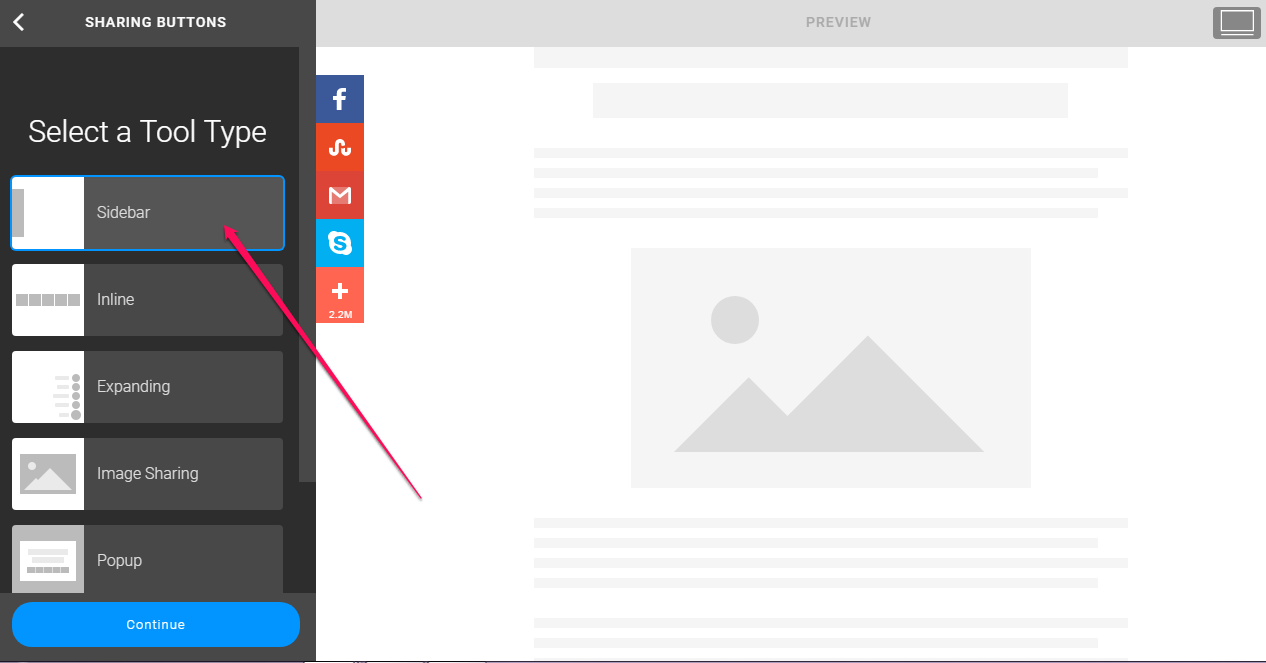
addthis sidebar share tool

Set how you want it to display on desktop and mobile devices. You can “hide” it on mobile if you want to.

Select “ Select Your Own ” option under “Social Networks”

Click on “ Add More Services “

Search for “Whatsapp” and click on it to add it to your share buttons. You can click and drag to re-order and you can remove services from the list.

addthiswhatsappsharebuttontool

Click “Save and Continue”

If you view your blog, the sharing buttons should now be displayed on your blog as seen below:

whatsapp sharing button for blogger blogs

If you want it to appear below your blog posts, you will have to create “inline” type sharing tool instead of “sidebar” type and add an additional addthis inline sharing tool code to your blog’s html.

I hope this helps.

Please Share :
addthis blogger tips

Like What You Read?

Sign Up to get similar articles delivered to your email inbox.

Leave a Reply Cancel reply

Your email address will not be published. Required fields are marked *

22 responses to “Whatsapp Share Button For Blogger Blogs”

  1. innocent adetokunbo ogbolo Avatar
    innocent adetokunbo ogbolo
    May 25, 2017

    hello jide ogunsanya,

    i would love to have your personal contact

    Loading…
    Reply
    1. ik Avatar
      ik
      May 30, 2017

      me too

      Loading…
      Reply
  2. Marx Oduogu Avatar
    Marx Oduogu
    May 25, 2017

    oh thats great of them , thanks for sharing

    Loading…
    Reply
  3. KING SOLOMON Avatar
    KING SOLOMON
    May 27, 2017

    Thank you for the tip you have teach us it realy helps me

    Loading…
    Reply
  4. Chijindu Iwuchukwu Avatar
    Chijindu Iwuchukwu
    May 31, 2017

    That's very nice… I'll try it out

    Loading…
    Reply
  5. AMOS MEBE JATAU Avatar
    AMOS MEBE JATAU
    June 10, 2017

    very interesting and much pleasant information on your blog. please i will have love to have your personal call number let us discuss business

    Loading…
    Reply
  6. kayode oyebanji Avatar
    kayode oyebanji
    June 12, 2017

    hello sir .thanks for your post. but i am finding it difficult to embed the sharing tool beneath my blog posts

    Loading…
    Reply
  7. Cyberprince Avatar
    Cyberprince
    July 12, 2017

    Nice post

    Loading…
    Reply
  8. Chioma Juliet Avatar
    Chioma Juliet
    July 22, 2017

    Nice and well Analysed Info

    Loading…
    Reply
  9. DC Liam Oluwatosin Avatar
    DC Liam Oluwatosin
    August 17, 2017

    Thanks bro, I just did that on my blog and it really work. Thanks

    Loading…
    Reply
  10. Menulis Buat Blog Avatar
    Menulis Buat Blog
    September 3, 2017

    Thank you for the tip you have teach us it realy helps myblog.

    Loading…
    Reply
  11. vicky Avatar
    vicky
    January 5, 2018

    yes it worked thanks

    Loading…
    Reply
  12. mike Avatar
    mike
    April 3, 2018

    how can i connect a group page on whatsapp to a blog so that all post on the group page can be access on the blog site

    Loading…
    Reply
  13. AFUYE Avatar
    AFUYE
    May 29, 2018

    THANKS! THIS REALLY WORKED FOR ME!

    Loading…
    Reply
  14. wisdom peter Avatar
    wisdom peter
    November 15, 2018

    Thanks. This was really helpful

    Loading…
    Reply
  15. stephen baskar Avatar
    stephen baskar
    November 27, 2018

    thanks bro..

    Loading…
    Reply
  16. Joseph Avatar
    Joseph
    September 14, 2019

    You saved me a lot of time . This guide is simple and I’ve integrated it on my blog

    Thanks

    Loading…
    Reply
  17. Stephen isekhua Avatar
    Stephen isekhua
    December 31, 2019

    Nice writeup

    Loading…
    Reply
  18. NaijaIndex Avatar
    NaijaIndex
    March 30, 2020

    Thanks very much for the tipsIt works

    Loading…
    Reply
  19. bilal Avatar
    bilal
    April 28, 2020

    hihow to share single image or quotes through blogger..

    Loading…
    Reply
  20. eri Avatar
    eri
    October 16, 2020

    is this sacrifice your website speed load time or not ?

    Loading…
    Reply
  21. Kapers Avatar
    Kapers
    November 28, 2020

    Thank you for this, it’s really a big help

    Loading…
    Reply

WANT TO ADVERTISE?

Chat on WhatsApp

RELATED POSTS

  • 5 Reasons Why I Use AddThis Marketing Tools On My Blogsaddthis marketing tools
  • AddThis Plugin for Chrome: All-in-one Plugin for sharing and bookmarking any page
  • AddThis Link Promotion PopUp Tool Helps Drive More Visitors To Pages You Want Them To Seeaddthis link promotion tool popup

FEATURED


  • CREDICORP launches C.L.I.C.K.D. Scheme with FG’s 3MTT Programme, expanding affordable consumer credit for locally-assembled laptops and devices for digital workers

    CREDICORP launches C.L.I.C.K.D. Scheme with FG’s 3MTT Programme, expanding affordable consumer credit for locally-assembled laptops and devices for digital workers

  • What Happens to Your Online Accounts When You Die?

    What Happens to Your Online Accounts When You Die?

JOIN AI WEB DESIGN GROUP


  • AI Website Design Training Whatsapp Group by Jidetheblogger

    AI Website Design Training Whatsapp Group by Jidetheblogger

← AddThis Lets You Add Related Posts, Follow/Share Buttons, Link Promotion Tools and More To Your Blog
GiftCards.NG: Buy Amazon, PlayStation, iTunes Gift Cards Online in Nigeria →

Join 25,000+ subscribers

Receive our latest blog posts in your inbox.

Search

Social

Facebook

Instagram

Twitter

new ogbongeblog logo

Copyright © 2026 | About | Advertise | Featured | Sitemap | Privacy Policy | Powered by WordPress

Your cart (items: 0)

Products in cart

Product
Details
Total
Subtotal ₦0.00
Shipping and discounts calculated at checkout.
View my cart
Go to checkout

Your cart is currently empty!

Start shopping

Notifications

%d

    LIKE My Fan Page

    Privacy Policy | Copyright © 2012,OgbongeBlog.All Rights Reserved. Powered by Blogger .
    Create a Mobile Site
    View Site in Mobile | Classic
    Share by: