Send feedback
Configure marker altitude Stay organized with collections
Save and categorize content based on your preferences.
Select platform:
Android
iOS
This product or feature is Experimental (pre-GA).
Pre-GA products and features might have limited support, and changes to pre-GA products and
features might not be compatible with other pre-GA versions. Pre-GA Offerings are covered by
the Google
Maps Platform Service Specific Terms
. For more information, see the launch stage descriptions
.
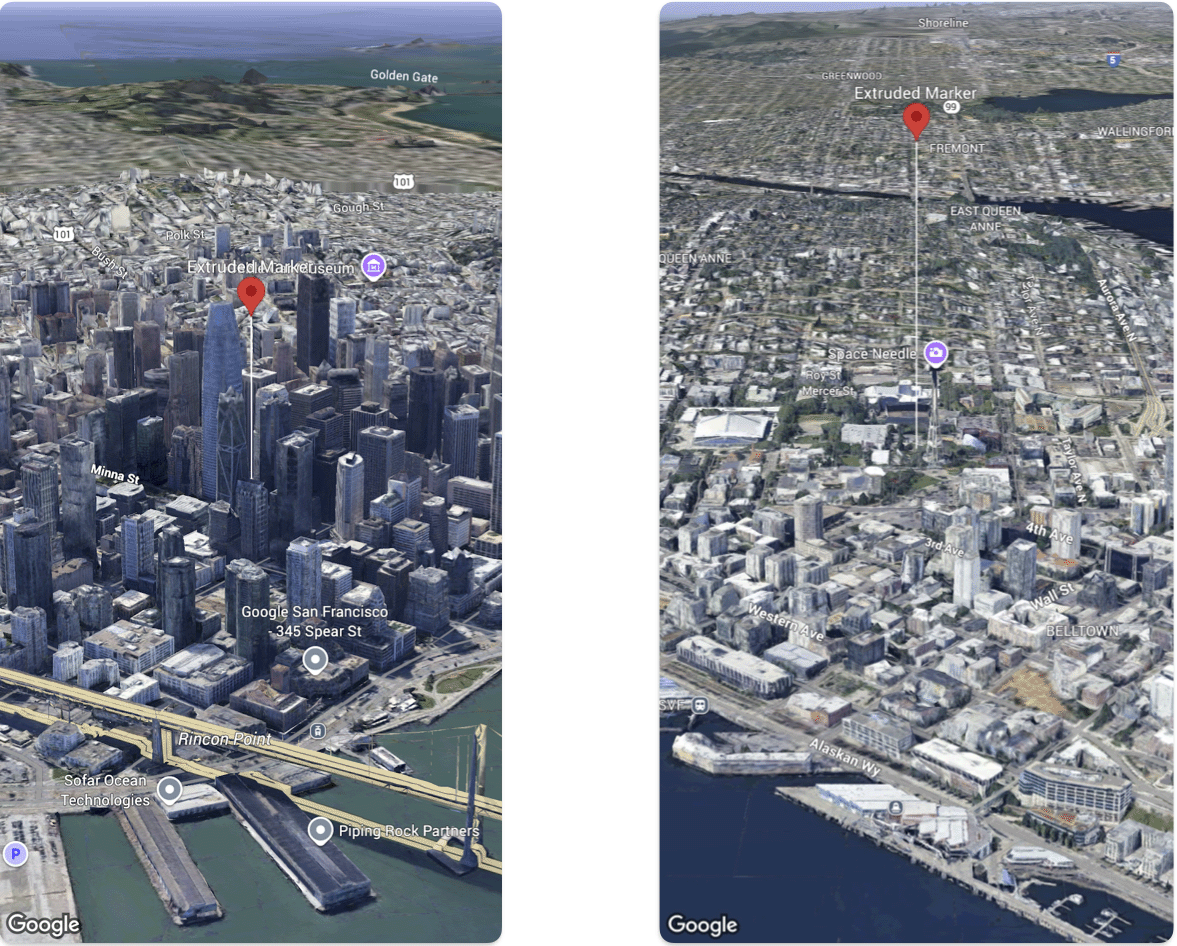
You can customize the altitude of markers that you add to a 3D map.
The following code sample demonstrates how use the Marker
struct
configure the altitude and altitude mode of a marker to extrude it and set its altitude.
Swift
@
State
var
extrudedMarker
:
Marker
=
.
init
(
position
:
.
init
(
latitude
:
37.78980534
,
longitude
:
-
122.3969349
,
altitude
:
50.0
),
altitudeMode
:
.
relativeToGround
,
collisionBehavior
:
.
required
,
extruded
:
true
,
drawsWhenOccluded
:
true
,
sizePreserved
:
true
,
zIndex
:
0
,
label
:
"Extruded marker"
)
Send feedback
Except as otherwise noted, the content of this page is licensed under the Creative Commons Attribution 4.0 License
, and code samples are licensed under the Apache 2.0 License
. For details, see the Google Developers Site Policies
. Java is a registered trademark of Oracle and/or its affiliates.
Last updated 2025-12-11 UTC.
Need to tell us more?
[[["Easy to understand","easyToUnderstand","thumb-up"],["Solved my problem","solvedMyProblem","thumb-up"],["Other","otherUp","thumb-up"]],[["Missing the information I need","missingTheInformationINeed","thumb-down"],["Too complicated / too many steps","tooComplicatedTooManySteps","thumb-down"],["Out of date","outOfDate","thumb-down"],["Samples / code issue","samplesCodeIssue","thumb-down"],["Other","otherDown","thumb-down"]],["Last updated 2025-12-11 UTC."],[],[]]