
What is a Chat app?
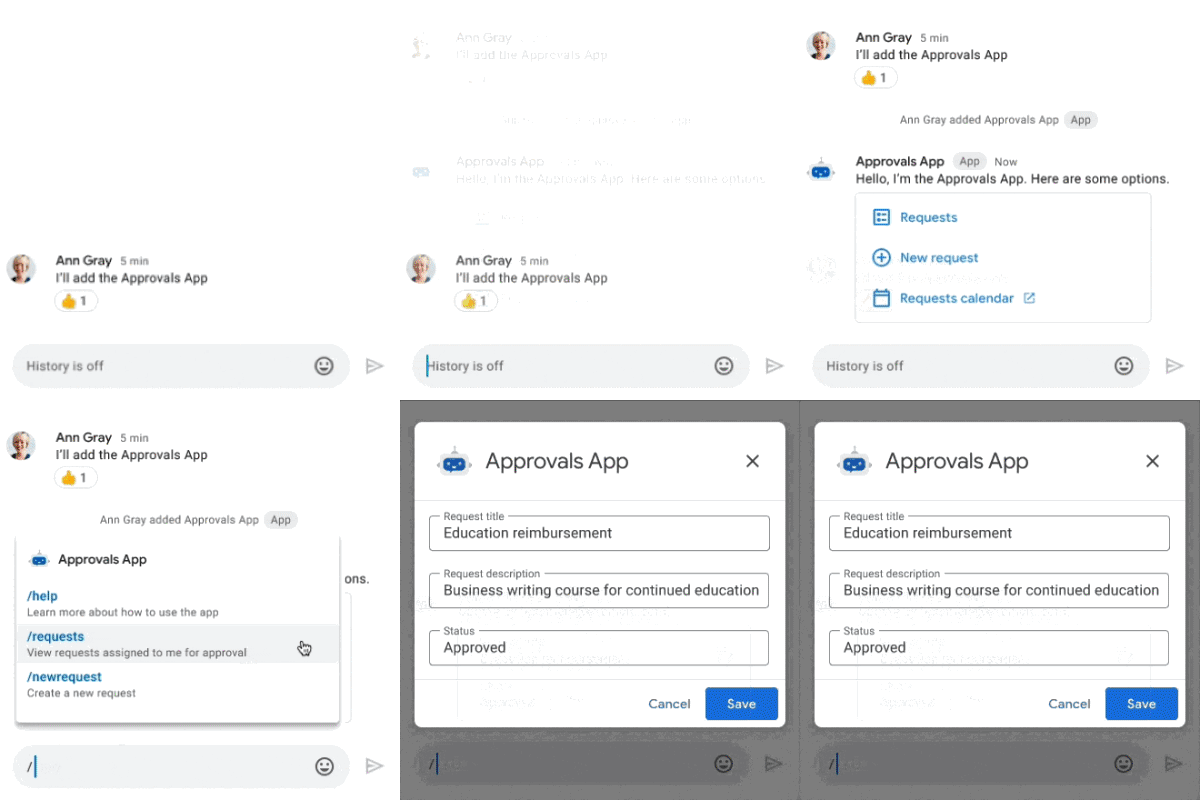
Chat apps are web applications or services that run in Google Chat.
By creating a Chat app with AppSheet, you enable users to interact directly with your app in Google Chat rather than clicking out to view the AppSheet app in a separate window.
Get started
Watch this video to learn how to create Chat apps with AppSheet.
Introducing AppSheet Chat apps
Get started creating Chat apps with AppSheet by running through the following:
- Quick start: Create your first Chat app with AppSheet
- Quick start: Send a Chat message from an automation
- Code Lab: Add Chat to your AppSheet apps
Steps to create Chat apps with AppSheet
To create Chat apps with AppSheet, perform the following steps:
Create an app using AppSheet. For more information, see:
Configure your Chat apps using automatic or manual configuration.
Note: You can configure oneChat app per Google Cloud project.
See also About the Google Cloud projects used by Chat apps .
Customize the following features in your Chat app:
- Chat app menu that displays when the Chat app installed or mentioned in a Google Chat space
- Search command that enables Chat app users to search your app using simple phrases
- Chat app actions that provide more ways to interact with your Chat app
Build automations using Chat apps to do the following:
- Trigger events based on Chat app interactions. See Configure Chat events .
- Send messages and app views to Chat spaces based on events. See Send a Chat message from an automation .
To get started, see Quick start: Send a Chat message from an automation .
