
Skip to content
new ogbongeblog logo
  • Advertise
  • Blog
  • Contact

How To Add Google Search Box To Mobstac Mobile Blogs

November 27, 2011

·

Uncategorized
jidetheblogger Avatar
jidetheblogger

Adding a custom Google search box to your mobile site powered by Mobstac , helps your readers find exactly the content they’re looking for, which is all the more crucial in a mobile site because people are usually in a hurry and in need of specific information.

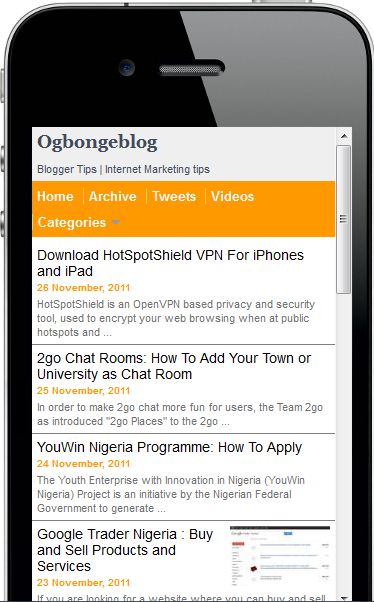
I have the Google search box at m.ogbongeblog.com   You will see it far down the site. Try and enter “ make money ” into it and you will see loads of posts that will come up.

If you want to add Google Search box to your mobstac powered mobile version of your blog , follow the steps below:

Login to www.mobstac.com

On the Dashboard, click on Settings

Scroll down till you see the : “ icon help  ” box

Enter your Search box Unique ID into the box and Save .
Mobstac2


Dont know your google Search Unique ID?

Go to  http://www.google.com/cse  and Log in

If you have already added Google search box to your blog , make sure you log in to the link above with the same log in details you use for your blog.

Click on the “ manage your existing search engines ” if you already have the Google Search box on your blog

Click on the “ control panel ” link beside your Search box name

A new page will open showing you an ID in a bold text . That is your search box unique ID.

The unique ID looks like:  partner-pub-xxxxxxxxxxxxxxxxxxxxx


That’s all

If you do not have the Google Search box on your blog , you will have to create a new one for your blog at  http://www.google.com/cse  by clicking on the “ Create a Custom Search Engine”.

After creating it, get the UID as explained above.

Cheers!

Please Share :
blogger tips mobstac tips

Like What You Read?

Sign Up to get similar articles delivered to your email inbox.

Leave a Reply Cancel reply

Your email address will not be published. Required fields are marked *

One response to “How To Add Google Search Box To Mobstac Mobile Blogs”

  1. elzaksblog Avatar
    elzaksblog
    December 24, 2011

    THAT IS GOOD

    Loading…
    Reply

WANT TO ADVERTISE?

Chat on WhatsApp

RELATED POSTS

  • Dudamobile mobile version of Ogbongeblog Vs Mobstac Mobile Version
  • How to use Mobstac to create mobile version of blogger blog plus Adsense integration
  • How I Use Mobstac To Create Mobile Custom Domain (m.ogbongeblog.com)

FEATURED


  • CREDICORP launches C.L.I.C.K.D. Scheme with FG’s 3MTT Programme, expanding affordable consumer credit for locally-assembled laptops and devices for digital workers

    CREDICORP launches C.L.I.C.K.D. Scheme with FG’s 3MTT Programme, expanding affordable consumer credit for locally-assembled laptops and devices for digital workers

  • What Happens to Your Online Accounts When You Die?

    What Happens to Your Online Accounts When You Die?

JOIN AI WEB DESIGN GROUP


  • AI Website Design Training Whatsapp Group by Jidetheblogger

    AI Website Design Training Whatsapp Group by Jidetheblogger

← Introducing “m.ogbongeblog.com” : Mobile Version of OgbongeBlog.com
Steps to GTBank Online Banking On Phones and TABLETS (Nokia, BlackBerry, iPad, Android etc) →

Join 25,000+ subscribers

Receive our latest blog posts in your inbox.

Search

Social

Facebook

Instagram

Twitter

new ogbongeblog logo

Copyright © 2026 | About | Advertise | Featured | Sitemap | Privacy Policy | Powered by WordPress

Your cart (items: 0)

Products in cart

Product
Details
Total
Subtotal ₦0.00
Shipping and discounts calculated at checkout.
View my cart
Go to checkout

Your cart is currently empty!

Start shopping

Notifications

%d

    LIKE My Fan Page

    Privacy Policy | Copyright © 2012,OgbongeBlog.All Rights Reserved. Powered by Blogger .
    Create a Mobile Site
    View Site in Mobile | Classic
    Share by:


