

Get started
Before you can try the sample code, you must configure your development environment. For more information, see Set up a Flutter project .
View the code
Dart
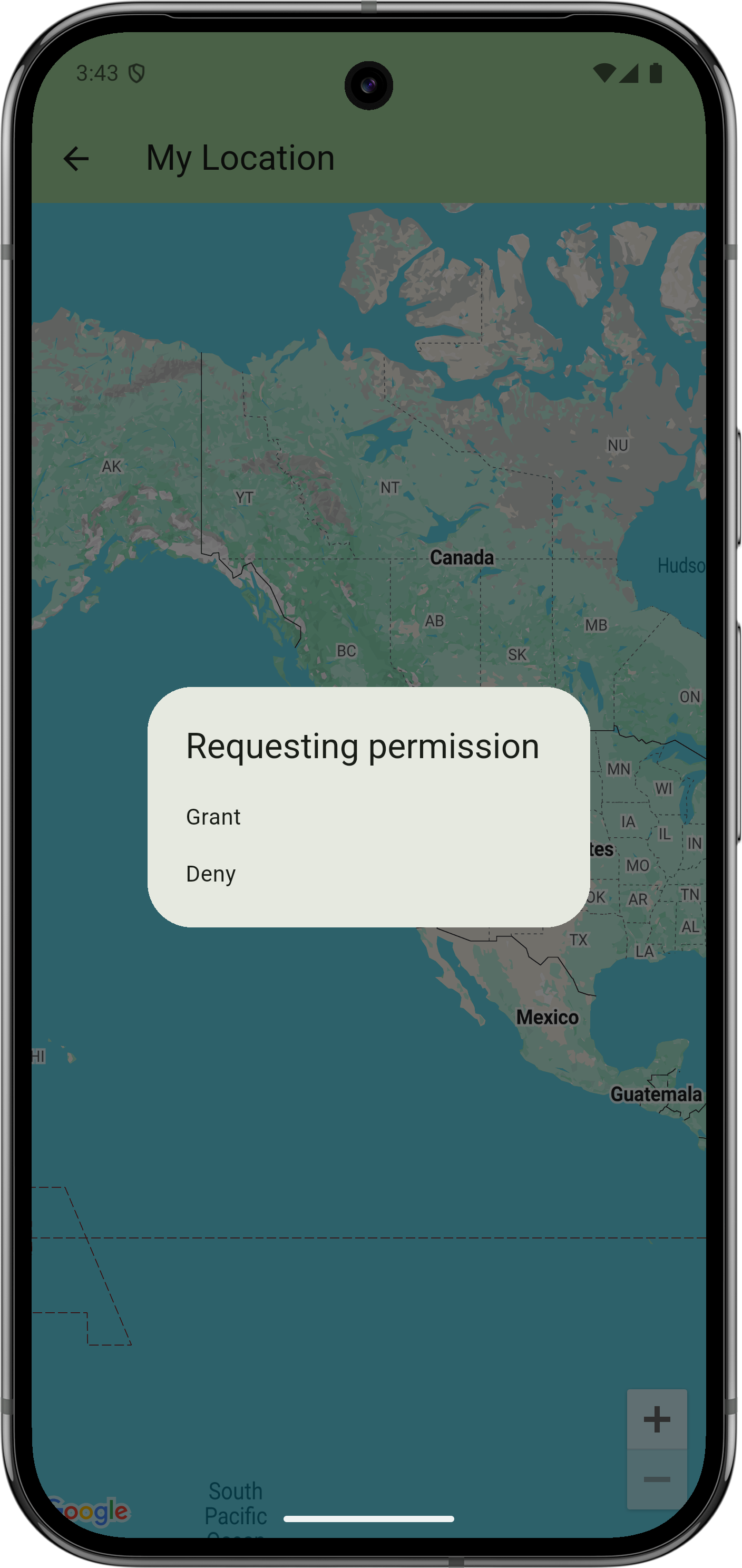
// Copyright 2025 Google LLC // // Licensed under the Apache License , Version 2.0 ( the "License" ); // you may not use this file except in compliance with the License . // You may obtain a copy of the License at // // https : // www . apache . org / licenses / LICENSE - 2.0 // // Unless required by applicable law or agreed to in writing , software // distributed under the License is distributed on an "AS IS" BASIS , // WITHOUT WARRANTIES OR CONDITIONS OF ANY KIND , either express or implied . // See the License for the specific language governing permissions and // limitations under the License . import 'dart:async' ; import 'package:flutter/material.dart' ; import 'package:google_maps_flutter/google_maps_flutter.dart' ; /// User 's location is shown as a blue dot and the My Location button /// is displayed in the bottom right corner of the map . When the user taps /// the button , the map pans to the user 's current location. class MyLocationSample extends StatefulWidget { const MyLocationSample ({ super . key }); @override State<MyLocationSample> createState () = > _MyLocationSampleState (); } class _MyLocationSampleState extends State<MyLocationSample> { /// To use My Location on some platforms ( such as Android ), /// you need to ask the user for permission at runtime . See below . bool ? _permissionGranted ; @override Widget build ( BuildContext context ) { return GoogleMap ( initialCameraPosition : CameraPosition ( target : LatLng ( 37.78 , - 122.42 )), // Enables the My Location layer . // // This feature is not available on all platforms and you MUST have // the appropriate location permission enabled in order for this to work . // See documentation of [ GoogleMap . myLocationEnabled ] for details . myLocationEnabled : _permissionGranted ?? false , // You can choose whether to show the button that lets the user // transport the camera to their current location . // This has no effect when ` myLocationEnabled ` is false . myLocationButtonEnabled : true , ); } @override void initState () { super . initState (); _requestPermission (); } /// A * fake * implementation of requesting the permission . /// /// Real apps will use 3 rd party packages such as ` package : permission_handler ` /// or build their own bespoke solution . Future<void> _requestPermission () async { // Wait a bit before continuing . This is required here because we call this // function from initState (), and that 's too soon to be showing dialogues. await Future<void> . delayed ( const Duration ( seconds : 1 )); if ( ! mounted ) return ; var result = await showDialog<bool> ( context : context , builder : ( context ) = > SimpleDialog ( title : Text ( 'Requesting permission' ), children : [ SimpleDialogOption ( onPressed : () = > Navigator . pop ( context , true ), child : Text ( 'Grant' ), ), SimpleDialogOption ( onPressed : () = > Navigator . pop ( context , false ), child : Text ( 'Deny' ), ), ], ), ); if ( ! mounted ) return ; ScaffoldMessenger . of ( context ) . showSnackBar ( SnackBar ( content : Text ( 'Fake permission granted: $result. ' 'Remember that for My Location to actually work, ' 'you need an actual runtime permission on some platforms. ' 'See the code of this sample for more info.' , ), duration : const Duration ( seconds : 10 ), showCloseIcon : true , ), ); setState (() { _permissionGranted = result ; }); } }
Next steps
View the complete set of samples on GitHub:
Alternatively, clone the full set of samples to run them locally by executing the following commands:
git clone -b flutter_samples https://github.com/googlemaps-samples/flutter-maps-samples.gitcd flutter-samplesflutter pub get
