


You can now show off the number of people in your Google-plus circles, with the help of the Google Plus Widget. The widget also allows you to show the visitors of your blog that you have a Google+account. Therefore it’s a great opportunity to get in touch with your visitors!
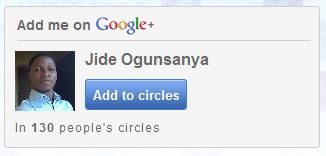
How To Get Started
Go to: http://widgetsplus.com/
Click on the “ Get Widget ” button
The “ Settings ” page will appear.
Enter your Google Plus ID in the “ Google +ID ” box.
Adjust the “ Widget width ” to the size you want
Scroll up and click the “ Get Code ” button.
Your code will appear, copy it.
Login to your Blogger blog, go to “ Design/Layout ” and click on “ Add a Gadget ” on your sidebar.
Choose the “ Html/Javascript ” gadget and paste the code above in it.
Save it and view your blog.
That’s all.
Note : If the size is not okay, feel free to adjust it.
Don’t know how to get your Google Plus ID?
Go to : plus.google.com
Click on your Profile Picture.
Copy the URL from your browser address bar.
The URL should be something like: http://plus.google.com/100475476355251995300
Your ID is the string of number e.g “ 100475476355251995300 ” from the URL above.
I hope this helps….
Cheers!





Leave a Reply