



PR
カレンダー

Nori@T'sLAB
T'sLABのNoriが贈る電気と音楽のblog鍵盤天国!
キーワードサーチ
▼キーワード検索
October , 2026
September , 2026
August , 2026
September , 2026
August , 2026
July , 2026
June , 2026
June , 2026
福山で大学の同期会
New!
りとみしゃんさん
「自叙伝」オーディ… New!
ごろぞ〜太!さん
New!
ごろぞ〜太!さん
今朝は晴れ。
New!
HABANDさん
ショック!サックス…
hanewoさん
にゃじら的生活 pumoriさん
「自叙伝」オーディ…
New!
ごろぞ〜太!さん今朝は晴れ。
New!
HABANDさんショック!サックス…
hanewoさんにゃじら的生活 pumoriさん
July 12, 2015

カテゴリ: 音楽
『bx_opto Pedal』のリリースを記念してPlugin Alliance(Brainworxブランド)がKVRと共同で1ヶ月間(~7/22※アメリカ時間)限定で無償配布実施中!
通常$49にて販売されているギター用ストンプ風プラグインです.
上位モデルの『bx opto』同等のエフェクトが得られますのでこの機会にぜひDLしてみてください.
と,言う事で今回は海外ページが苦手な方のためにダウンロード方法を記載します.
<オーダー方法>
KVRサイト にて下記『bx_opto Pedal』の記事をクリック.
※丁寧に"~Free Until July 22nd"と記載されている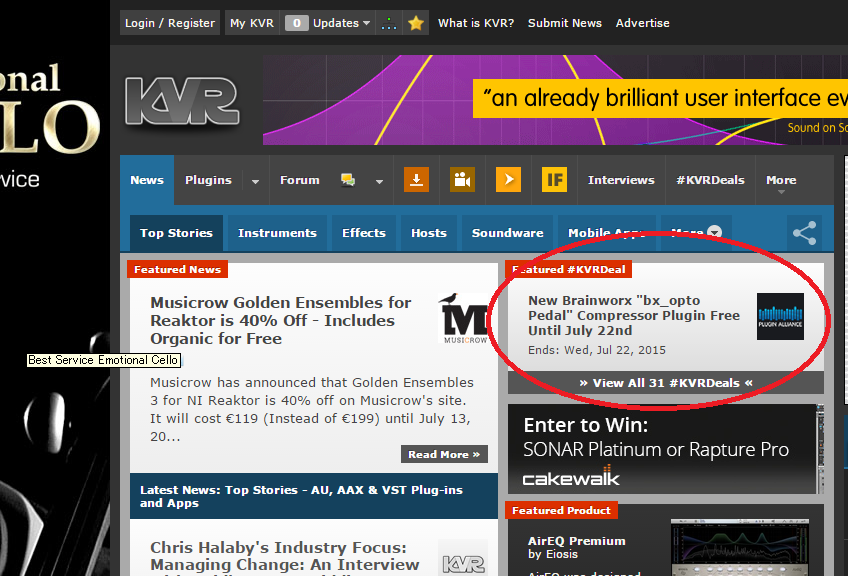
記事サイトより『GET DEAL』をクリックしカートへ入れる.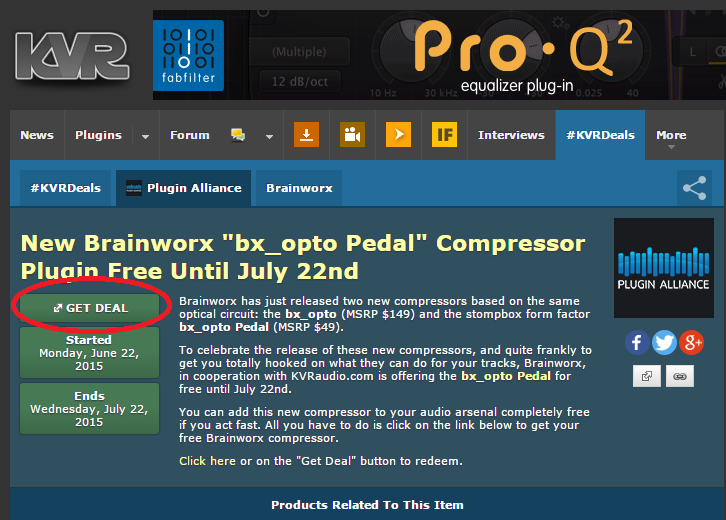
Your Oder画面が出てくるので他の注文がなければ右下の『CHECKOUT』をクリック
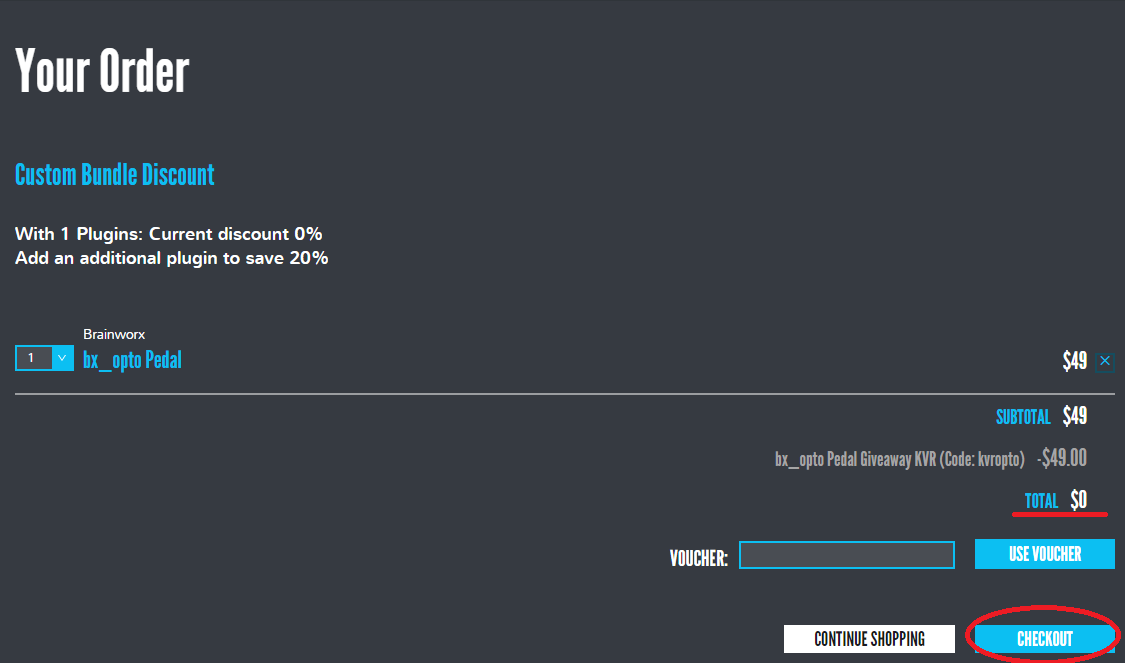
ユーザーIDを持っている場合はメールアドレスとパスワードを記入の上『CONTINUE』をクリック
※以下の<ユーザーアカウントの作成>はカット
ユーザーアカウントを持っていない人は『Register for a free account』よりフリーアカウント作成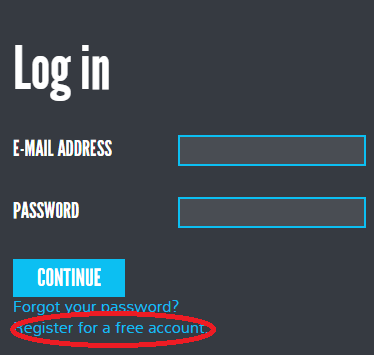
<ユーザーアカウントの作成>
名前,住所,メールアドレスと任意のパスワード(確認用とで2回入力)を英語に変換して記載する.
住所の書き方がわからない場合は以下のサイトで変換表記したものをコピー
JuDress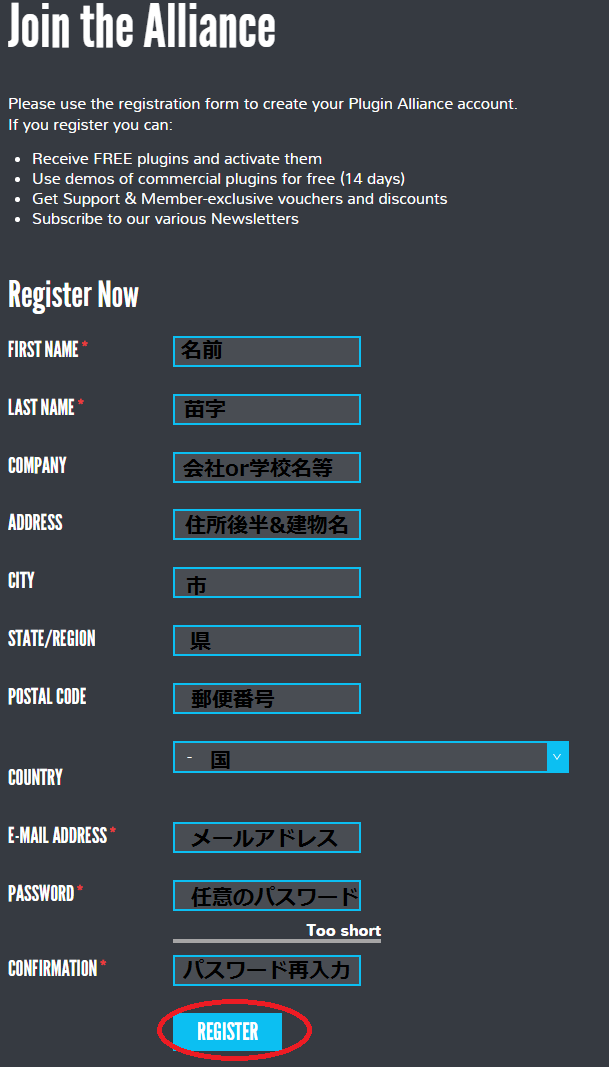
入力後,『REFISTER』をクリックするとメールを確認する旨が表示されるので入力したメールのアカウントを確認する.
『Your registration on plugin-alliance.com』というメールが送られてくるので,本文の以下の記述より
『Thank you for becoming a member of the Plugin Alliance. Please follow ~』後のURLをクリックしてアカウント承認を完了する.
メールアドレス(ユーザーID)と指定した任意のパスワードを入力してログイン
<オーダー方法続き>
※アップデート情報が欲しい場合は『Update my account information for future orders』にチェックを入れる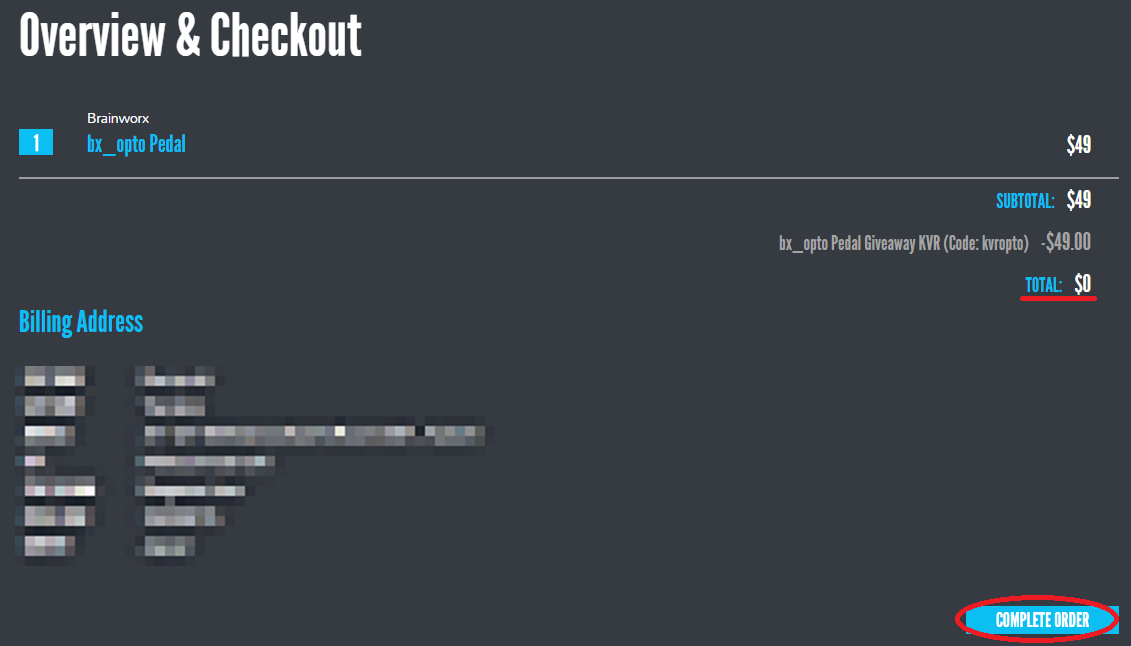
OrderCompleteより『visit the bx_optp Pedal product page』をクリック
※オーダーの領収書は『Download your invoice』よりPDFにて発行される
『bx_opto Pedal Giveaway KVR (Code: ************)』にアクティベートコードも記載されているので必ずDLする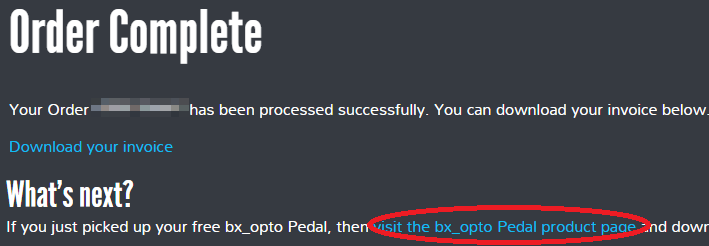
<ダウンロード>
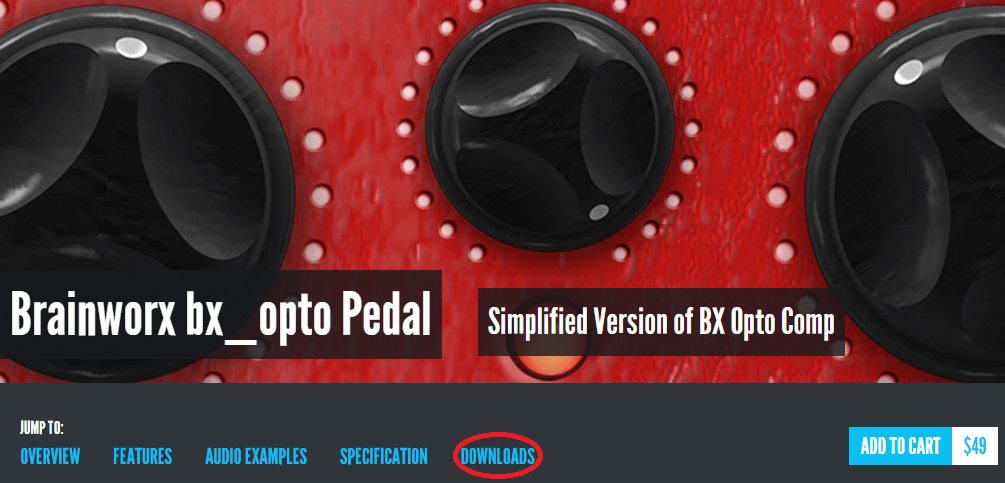
以上,ダウンロード方法の紹介でした.
シンプルですが意外と心地いいかかり具合のコンププラグインです!
是非お試しください.

実機のオプティカル・コンプレッサーでは表現することのできない多彩な表現力をbx_optoで実感して下さい。Plugin Alliance/brainworx bx_opto
通常$49にて販売されているギター用ストンプ風プラグインです.
上位モデルの『bx opto』同等のエフェクトが得られますのでこの機会にぜひDLしてみてください.
と,言う事で今回は海外ページが苦手な方のためにダウンロード方法を記載します.
<オーダー方法>
KVRサイト にて下記『bx_opto Pedal』の記事をクリック.
※丁寧に"~Free Until July 22nd"と記載されている
記事サイトより『GET DEAL』をクリックしカートへ入れる.
Your Oder画面が出てくるので他の注文がなければ右下の『CHECKOUT』をクリック
ユーザーIDを持っている場合はメールアドレスとパスワードを記入の上『CONTINUE』をクリック
※以下の<ユーザーアカウントの作成>はカット
ユーザーアカウントを持っていない人は『Register for a free account』よりフリーアカウント作成
<ユーザーアカウントの作成>
名前,住所,メールアドレスと任意のパスワード(確認用とで2回入力)を英語に変換して記載する.
住所の書き方がわからない場合は以下のサイトで変換表記したものをコピー
JuDress
入力後,『REFISTER』をクリックするとメールを確認する旨が表示されるので入力したメールのアカウントを確認する.
『Your registration on plugin-alliance.com』というメールが送られてくるので,本文の以下の記述より
『Thank you for becoming a member of the Plugin Alliance. Please follow ~』後のURLをクリックしてアカウント承認を完了する.
メールアドレス(ユーザーID)と指定した任意のパスワードを入力してログイン
<オーダー方法続き>
※アップデート情報が欲しい場合は『Update my account information for future orders』にチェックを入れる
OrderCompleteより『visit the bx_optp Pedal product page』をクリック
※オーダーの領収書は『Download your invoice』よりPDFにて発行される
『bx_opto Pedal Giveaway KVR (Code: ************)』にアクティベートコードも記載されているので必ずDLする
<ダウンロード>
以上,ダウンロード方法の紹介でした.
シンプルですが意外と心地いいかかり具合のコンププラグインです!
是非お試しください.
実機のオプティカル・コンプレッサーでは表現することのできない多彩な表現力をbx_optoで実感して下さい。Plugin Alliance/brainworx bx_opto
お気に入りの記事を「いいね!」で応援しよう

[音楽] カテゴリの最新記事
-
minimoog VOYAGERにVX-315を取り付けてみた December 16, 2018
-
MN-22E MONOLER March 30, 2016 コメント(1)
-
キングオブシンセ KORG OASYS March 4, 2016


【毎日開催】
15記事にいいね!で1ポイント


© Rakuten Group, Inc.
