
Sibling at Requested School - Student Transfer Application
A step-by-step tutorial for filling out the online student transfer application
Before starting the application, make sure you have done the following:
- The enrolling parent needs to create a Student Information System (SIS) Parent Account . Please contact the enrolled school for an activation key.
- Students new to FCPS must be registered at a base school as identified by FCPS Boundary Locator before starting the student transfer application.
Sibling at Requested School Applications
- The sibling(s) must be living in the same household for student transfer consideration.
- Sibling relationships will be verified in the Student Information System.
- Parents will receive a guidance message if a school is closed to student transfers or if a sibling is not enrolled in a non-base school.
Contact [email protected] for any questions.
Let’s Get Started!
- Access the online student transfer application .
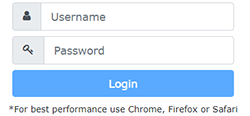
- Type in your username and password that corresponds to the enrolling parent Student Information (SIS) Account.
Forgot password? Go to
SIS Parent Account Access
.
-
If your child appears under the enrolling parent (green) bar, select “Start a transfer request.”

- Select “Renew Request” instead of “Start a transfer request” if you are requesting a renewal of a student transfer and your student continues to meet the same student transfer criteria as indicated in the original student transfer application.
-
If your child appears under the viewing parent (burgundy) tab, then you may not proceed with application submission. The enrolling parent needs to submit the application on behalf of the family.

-
Select the school year for the request.

-
Select “Sibling at another school” as the reason for transfer request.

-
The online application will identify sibling attending a non-base school. Select sibling.

-
Review the transfer conditions and indicate your agreement to proceed.

-
Review application for accuracy. Select “Pay Online Now” to pay the non-refundable application processing fee. Fee waiver information, visit the student transfer website .

-
On the MySchoolBucks site, you may create an account, use a current account, or continue as a guest.

- Submit
The enrolling parent will receive an email confirming the transfer application submission.
Please allow 2-3 weeks to process the request. The enrolling parent will receive a decision email when the process is completed.

